On this page
AI agents can check phone numbers and e-mail addresses through a tool instead of guessing from the characters: connect an MCP server, or give your model a function-calling tool that calls a verification API. Either way the agent gets registered, not registered or unknown answers with a timestamp. The hard part isn't the call. It's the guardrails: spend caps, human approval for paid actions, and reading "unknown" correctly.
This hub collects everything we publish on agents and verification. Each section summarises one topic and links to the page with the full detail.
In this guide:
- Why agents need verification tools
- MCP, function calling or generated code
- The MCP server
- The 2026-07-28 MCP revision
- Function calling over the REST API
- Files an agent should read first
- Keys and spend limits
- Human approval
- Reading results correctly
- Enumeration and privacy
- Testing and async results
Which page answers which question?
| Question | Where the full answer is |
|---|---|
| How do I connect an agent to phone checks over MCP? | Phone number checks for AI agents with MCP |
| What tools does the server have, and how is spend confirmed? | MCP server docs |
| What is MCP? | Model Context Protocol |
| Where is the machine-readable API contract? | OpenAPI docs |
| Which client libraries exist? | SDKs for Node.js and Python |
| Can I run checks from a terminal or script? | Command-line tool |
| Which test values give which answers? | Test mode |
| How are webhooks signed? | Webhooks |
| What are the key facts in one place? | Facts |
Why do agents need verification tools at all?
A language model can tell you that a string looks like a UK mobile number. It can't know whether the number was ported to a VoIP provider last month, whether it is registered on a messaging app, or whether a webmail mailbox exists. Asked anyway, it produces a confident guess, and a guess in a CRM clean-up or a fraud review is worse than no answer.
A tool changes that. The model passes structured arguments, the tool answers from data, and the result carries a checked_at time and a reason when there is no answer. That is what makes agent output auditable. Typical jobs are tidying a contact export, triaging sign-ups a fraud rule flagged, and preparing channel choices for customers who opted in. The MCP walkthrough shows prompts that map onto each of these.
Which integration path should you choose?
There are three common paths. They reach the same API, with the same prices and limits.
| Path | Best when | You maintain | Spend guard |
|---|---|---|---|
| MCP server | The agent runs in an MCP client: a chat assistant, an IDE, a coding agent | Only the client config | Built-in estimate and confirmation, agent key cap |
| Function calling | You run the model loop in your own application | A tool schema and the call | Your code, plus the key's cap and max_cost |
| Code written by a coding agent | You want a normal integration in your codebase | The generated code | Your review, plus key scopes |
If you're unsure, start with MCP and a test key: it takes one config entry, and you can see real tool calls within minutes. Move to function calling when the check becomes one step of a production workflow you own.
What does the MCP server offer?
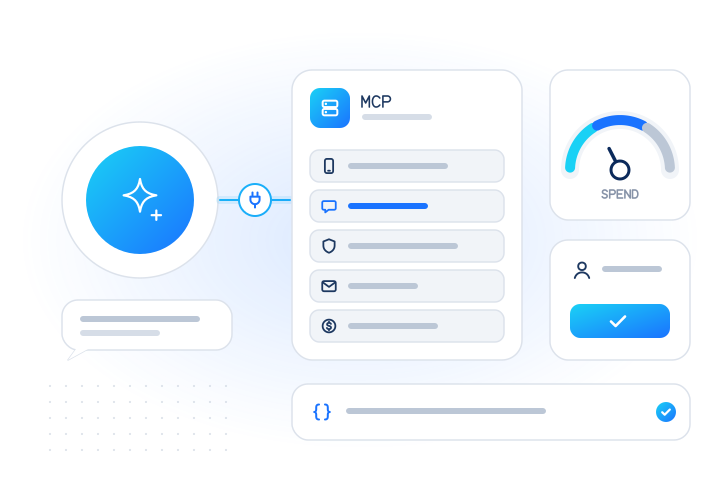
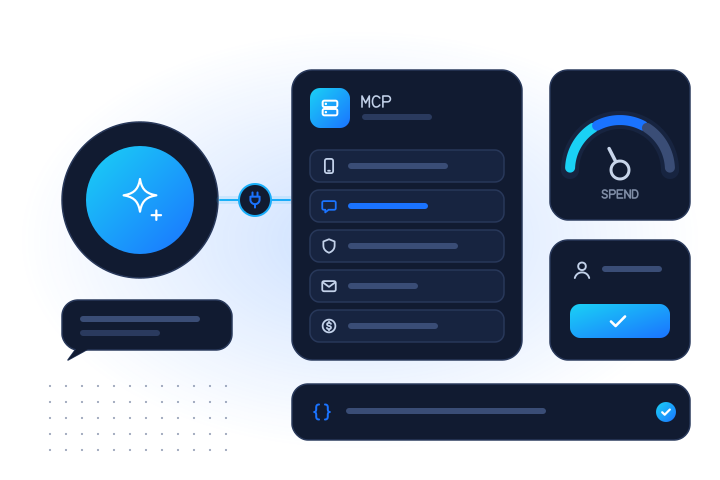
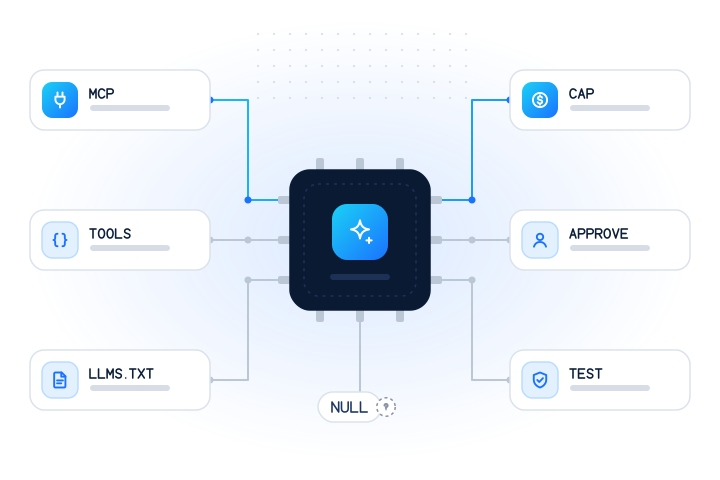
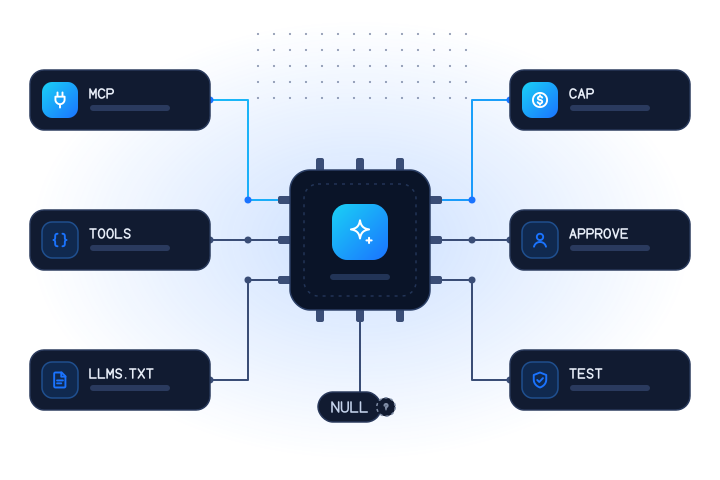
The hosted server at https://mcp.mobilevalidate.com/mcp speaks Streamable HTTP, and the @mobilevalidate/mcp package runs the same tools locally over stdio. It exposes nine tools: free ones (normalize_numbers, estimate_cost, list_services, get_account, get_lookup_job) and four that spend credit (lookup_numbers, lookup_emails, check_spam_reputation, create_lookup_job).
Each tool declares input and output schemas and returns both a short text summary for the model and structured content for code. The checks argument takes the same codes as the REST API, so whatsapp, carrier or email mean the same thing everywhere. Spam reputation is limited access (US, CA and DE numbers), and live network status isn't offered by the tools yet.
The MCP docs list every tool with its parameters. The walkthrough post shows a real tools/call request and response.
What changed in the 2026-07-28 MCP specification?
MCP versions are dates. The 2026-07-28 revision changes how clients and servers connect [2]. It removes the initialize handshake and protocol-level sessions, so every request carries its protocol version and client capabilities in _meta. Servers must implement a new server/discover call to advertise versions and capabilities. tools/list results gain caching hints (ttlMs, cacheScope), and servers should return tools in a deterministic order. Roots, Sampling and Logging are deprecated.
For you as a client author, the practical point is version negotiation: clients and servers must agree on a revision. Our server currently supports the handshake-based revisions up to 2025-11-25, as its server card lists. It doesn't implement 2026-07-28 yet, and we'll update the docs when it does. Our MCP glossary entry summarises the revision.
How does function calling work without MCP?
Function calling means you describe a tool to the model as a JSON Schema, the model returns arguments, your code makes the API call, and you pass the result back. You own the loop, which gives you full control over what the model can do.
Keep the tool narrow. One tool such as "check these phone numbers and e-mails for these checks" is easier to guard than a generic HTTP tool. Restrict the checks argument to an enum of the codes you actually need, cap the list length, and always send max_cost so a single call has a ceiling. Return a compact summary plus the structured rows, and keep null as null so the model can't mistake unknown for no.
The OpenAPI document (OpenAPI 3.1) gives exact request and response shapes you can turn into a tool schema [5]. The SDKs handle waiting for slow answers and safe retries inside your tool.
Which file should an agent read first?
Coding agents read documentation directly, so the order in which they find it matters. We publish these files for them:
| Order | File | What it gives the agent |
|---|---|---|
| 1 | /llms.txt | A short index: summary, sandbox key, packages, docs list, facts |
| 2 | /openapi.yaml | The full API contract |
| 3 | /errors.json | Every error code with its fix |
| 4 | /.well-known/mcp/server-card.json | The MCP server's identity, transport and supported revisions |
| — | /facts.json | Services, prices, limits and billing rules in one document |
The llms.txt format is a proposal for a Markdown file at a site's root that gives language models a brief summary and links to detailed Markdown pages [4]. Every page on our site also has a Markdown version at the same URL plus .md, which is far smaller than the HTML. A line in your AGENTS.md pointing to /llms.txt is usually enough to get a coding agent onto the right pages.
How do you keep an agent's spending under control?
OWASP's "excessive agency" risk describes damage done because an LLM system has more functionality, permissions or autonomy than its task needs [3]. For a paid API, the damage is usually money. Limit it in layers:
- A separate key. Agent keys (
mv_agent_…) carry only the scopes you grant and a daily spend cap. The MCP server rejects live keys, so an agent never holds an uncapped one. - A free estimate first. Before a spending tool runs, the server prices the request with the free estimate.
- Confirmation above a threshold. Above USD 1.00 by default, or for a job with more than 100 numbers and e-mails, the call is refused with
confirmation_requiredand the amount. - A hard ceiling. The confirmed amount travels to the API as
max_cost, so the request can't cost more.
Inconclusive results (unknown, unsupported country, timeout, invalid, duplicate) are never charged, which also limits what a confused agent can waste. Scopes and key kinds are explained in authentication.
Where does human approval fit?
The MCP specification says there should always be a human in the loop who can deny tool invocations, and that clients should show confirmation prompts for operations [1]. It also says clients must treat tool annotations as untrusted unless they come from a trusted server.
A server-side confirmation passes through the agent, so it can't prove that a person approved anything. A misbehaving agent could repeat the call with the confirmation argument itself. That's why the real limits sit outside the model, in the key's cap, its scopes and max_cost. In practice:
- Keep client approval on for the four spending tools. Auto-approve the free ones if you like.
- Give each agent or project its own key, so usage and audit logs stay readable.
- Start with a small daily cap and raise it only when a workflow proves it needs more.
How should an agent read "unknown" and "no reports"?
Models are prone to rounding uncertainty into a verdict, so results need to resist that:
registered: nullmeans unknown, not no. It comes with areasonsuch as a timeout or an unsupported country. An agent should report it as unknown and move on, never write "not on WhatsApp" into a CRM.- A negative answer is not equally strong everywhere. On some apps people can hide from number search, so "not registered" means "not findable". The registration checks guide rates each app.
- "No reports" is not "safe". Our spam-reputation tool says so in its own summary text, because models otherwise make that leap.
Tool output is also untrusted input for the model. Our tools return typed data and never echo request metadata back into their output, which leaves less room for prompt injection through results.
What stops an agent from being used for enumeration?
An agent can repeat an action far faster than a person, so the same anti-enumeration rules as the API apply unchanged. Requests with 20 or more consecutive numbers are refused with suspected_enumeration, and so are generated e-mail lists: 20 or more addresses on one domain that differ only by digits or separators. Live accounts also have daily caps.
Answers never include names, photos or profiles, and prompts that ask an agent to find out who owns a number fail by design. Numbers and addresses on our suppression list come back as suppressed and are never checked. The rules and their thresholds are in rate limits and abuse. For the legal side of checking identifiers at all, see the privacy checklist.
How do you test an agent integration?
Use test mode before any live key. Test keys (mv_test_…) return fixed answers and are never billed. +447700900001 is always registered, +447700900002 not registered and +447700900003 unknown, and the reserved test.mobilevalidate.com domain does the same for e-mail. The public sandbox key published in the docs accepts only those values, so an agent can run documented examples without signing up. The full table is in test mode.
For scripts and agents that prefer a shell, the command-line tool runs npx mobilevalidate check … --sandbox, prints NDJSON when piped, and uses exit code 3 when any result is inconclusive. Bulk jobs can notify your server by webhook, signed with the Standard Webhooks HMAC scheme. The webhook receiver recipe shows verification in code.
What are the key takeaways?
- Agents should call a verification tool, not guess. MCP suits agent clients, and function calling suits loops you own.
- Point coding agents at
/llms.txtfirst, then OpenAPI,errors.jsonand the MCP server card. - Limit spend outside the model: agent keys with daily caps, scopes, confirmation thresholds and
max_cost. - Keep human approval on for paid tools. A server can't prove that a person clicked "yes".
- Unknown is not no, and "no reports" is not safe. Carry
nullthrough unchanged. - Build and test with test keys, then switch to a capped agent key. Start at the MCP docs.
Platform and product names are used descriptively. MobileValidate is not affiliated with any AI or messaging company named here.
Sources
- Model Context Protocol specification, 2025-11-25: Tools — Model Context Protocol, 2025
- Model Context Protocol specification, 2026-07-28: Key changes — Model Context Protocol, 2026
- LLM06:2025 Excessive Agency — OWASP GenAI Security Project, 2025
- The /llms.txt file — llmstxt.org, 2026
- OpenAPI Specification v3.1.0 — OpenAPI Initiative, 2021
Frequently asked questions
How can an AI agent check a phone number or e-mail address?
Through a tool. Connect an MCP server that exposes verification tools, or define your own function-calling tool that calls a verification API. The model then gets registered, not registered or unknown answers from data instead of guessing from the digits.
Should I use MCP or function calling?
Use MCP when the agent runs in an MCP client such as a chat assistant, IDE or coding agent. Use function calling when you control the application loop yourself and want one narrow tool. Both reach the same API with the same limits.
How do I stop an agent from overspending?
Give it a separate key with a daily spend cap and only the scopes it needs, keep human approval on for spending tools, and send a maximum cost with each request. Our MCP server accepts only agent keys and test keys for this reason.
Which file should a coding agent read first?
Start with /llms.txt, a short index. From there: the OpenAPI document for the contract, errors.json for error codes and fixes, and the MCP server card if the agent will use MCP.
Can I test an agent integration without paying?
Yes. Test keys and the public sandbox key return fixed answers for documented test numbers and addresses and are never billed.
Related services and guides
More from the blog
All articlesDevelopers
Phone intelligence for AI agents with MCP
How to give an AI agent phone and e-mail checks through the MobileValidate MCP server: tools, example prompts, real tool calls and spend safeguards.
9 min read
Developers
E.164 phone number format: a practical guide for developers
How to normalize phone numbers to E.164 in JavaScript and Python, the pitfalls that break deduplication, and how the MobileValidate API normalizes input.
8 min read
Developers
How to check if a phone number is on WhatsApp with an API
How a WhatsApp registration check works, what registered, not registered and unknown mean, and how to call it responsibly from cURL, Node and Python.
8 min read