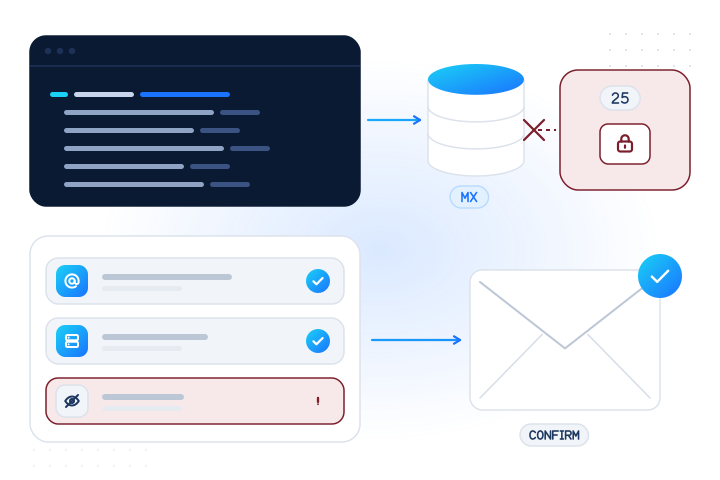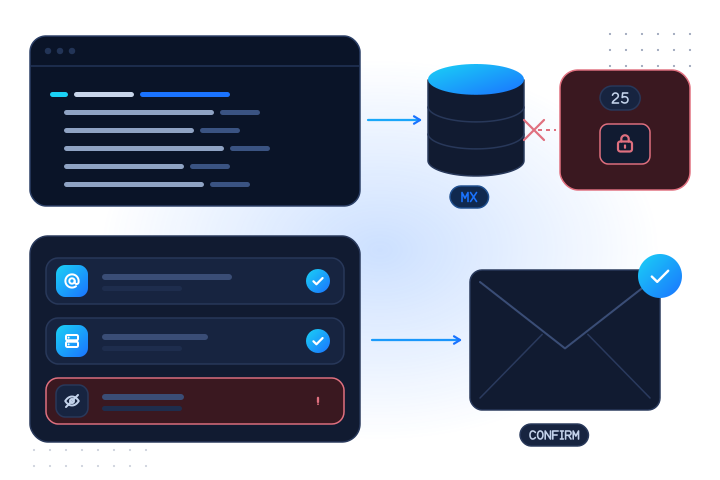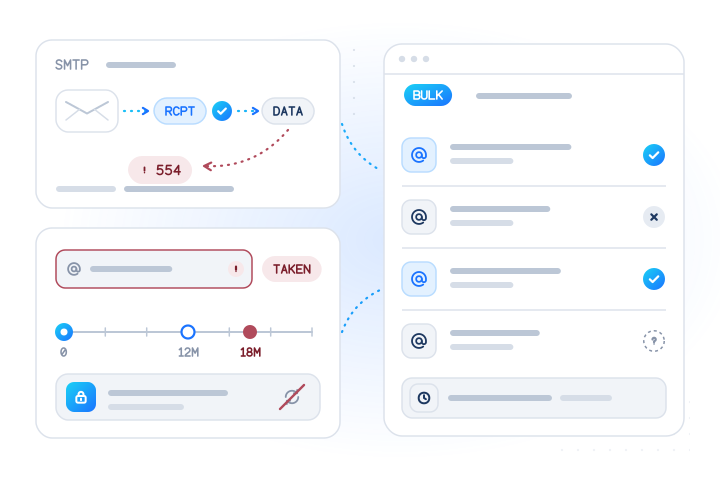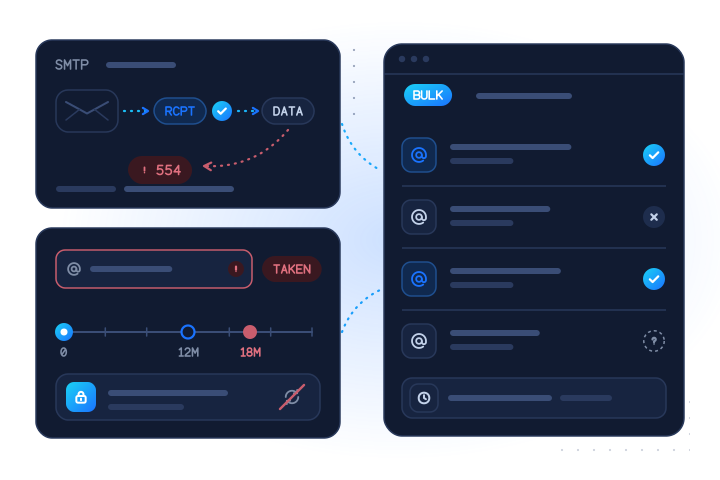

The mailbox check answers one question: does this e-mail address have a working mailbox at its provider? You get registered: true, false or null (unknown), plus the time we checked. It covers major webmail providers, runs in real time or in bulk jobs, and never sends mail to the address or reads the mailbox.
How do you check if a mailbox exists?
Send the address to the API with the email check. The check asks the provider that hosts the address whether that mailbox exists, and returns registered: true, false or null with checked_at. No message is delivered and the mailbox is never opened. For a list, run the same check as a bulk job.
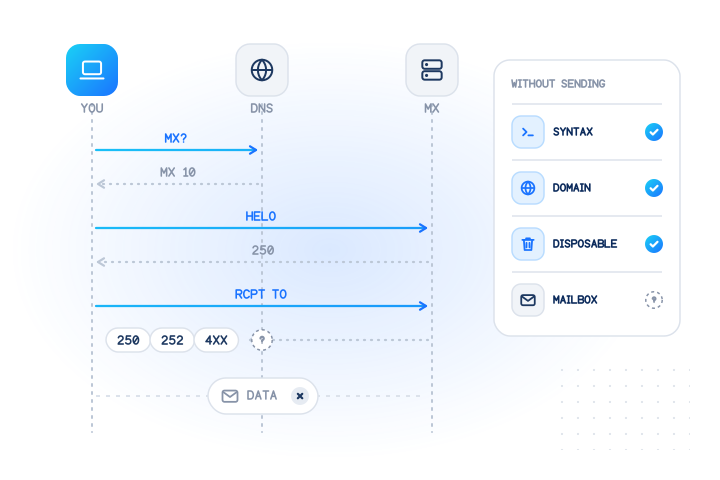
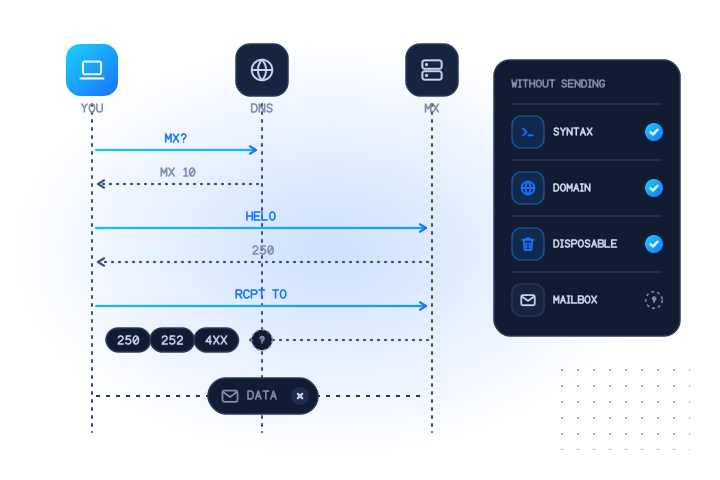
Doing it yourself over SMTP rarely works. The SMTP standard has a VRFY command for verifying a user name, but it lets sites disable it, and a server that has disabled it "MUST return a 252 response, rather than a code that could be confused with successful or unsuccessful verification" (RFC 5321, section 7.3). The other route, starting a delivery and reading the reply to RCPT TO (a 550 reply typically means "no such user", section 3.3 of the same RFC), doesn't give reliable answers from large providers, and repeated probing from your own mail server can hurt its reputation.
What does the mailbox check tell you?
It tells you whether the mailbox behind an address exists at the provider that hosts it. A syntax check only proves that an address is well formed. jane.doe@gmail.com and jane.dooe@gmail.com both pass syntax, but only one of them may exist.
registered: true: the provider has a mailbox at this address.registered: false: we got a conclusive answer, and there is no such mailbox.registered: null: no conclusive answer.statusandreasonexplain why, and you are not charged.
Coverage is intentionally narrow. The check answers only for major webmail providers, where most consumer sign-ups come from. Company and custom domains run their own mail servers with their own rules, so they answer unknown with reason: UNSUPPORTED_PROVIDER. That result is free. Addresses on a typo domain, such as a misspelled provider name, also fall outside coverage. A format check or a domain allow-list in your form catches those.
Who uses it, and why?
Teams use the mailbox check at the moment an address first enters their system. That is when a mistake or a fake is cheapest to catch.
- Sign-up and OTP protection. Fake accounts are often created with made-up addresses at big webmail providers. A
falseanswer before you send a confirmation link keeps them out. See OTP and sign-up fraud. - Deliverability. Sending to mailboxes that don't exist produces hard bounces, which hurt sender reputation. Checking first keeps receipts and password-reset mail flowing.
- Lead verification. A form lead whose address has no mailbox is either a typo you can fix while the person is still on the page, or a lead that isn't worth a sales call. See lead verification.
- Recruitment. A candidate's mistyped address means invitations and offers never arrive; a check at application lets them fix it. See candidate contact verification.
The per-provider account checks, such as the Gmail check, answer a different question: whether an account exists at that one provider. The mailbox check is the general-purpose, real-time option.
What do you get back?
Every address becomes one result row with kind: "email". Each requested check gets one entry in checks.
| Field | Type | Meaning |
|---|---|---|
email | string or null | The normalized address (trimmed, lowercased); null when invalid |
email_status | enum | valid, invalid_email, duplicate or suppressed |
checks["email.valid"].registered | boolean or null | true mailbox exists, false no mailbox, null unknown |
…status | enum | completed, pending, unknown, unsupported_country or failed |
…reason | string or null | e.g. UNSUPPORTED_PROVIDER, UPSTREAM_TIMEOUT |
…confidence, …checked_at | enum, timestamp | How sure the answer is, and when it was obtained |
…cached, …billed | boolean | Whether it came from your cache, and whether it was charged |
e164 and country are always null on e-mail rows. When you read results back later, the input is masked (for example re•••@test.mobilevalidate.com).
How is it billed?
You pay per address checked, and only for conclusive answers. You're not charged for inconclusive results (unknown, unsupported country, timeout, invalid, duplicate). That covers addresses outside provider coverage too. They answer unknown with UNSUPPORTED_PROVIDER, so a list full of company domains doesn't cost you anything for those rows. Real-time and bulk have separate per-check prices. See pricing.
Repeat checks of the same address inside the freshness window can come from your account's cache. Cache hits are free and marked cached: true, billed: false. max_age: 0 forces a fresh check, which is billed. max_cost puts a ceiling on a request.
What are the limits?
The mailbox check runs in real time (POST /v1/lookup, up to 100 numbers and e-mails together) and in bulk jobs (POST /v1/jobs, up to 50,000 per job). Put addresses in emails, not numbers. A request with e-mails but no e-mail check is refused with invalid_request.
- Up to 20 checks per request. The total of identifiers × applicable checks is capped at 2,000 per lookup and 100,000 per job.
- Requests that look like sequential number ranges or generated e-mail lists are rejected. For e-mail, that means 20 or more addresses in one request on one domain whose local parts differ only by digits or separators (
john1@,john.2@,john_3@). Live keys are also limited to 50 addresses of one such pattern per account per UTC day. - The account's daily cap counts e-mail addresses the same way as phone numbers (see
GET /v1/limits). - Test-domain addresses work only with test keys. Live keys get
test_number_only.
How do I use it responsibly?
Check addresses that people gave you, or that you otherwise have a lawful reason to process. Examples are a sign-up form, a checkout or an existing customer record. We never read mailboxes and never send e-mail to the address. The answer is only yes, no or unknown, and never includes a name, avatar or profile.
Don't use the check to guess addresses, to test variations of a name, or to build lists for unsolicited e-mail. The acceptable use policy forbids all three, and the anti-enumeration rules above block the most common patterns. Anyone can object to having their address checked through the opt-out form. Suppressed addresses answer email_status: suppressed and are never charged.
Example request
With a test key (mv_test_…), addresses on test.mobilevalidate.com return fixed answers: registered@ answers yes, unsupported@ shows the UNSUPPORTED_PROVIDER case. See test mode.
curl https://api.mobilevalidate.com/v1/lookup \
  -H "Authorization: Bearer mv_test_publicSandboxn9ZgneuhR1B9CRfKG3fulym" \
  -H "Content-Type: application/json" \
  -d '{"emails":["registered@test.mobilevalidate.com"],"checks":["email"]}'
// npm install mobilevalidate · Node.js 20+ · save as check.mjs and run: node check.mjs
import { MobileValidate } from "mobilevalidate";
// Omit apiKey to read MOBILEVALIDATE_API_KEY from the environment.
const mv = new MobileValidate({ apiKey: "mv_test_publicSandboxn9ZgneuhR1B9CRfKG3fulym" });
const { data, error } = await mv.lookup({
emails: ["registered@test.mobilevalidate.com"],
checks: ["email"],
});
if (error) console.error(error.code, error.message);
else console.dir(data.results, { depth: null });// Node.js 18+, Deno, Bun or the browser console (ES module: save as .mjs or use "type": "module").
const res = await fetch("https://api.mobilevalidate.com/v1/lookup", {
method: "POST",
headers: {
Authorization: "Bearer mv_test_publicSandboxn9ZgneuhR1B9CRfKG3fulym",
"Content-Type": "application/json",
},
body: JSON.stringify({
emails: ["registered@test.mobilevalidate.com"],
checks: ["email"],
}),
});
console.log(res.status, res.headers.get("x-request-id"));
console.dir(await res.json(), { depth: null });# pip install mobilevalidate-sdk
from mobilevalidate import MobileValidate
# Omit api_key to read MOBILEVALIDATE_API_KEY from the environment.
mv = MobileValidate(api_key="mv_test_publicSandboxn9ZgneuhR1B9CRfKG3fulym")
result = mv.lookup(emails=["registered@test.mobilevalidate.com"], checks=["email"])
print(result)<?php
$ch = curl_init('https://api.mobilevalidate.com/v1/lookup');
curl_setopt_array($ch, [
CURLOPT_POST => true,
CURLOPT_RETURNTRANSFER => true,
CURLOPT_HTTPHEADER => [
'Authorization: Bearer mv_test_publicSandboxn9ZgneuhR1B9CRfKG3fulym',
'Content-Type: application/json',
],
CURLOPT_POSTFIELDS => json_encode([
'emails' => ['registered@test.mobilevalidate.com'],
'checks' => ['email'],
]),
]);
$response = curl_exec($ch);
echo curl_getinfo($ch, CURLINFO_RESPONSE_CODE), PHP_EOL, $response, PHP_EOL;package main
import (
"fmt"
"io"
"net/http"
"strings"
)
func main() {
body := strings.NewReader(`{"emails":["registered@test.mobilevalidate.com"],"checks":["email"]}`)
req, err := http.NewRequest("POST", "https://api.mobilevalidate.com/v1/lookup", body)
if err != nil {
panic(err)
}
req.Header.Set("Authorization", "Bearer mv_test_publicSandboxn9ZgneuhR1B9CRfKG3fulym")
req.Header.Set("Content-Type", "application/json")
res, err := http.DefaultClient.Do(req)
if err != nil {
panic(err)
}
defer res.Body.Close()
out, _ := io.ReadAll(res.Body)
fmt.Println(res.Status, string(out))
}require "net/http"
require "json"
uri = URI("https://api.mobilevalidate.com/v1/lookup")
req = Net::HTTP::Post.new(uri)
req["Authorization"] = "Bearer mv_test_publicSandboxn9ZgneuhR1B9CRfKG3fulym"
req["Content-Type"] = "application/json"
req.body = JSON.generate({
"emails" => ["registered@test.mobilevalidate.com"],
"checks" => ["email"]
})
res = Net::HTTP.start(uri.host, uri.port, use_ssl: true) { |http| http.request(req) }
puts res.code, res.bodyRuns as pasted with the public sandbox key, which answers the test values only. In the SDKs, omit the key to use MOBILEVALIDATE_API_KEY.
Response (excerpt, test mode: the first item of results):
{
  "kind": "email",
  "input": "registered@test.mobilevalidate.com",
  "email": "registered@test.mobilevalidate.com",
  "email_status": "valid",
  "e164": null,
  "country": null,
  "checks": {
    "email.valid": {
      "service": "email.valid",
      "status": "completed",
      "registered": true,
      "attributes": null,
      "confidence": "high",
      "confidence_score": 0.99,
      "checked_at": "2026-09-25T14:25:31.473Z",
      "cached": false,
      "age_seconds": 0,
      "billed": false,
      "reason": null,
      "poll_after_ms": null
    }
  },
  "test": true
}
Try it now
Run it here with a test value: the console calls the live API from your browser with the public sandbox key and shows the real JSON and a plain-English verdict.
POST /v1/lookup
Public sandbox key · test values only · never billed
Pick a test value or press Run
Press Run or pick a test value above: the console sends a real request to the API with the public sandbox key and shows the answer here.
No response body.curl https://api.mobilevalidate.com/v1/lookup \
-H "Authorization: Bearer mv_test_publicSandboxn9ZgneuhR1B9CRfKG3fulym" \
-H "Content-Type: application/json" \
-d '{"emails":["registered@test.mobilevalidate.com"],"checks":["email"]}'Check your own addresses: 20 phone numbers and 10 e-mail addresses are checked for real, free, after sign-up. Start free
checks: ["email.valid"] · Realtime lookup via POST /v1/lookup. Every example runs as pasted: it uses the public sandbox key, which answers the test values for free. In the SDKs, omit the key to use MOBILEVALIDATE_API_KEY.
curl https://api.mobilevalidate.com/v1/lookup \
  -H "Authorization: Bearer mv_test_publicSandboxn9ZgneuhR1B9CRfKG3fulym" \
  -H "Content-Type: application/json" \
  -d '{"emails":["registered@test.mobilevalidate.com"],"checks":["email.valid"]}'
// npm install mobilevalidate · Node.js 20+ · save as check.mjs and run: node check.mjs
import { MobileValidate } from "mobilevalidate";
// Omit apiKey to read MOBILEVALIDATE_API_KEY from the environment.
const mv = new MobileValidate({ apiKey: "mv_test_publicSandboxn9ZgneuhR1B9CRfKG3fulym" });
const { data, error } = await mv.lookup({
emails: ["registered@test.mobilevalidate.com"],
checks: ["email.valid"],
});
if (error) console.error(error.code, error.message);
else console.dir(data.results, { depth: null });// Node.js 18+, Deno, Bun or the browser console (ES module: save as .mjs or use "type": "module").
const res = await fetch("https://api.mobilevalidate.com/v1/lookup", {
method: "POST",
headers: {
Authorization: "Bearer mv_test_publicSandboxn9ZgneuhR1B9CRfKG3fulym",
"Content-Type": "application/json",
},
body: JSON.stringify({
emails: ["registered@test.mobilevalidate.com"],
checks: ["email.valid"],
}),
});
console.log(res.status, res.headers.get("x-request-id"));
console.dir(await res.json(), { depth: null });# pip install mobilevalidate-sdk
from mobilevalidate import MobileValidate
# Omit api_key to read MOBILEVALIDATE_API_KEY from the environment.
mv = MobileValidate(api_key="mv_test_publicSandboxn9ZgneuhR1B9CRfKG3fulym")
result = mv.lookup(
emails=["registered@test.mobilevalidate.com"],
checks=["email.valid"],
)
print(result)<?php
$ch = curl_init('https://api.mobilevalidate.com/v1/lookup');
curl_setopt_array($ch, [
CURLOPT_POST => true,
CURLOPT_RETURNTRANSFER => true,
CURLOPT_HTTPHEADER => [
'Authorization: Bearer mv_test_publicSandboxn9ZgneuhR1B9CRfKG3fulym',
'Content-Type: application/json',
],
CURLOPT_POSTFIELDS => json_encode([
'emails' => ['registered@test.mobilevalidate.com'],
'checks' => ['email.valid'],
]),
]);
$response = curl_exec($ch);
echo curl_getinfo($ch, CURLINFO_RESPONSE_CODE), PHP_EOL, $response, PHP_EOL;package main
import (
"fmt"
"io"
"net/http"
"strings"
)
func main() {
body := strings.NewReader(`{"emails":["registered@test.mobilevalidate.com"],"checks":["email.valid"]}`)
req, err := http.NewRequest("POST", "https://api.mobilevalidate.com/v1/lookup", body)
if err != nil {
panic(err)
}
req.Header.Set("Authorization", "Bearer mv_test_publicSandboxn9ZgneuhR1B9CRfKG3fulym")
req.Header.Set("Content-Type", "application/json")
res, err := http.DefaultClient.Do(req)
if err != nil {
panic(err)
}
defer res.Body.Close()
out, _ := io.ReadAll(res.Body)
fmt.Println(res.Status, string(out))
}require "net/http"
require "json"
uri = URI("https://api.mobilevalidate.com/v1/lookup")
req = Net::HTTP::Post.new(uri)
req["Authorization"] = "Bearer mv_test_publicSandboxn9ZgneuhR1B9CRfKG3fulym"
req["Content-Type"] = "application/json"
req.body = JSON.generate({
"emails" => ["registered@test.mobilevalidate.com"],
"checks" => ["email.valid"]
})
res = Net::HTTP.start(uri.host, uri.port, use_ssl: true) { |http| http.request(req) }
puts res.code, res.body// .mcp.json (Claude Code), ~/.cursor/mcp.json (Cursor) or .vscode/mcp.json ("servers" instead of "mcpServers")
{
"mcpServers": {
"mobilevalidate": {
"type": "http",
"url": "https://mcp.mobilevalidate.com/mcp",
"headers": { "Authorization": "Bearer ${MOBILEVALIDATE_API_KEY}" }
}
}
}
// Then ask your agent, e.g.:
// "Check registered@test.mobilevalidate.com with email.valid" → tool: lookup_emailsThe hosted MCP server is live for customers with an agent key (mv_agent_…) or a test key. Or run it locally with npx -y @mobilevalidate/mcp.
Real test-mode result for this check
{
  "service": "email.valid",
  "status": "completed",
  "registered": true,
  "attributes": null,
  "confidence": "high",
  "confidence_score": 0.99,
  "checked_at": "2026-09-25T14:25:29.021Z",
  "cached": false,
  "age_seconds": 0,
  "billed": false,
  "reason": null,
  "poll_after_ms": null
}
What you get
Fields of checks["email.valid"], generated from the public service catalog.
| Field | Type | Meaning |
|---|---|---|
| registered | boolean | null | true = found, false = not found, null = unknown (not charged). |
| status | enum | completed, pending, unknown, unsupported_country or failed. |
| checked_at | timestamp | When the answer was obtained. |
Frequently asked questions
How do I check if a mailbox exists without sending an e-mail?
Send the address to the mailbox check (email.valid). It asks the provider whether the mailbox exists and answers yes, no or unknown with the time of the check. Nothing is delivered to the address, and unknown answers are free.
Can I check a mailbox with the SMTP VRFY command instead?
Rarely. The SMTP standard (RFC 5321) lets mail servers disable VRFY, and a server that does must answer 252, which neither confirms nor denies the address. Most large providers don't confirm mailboxes this way, which is why a dedicated check is needed.
Does the check send an e-mail to the address?
No. Nothing is sent to the address and no mailbox is opened or read. The check only answers whether the mailbox exists: yes, no or unknown.
Which addresses can be checked?
Addresses at major consumer webmail providers. Addresses on other domains, such as company or custom domains, come back as unknown with the reason UNSUPPORTED_PROVIDER, and you are not charged for them.
Is this the same as checking the address format?
No. A format check only tells you an address could exist. This check tells you whether the mailbox does exist at the provider. Addresses with an invalid format are marked invalid_email and are never checked or charged.
Do you treat j.doe@ and jdoe@ as the same address?
No. We only trim spaces and lowercase the address. We never remove dots or plus tags, because on many providers those are different mailboxes that can belong to different people.
Can I use the result to build a mailing list?
No. The acceptable use policy forbids unsolicited bulk messaging and list building. Use the check to protect sign-up forms and to keep transactional e-mail deliverable for people who gave you their address.
Is there a free e-mail verification?
Yes, to try it on your own data: create a free account and check up to 10 e-mail addresses for real on the dashboard's Try it page, at no cost. Test mode with documented test values is free and unlimited. After that, a e-mail verification costs $0.006 per check in real time ($6.00 per 1,000) and $0.004 in bulk jobs ($4.00 per 1,000), paid from prepaid credit. Unknown and other inconclusive results are always free.