

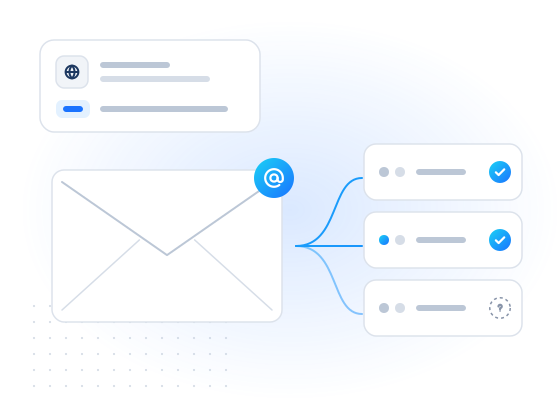
The Apple Account e-mail check answers whether an e-mail address is used to sign in to an Apple Account (called Apple ID until 2024). It runs in real time and in bulk jobs, and returns registered: true, false or null (unknown) with the time we checked. Nothing is sent to the address, and no name, device or profile is returned.
What does the Apple Account e-mail check tell you?
It tells you whether Apple has an account whose sign-in is this e-mail address. Every iPhone, iPad and Mac user signs in with an Apple Account, and that sign-in is usually an e-mail address. It doesn't have to be an Apple address: people often use their existing Gmail, Outlook or work address. Apple renamed the account from "Apple ID" to "Apple Account" with its 2024 software releases.
registered: true: the address is the sign-in of an Apple Account.registered: false: a conclusive "no Apple Account with this address".registered: null: no conclusive answer.statusandreasonexplain why, and you are not charged.
One Apple feature affects how you read a "no". Hide My Email and Sign in with Apple let people give apps a random forwarding address instead of their real one. Those relay addresses forward mail, but they are generally not Apple Account sign-ins. A false for a relay address is expected, and it doesn't mean the address is fake.
Who uses it, and why?
Because an Apple Account comes with nearly every Apple device, a "yes" suggests that the address belongs to someone who has actually set up an Apple device or service. Scripted sign-ups rarely go that far.
- Sign-up and trial protection. In real time at registration, an address with an Apple Account is a positive signal alongside the mailbox check. A made-up address rarely has one. See OTP and sign-up fraud.
- Account security reviews. When a user changes the e-mail address on an existing account, checking the new one is one input into an account-takeover risk score. See account security.
- App and subscription businesses serving iOS users use it to spot mismatches between the platform a customer claims and the address they give.
For phone numbers, use the Apple Account number check. To choose between iMessage and SMS for consented messages, see the iMessage check.
What do you get back?
Each address becomes a row with kind: "email" and one entry per check in checks.
| Field | Type | Meaning |
|---|---|---|
email | string or null | Normalized address (trimmed, lowercased); null when invalid |
email_status | enum | valid, invalid_email, duplicate or suppressed |
checks["apple.email"].registered | boolean or null | true Apple Account sign-in, false none, null unknown |
…status | enum | completed, pending, unknown, unsupported_country or failed |
…reason | string or null | e.g. UPSTREAM_TIMEOUT |
…confidence, …checked_at | enum, timestamp | How sure the answer is, and when it was obtained |
…cached, …billed | boolean | Cache hit, and whether it was charged |
The service has no extra attributes. It never returns the account holder's name, devices or anything else about the account.
How is it billed?
You pay per address with a conclusive answer. Real-time and bulk have separate prices. You're not charged for inconclusive results (unknown, unsupported country, timeout, invalid, duplicate). See pricing for current rates.
Repeat checks of the same address inside the freshness window can come from your account's cache. Cache hits are free (cached: true, billed: false). max_age: 0 forces a fresh, billed check, and max_cost caps what a request can spend.
What are the limits?
The check runs in real time (POST /v1/lookup, up to 100 numbers and e-mails together, waiting up to 30 seconds) and in bulk jobs (POST /v1/jobs, up to 50,000). Its code is apple.email, which also works as its alias. Plain apple means the phone-number check.
- Up to 20 checks per request. Identifiers × applicable checks are capped at 2,000 per lookup and 100,000 per job.
- Requests that look like sequential number ranges or generated e-mail lists are rejected. Twenty or more addresses in one request on one domain whose local parts differ only by digits or separators are refused with
suspected_enumeration. Live keys are also limited to 50 addresses of one such pattern per account per UTC day. - Addresses are trimmed and lowercased, never rewritten.
- The daily cap counts e-mail addresses like numbers (see
GET /v1/limits).
How do I use it responsibly?
Check addresses that your own users and customers gave you, for fraud prevention and account protection. We never read mailboxes, never send e-mail to the address and never return a name, avatar or profile. The answer is only yes, no or unknown.
Don't use the check to find out whether a specific person uses Apple products, and don't use it to build target lists. The acceptable use policy forbids that. Anyone can object through the opt-out form. Suppressed addresses are skipped and never charged.
Example request
With a test key, [email protected] always answers yes (see test mode).
curl https://api.mobilevalidate.com/v1/lookup \
  -H "Authorization: Bearer mv_test_publicSandboxn9ZgneuhR1B9CRfKG3fulym" \
  -H "Content-Type: application/json" \
  -d '{"emails":["[email protected]"],"checks":["apple.email"]}'
// npm install mobilevalidate · Node.js 20+ · save as check.mjs and run: node check.mjs
import { MobileValidate } from "mobilevalidate";
// Omit apiKey to read MOBILEVALIDATE_API_KEY from the environment.
const mv = new MobileValidate({ apiKey: "mv_test_publicSandboxn9ZgneuhR1B9CRfKG3fulym" });
const { data, error } = await mv.lookup({
emails: ["[email protected]"],
checks: ["apple.email"],
});
if (error) console.error(error.code, error.message);
else console.dir(data.results, { depth: null });// Node.js 18+, Deno, Bun or the browser console (ES module: save as .mjs or use "type": "module").
const res = await fetch("https://api.mobilevalidate.com/v1/lookup", {
method: "POST",
headers: {
Authorization: "Bearer mv_test_publicSandboxn9ZgneuhR1B9CRfKG3fulym",
"Content-Type": "application/json",
},
body: JSON.stringify({
emails: ["[email protected]"],
checks: ["apple.email"],
}),
});
console.log(res.status, res.headers.get("x-request-id"));
console.dir(await res.json(), { depth: null });# pip install mobilevalidate-sdk
from mobilevalidate import MobileValidate
# Omit api_key to read MOBILEVALIDATE_API_KEY from the environment.
mv = MobileValidate(api_key="mv_test_publicSandboxn9ZgneuhR1B9CRfKG3fulym")
result = mv.lookup(
emails=["[email protected]"],
checks=["apple.email"],
)
print(result)<?php
$ch = curl_init('https://api.mobilevalidate.com/v1/lookup');
curl_setopt_array($ch, [
CURLOPT_POST => true,
CURLOPT_RETURNTRANSFER => true,
CURLOPT_HTTPHEADER => [
'Authorization: Bearer mv_test_publicSandboxn9ZgneuhR1B9CRfKG3fulym',
'Content-Type: application/json',
],
CURLOPT_POSTFIELDS => json_encode([
'emails' => ['[email protected]'],
'checks' => ['apple.email'],
]),
]);
$response = curl_exec($ch);
echo curl_getinfo($ch, CURLINFO_RESPONSE_CODE), PHP_EOL, $response, PHP_EOL;package main
import (
"fmt"
"io"
"net/http"
"strings"
)
func main() {
body := strings.NewReader(`{"emails":["[email protected]"],"checks":["apple.email"]}`)
req, err := http.NewRequest("POST", "https://api.mobilevalidate.com/v1/lookup", body)
if err != nil {
panic(err)
}
req.Header.Set("Authorization", "Bearer mv_test_publicSandboxn9ZgneuhR1B9CRfKG3fulym")
req.Header.Set("Content-Type", "application/json")
res, err := http.DefaultClient.Do(req)
if err != nil {
panic(err)
}
defer res.Body.Close()
out, _ := io.ReadAll(res.Body)
fmt.Println(res.Status, string(out))
}require "net/http"
require "json"
uri = URI("https://api.mobilevalidate.com/v1/lookup")
req = Net::HTTP::Post.new(uri)
req["Authorization"] = "Bearer mv_test_publicSandboxn9ZgneuhR1B9CRfKG3fulym"
req["Content-Type"] = "application/json"
req.body = JSON.generate({
"emails" => ["[email protected]"],
"checks" => ["apple.email"]
})
res = Net::HTTP.start(uri.host, uri.port, use_ssl: true) { |http| http.request(req) }
puts res.code, res.bodyRuns as pasted with the public sandbox key, which answers the test values only. In the SDKs, omit the key to use MOBILEVALIDATE_API_KEY.
Response (excerpt, test mode: the first item of results):
{
  "kind": "email",
  "input": "[email protected]",
  "email": "[email protected]",
  "email_status": "valid",
  "e164": null,
  "country": null,
  "checks": {
    "apple.email": {
      "service": "apple.email",
      "status": "completed",
      "registered": true,
      "attributes": null,
      "confidence": "high",
      "confidence_score": 0.99,
      "checked_at": "2026-09-25T14:25:32.184Z",
      "cached": false,
      "age_seconds": 0,
      "billed": false,
      "reason": null,
      "poll_after_ms": null
    }
  },
  "test": true
}
Try it now
Realtime lookup via POST /v1/lookup. Every example runs as pasted: it uses the public sandbox key, which answers the test values for free. In the SDKs, omit the key to use MOBILEVALIDATE_API_KEY.
curl https://api.mobilevalidate.com/v1/lookup \
  -H "Authorization: Bearer mv_test_publicSandboxn9ZgneuhR1B9CRfKG3fulym" \
  -H "Content-Type: application/json" \
  -d '{"emails":["[email protected]"],"checks":["apple.email"]}'
// npm install mobilevalidate · Node.js 20+ · save as check.mjs and run: node check.mjs
import { MobileValidate } from "mobilevalidate";
// Omit apiKey to read MOBILEVALIDATE_API_KEY from the environment.
const mv = new MobileValidate({ apiKey: "mv_test_publicSandboxn9ZgneuhR1B9CRfKG3fulym" });
const { data, error } = await mv.lookup({
emails: ["[email protected]"],
checks: ["apple.email"],
});
if (error) console.error(error.code, error.message);
else console.dir(data.results, { depth: null });// Node.js 18+, Deno, Bun or the browser console (ES module: save as .mjs or use "type": "module").
const res = await fetch("https://api.mobilevalidate.com/v1/lookup", {
method: "POST",
headers: {
Authorization: "Bearer mv_test_publicSandboxn9ZgneuhR1B9CRfKG3fulym",
"Content-Type": "application/json",
},
body: JSON.stringify({
emails: ["[email protected]"],
checks: ["apple.email"],
}),
});
console.log(res.status, res.headers.get("x-request-id"));
console.dir(await res.json(), { depth: null });# pip install mobilevalidate-sdk
from mobilevalidate import MobileValidate
# Omit api_key to read MOBILEVALIDATE_API_KEY from the environment.
mv = MobileValidate(api_key="mv_test_publicSandboxn9ZgneuhR1B9CRfKG3fulym")
result = mv.lookup(
emails=["[email protected]"],
checks=["apple.email"],
)
print(result)<?php
$ch = curl_init('https://api.mobilevalidate.com/v1/lookup');
curl_setopt_array($ch, [
CURLOPT_POST => true,
CURLOPT_RETURNTRANSFER => true,
CURLOPT_HTTPHEADER => [
'Authorization: Bearer mv_test_publicSandboxn9ZgneuhR1B9CRfKG3fulym',
'Content-Type: application/json',
],
CURLOPT_POSTFIELDS => json_encode([
'emails' => ['[email protected]'],
'checks' => ['apple.email'],
]),
]);
$response = curl_exec($ch);
echo curl_getinfo($ch, CURLINFO_RESPONSE_CODE), PHP_EOL, $response, PHP_EOL;package main
import (
"fmt"
"io"
"net/http"
"strings"
)
func main() {
body := strings.NewReader(`{"emails":["[email protected]"],"checks":["apple.email"]}`)
req, err := http.NewRequest("POST", "https://api.mobilevalidate.com/v1/lookup", body)
if err != nil {
panic(err)
}
req.Header.Set("Authorization", "Bearer mv_test_publicSandboxn9ZgneuhR1B9CRfKG3fulym")
req.Header.Set("Content-Type", "application/json")
res, err := http.DefaultClient.Do(req)
if err != nil {
panic(err)
}
defer res.Body.Close()
out, _ := io.ReadAll(res.Body)
fmt.Println(res.Status, string(out))
}require "net/http"
require "json"
uri = URI("https://api.mobilevalidate.com/v1/lookup")
req = Net::HTTP::Post.new(uri)
req["Authorization"] = "Bearer mv_test_publicSandboxn9ZgneuhR1B9CRfKG3fulym"
req["Content-Type"] = "application/json"
req.body = JSON.generate({
"emails" => ["[email protected]"],
"checks" => ["apple.email"]
})
res = Net::HTTP.start(uri.host, uri.port, use_ssl: true) { |http| http.request(req) }
puts res.code, res.body// .mcp.json (Claude Code), ~/.cursor/mcp.json (Cursor) or .vscode/mcp.json ("servers" instead of "mcpServers")
{
"mcpServers": {
"mobilevalidate": {
"type": "http",
"url": "https://mcp.mobilevalidate.com/mcp",
"headers": { "Authorization": "Bearer ${MOBILEVALIDATE_API_KEY}" }
}
}
}
// Then ask your agent, e.g.:
// "Check [email protected] with apple.email" → tool: lookup_emailsThe hosted MCP server is live for customers with an agent key (mv_agent_…) or a test key. Or run it locally with npx -y @mobilevalidate/mcp.
Real test-mode result for this check
{
  "service": "apple.email",
  "status": "completed",
  "registered": true,
  "attributes": null,
  "confidence": "high",
  "confidence_score": 0.99,
  "checked_at": "2026-09-25T14:25:29.021Z",
  "cached": false,
  "age_seconds": 0,
  "billed": false,
  "reason": null,
  "poll_after_ms": null
}
What you get
Fields of checks["apple.email"], generated from the public service catalog.
| Field | Type | Meaning |
|---|---|---|
| registered | boolean | null | true = found, false = not found, null = unknown (not charged). |
| status | enum | completed, pending, unknown, unsupported_country or failed. |
| checked_at | timestamp | When the answer was obtained. |
Frequently asked questions
Is Apple ID the same as Apple Account?
Yes. Apple renamed Apple ID to Apple Account in 2024. The check answers whether an e-mail address is used as the sign-in for one.
Does it only work for iCloud addresses?
No. An Apple Account can be created with almost any e-mail address, not only icloud.com, me.com or mac.com. The check answers for the address you send, whatever its domain.
What about Hide My Email or Sign in with Apple relay addresses?
Those are forwarding addresses that Apple creates so people don't have to share their real address. They are usually not the sign-in of an Apple Account, so a no answer for such an address is expected and says nothing about the person.
Does the check contact the person or reveal anything about the account?
No. Nothing is sent to the address, and no name, device, photo or profile is returned. The answer is yes, no or unknown.
Can I check a phone number instead?
Yes, use the Apple Account phone number check, which answers the same question for a phone number.