

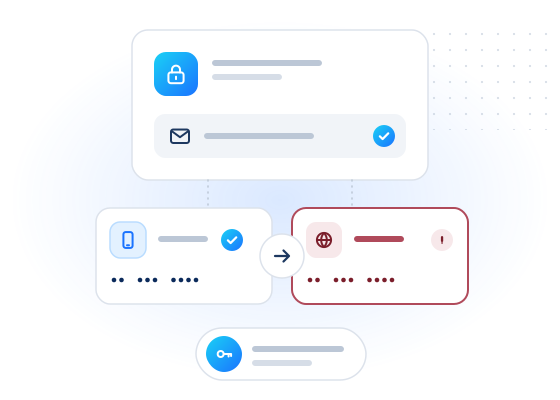
Account takeovers often start with a change of contact details. The attacker adds their own phone number for two-factor codes or swaps the recovery e-mail. Checking the new number and address when they change gives your security logic facts to weigh: the line type, whether the mailbox exists and, where enabled, spam reputation. Risky changes can get an extra verification step before they take effect.
Where does contact-detail risk show up?
Attackers who get into an account usually try to keep it. That means changing where codes and reset links go. Warning signs include:
- A new 2FA number that is a VoIP line. Legitimate users have VoIP numbers too, but attackers often use them because they're cheap and easy to get. The carrier lookup reports
line_type. See VoIP number. - A recovery e-mail with no mailbox behind it. An address at a major webmail provider that doesn't exist can't receive recovery mail. That points to a typo or a throwaway. The e-mail mailbox check answers this.
- A number with fraud or spam reports. Where spam reputation is enabled (limited access; US, CA and DE numbers), reasons such as
reason_unassignedorreason_regulatorare worth weighing. - A change of country. The carrier lookup's
countrycan differ from the account's usual country.
Each signal is weak on its own. A combination, together with your own session data such as a new device or an unusual location, is what should trigger a step-up.
How does the workflow look?
- The user submits a new phone number or e-mail address.
- Call
POST /v1/lookupwith the new identifiers andchecks: ["carrier", "spam", "email"]. Leave outspamif it isn't enabled for your account. - Combine the results with your session risk and apply the table below.
- For a step-up, confirm through the old number or e-mail, or hold the change for a cooling-off period.
- Log the decision with
checked_at. Keep the raw response only as long as you need it.
The request is small (one number, one address), so it fits in the synchronous part of a settings change.
What should you do with each result?
| Signals | Suggested action |
|---|---|
| Mobile line, mailbox exists, no reports | Allow the change |
line_type: voip and the session is otherwise normal | Allow, and notify the old contact details |
line_type: voip and a new device or location | Step up: confirm through the old number or e-mail |
Mailbox registered: false | Ask the user to check the address; don't make it the recovery e-mail |
Spam risk_level: high or reason_unassigned: true | Step up, and hold the change for review |
Checks unknown | Decide on your other signals; unknown is not negative and is not charged |
How much does it cost?
Each check on each identifier is billed only when the answer is conclusive. You're not charged for inconclusive results (unknown, unsupported country, timeout, invalid, duplicate). Contact-detail changes are rare events, so this use case usually costs very little: a few real-time checks per change. Spam reputation bills every level, including no_reports, and is free outside the US, Canada and Germany. See pricing for current rates.
Example request
Test mode, with a number that has no carrier data and no reports, and an address with an existing mailbox:
curl https://api.mobilevalidate.com/v1/lookup \
  -H "Authorization: Bearer mv_test_publicSandboxn9ZgneuhR1B9CRfKG3fulym" \
  -H "Content-Type: application/json" \
  -d '{"numbers":["+447700900002"],"emails":["[email protected]"],"checks":["carrier","spam","email"]}'
// npm install mobilevalidate · Node.js 20+ · save as check.mjs and run: node check.mjs
import { MobileValidate } from "mobilevalidate";
// Omit apiKey to read MOBILEVALIDATE_API_KEY from the environment.
const mv = new MobileValidate({ apiKey: "mv_test_publicSandboxn9ZgneuhR1B9CRfKG3fulym" });
const { data, error } = await mv.lookup({
numbers: ["+447700900002"],
emails: ["[email protected]"],
checks: ["carrier", "spam", "email"],
});
if (error) console.error(error.code, error.message);
else console.dir(data.results, { depth: null });// Node.js 18+, Deno, Bun or the browser console (ES module: save as .mjs or use "type": "module").
const res = await fetch("https://api.mobilevalidate.com/v1/lookup", {
method: "POST",
headers: {
Authorization: "Bearer mv_test_publicSandboxn9ZgneuhR1B9CRfKG3fulym",
"Content-Type": "application/json",
},
body: JSON.stringify({
numbers: ["+447700900002"],
emails: ["[email protected]"],
checks: ["carrier", "spam", "email"],
}),
});
console.log(res.status, res.headers.get("x-request-id"));
console.dir(await res.json(), { depth: null });# pip install mobilevalidate-sdk
from mobilevalidate import MobileValidate
# Omit api_key to read MOBILEVALIDATE_API_KEY from the environment.
mv = MobileValidate(api_key="mv_test_publicSandboxn9ZgneuhR1B9CRfKG3fulym")
result = mv.lookup(
numbers=["+447700900002"],
emails=["[email protected]"],
checks=["carrier", "spam", "email"],
)
print(result)<?php
$ch = curl_init('https://api.mobilevalidate.com/v1/lookup');
curl_setopt_array($ch, [
CURLOPT_POST => true,
CURLOPT_RETURNTRANSFER => true,
CURLOPT_HTTPHEADER => [
'Authorization: Bearer mv_test_publicSandboxn9ZgneuhR1B9CRfKG3fulym',
'Content-Type: application/json',
],
CURLOPT_POSTFIELDS => json_encode([
'numbers' => ['+447700900002'],
'emails' => ['[email protected]'],
'checks' => ['carrier', 'spam', 'email'],
]),
]);
$response = curl_exec($ch);
echo curl_getinfo($ch, CURLINFO_RESPONSE_CODE), PHP_EOL, $response, PHP_EOL;package main
import (
"fmt"
"io"
"net/http"
"strings"
)
func main() {
body := strings.NewReader(`{"numbers":["+447700900002"],"emails":["[email protected]"],"checks":["carrier","spam","email"]}`)
req, err := http.NewRequest("POST", "https://api.mobilevalidate.com/v1/lookup", body)
if err != nil {
panic(err)
}
req.Header.Set("Authorization", "Bearer mv_test_publicSandboxn9ZgneuhR1B9CRfKG3fulym")
req.Header.Set("Content-Type", "application/json")
res, err := http.DefaultClient.Do(req)
if err != nil {
panic(err)
}
defer res.Body.Close()
out, _ := io.ReadAll(res.Body)
fmt.Println(res.Status, string(out))
}require "net/http"
require "json"
uri = URI("https://api.mobilevalidate.com/v1/lookup")
req = Net::HTTP::Post.new(uri)
req["Authorization"] = "Bearer mv_test_publicSandboxn9ZgneuhR1B9CRfKG3fulym"
req["Content-Type"] = "application/json"
req.body = JSON.generate({
"numbers" => ["+447700900002"],
"emails" => ["[email protected]"],
"checks" => ["carrier", "spam", "email"]
})
res = Net::HTTP.start(uri.host, uri.port, use_ssl: true) { |http| http.request(req) }
puts res.code, res.bodyRuns as pasted with the public sandbox key, which answers the test values only. In the SDKs, omit the key to use MOBILEVALIDATE_API_KEY.
Response (excerpt, test mode: the checks of the phone row, then of the e-mail row):
[
  {
    "network.carrier": {
      "service": "network.carrier", "status": "unknown", "registered": null, "attributes": null,
      "confidence": null, "confidence_score": null, "checked_at": null,
      "cached": false, "age_seconds": null, "billed": false, "reason": "NO_DATA", "poll_after_ms": null
    },
    "number.spam": {
      "service": "number.spam", "status": "completed", "registered": true,
      "attributes": {
        "risk_level": "no_reports", "risk_score": 0, "reason_regulator": false, "reason_government": false,
        "reason_community": false, "reason_unassigned": false, "voip_range": false, "sources": 0
      },
      "confidence": "high", "confidence_score": 0.99, "checked_at": "2026-09-25T14:28:26.024Z",
      "cached": false, "age_seconds": 0, "billed": false, "reason": null, "poll_after_ms": null
    }
  },
  {
    "email.valid": {
      "service": "email.valid", "status": "completed", "registered": true, "attributes": null,
      "confidence": "high", "confidence_score": 0.99, "checked_at": "2026-09-25T14:28:26.024Z",
      "cached": false, "age_seconds": 0, "billed": false, "reason": null, "poll_after_ms": null
    }
  }
]
The carrier answer is unknown (NO_DATA) and free. The rest of the decision rests on the spam level, the mailbox result and your own session signals.
What limits and rules apply?
The usual lookup limits apply: up to 100 identifiers and 20 checks per request, rate limits per key and a daily cap per account. Requests that look like sequential number ranges or generated e-mail lists are rejected. E-mail checks return only yes, no or unknown, never names or profiles.
Check only the contact details your users give you for their own accounts, and say in your privacy notice that you do so for security. Results support a step-up decision. They are not identity proof, and on their own they shouldn't lock people out of their accounts. People can object through the opt-out form.
Frequently asked questions
When should I run these checks?
At moments when attackers change contact details: a new phone number for two-factor authentication, a changed recovery e-mail, a password reset to a new destination or a first login from a new device.
Should I lock the account when a signal looks risky?
Usually not. Ask for an extra verification step instead, such as confirming on the old number or e-mail, a delay before the change takes effect, or a support review. Locking hurts genuine users who just changed phones.
Does the mailbox check read or send e-mail?
No. It only answers whether the mailbox exists, for major webmail providers. Nothing is sent to the address and no mailbox content is accessed.
Can I use these checks as identity verification?
No. They are risk signals about a number or an address, not proof of who someone is, and must not be used as KYC or for credit, employment, housing or insurance decisions.
Is spam reputation part of this?
It can be, where it is enabled. Spam reputation is in limited access (internal customers only) and covers US, Canadian and German numbers.
Related
Guides on this topic
All articlesGuides
E-mail verification vs account existence checks: what's the difference?
Mailbox validation says an address can receive mail. An account check says it is registered on a service. When to use each, and the privacy rules.
7 min read
Fraud prevention
SIM swap fraud: the signals to check before you trust an SMS code
What a SIM swap is, which SIM-swap data exists and who can get it, and which signals to combine before you trust an SMS code when that data is missing.
9 min read