

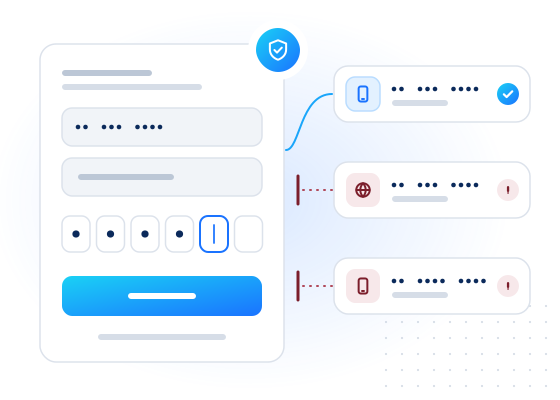
Checking a number before you send a one-time passcode (OTP) tells you whether the number looks like a real, reachable mobile line or a likely source of abuse. A single request can return the line type, the carrier and whether the number has a messenger account. Your sign-up flow can then send, ask for more verification or refuse, before you pay for a message.
Why check a number before sending a code?
Every OTP you send costs money, and fraudsters know it. In SMS pumping, also called artificially inflated traffic, attackers make your sign-up form send large numbers of codes to number ranges they profit from. Fake sign-ups use throwaway numbers to farm promotions or open accounts in bulk. See SMS pumping.
A pre-send check gives your risk engine facts to work with:
- Line type from the carrier lookup:
mobile,fixed_line,voip,premium_rate,toll_freeand other types. A sign-up with a premium-rate number, or an SMS code sent to a fixed line, is worth a second look. - Messenger presence, for example a WhatsApp or Telegram account. A number with an account passed that platform's own sign-up verification at some point, which makes it more likely to be in real use.
- Spam reputation (optional, limited access, US/CA/DE only): reports and regulator actions against the number.
None of these proves identity. Together they help you decide where extra verification is worth its cost.
How does the workflow look?
The check runs between "user entered a number" and "we send a code":
- Normalize the number to E.164. The API does this for you and uses
default_countryfor numbers typed in national format. - Call
POST /v1/lookupwithchecks: ["carrier", "whatsapp"]and a shortwait, for example 5 seconds. - Apply the decision table below to the results.
- Log the decision and the
checked_attime, not the raw response. Keep what you store to a minimum. - If a check is
pendingorunknown, carry on with your default path. Don't block a user because a check timed out.
Your per-IP and per-number rate limits on the code-sending endpoint still apply. The check adds to those defences and doesn't replace them.
What should you do with each result?
| Signal | Suggested action |
|---|---|
line_type is mobile and a messenger account exists | Send the code as usual |
line_type is mobile and no messenger account | Send the code. Consider a lower send limit for this number |
line_type is voip | Review: ask for a second factor or use a different verification method |
line_type is premium_rate or shared_cost | Block: a consumer is very unlikely to receive a sign-up code on these numbers |
line_type is toll_free | Review: some toll-free numbers, for example in the US and Canada, can receive texts, but consumers rarely sign up with one |
line_type is fixed_line | Offer a voice call instead of SMS |
Spam risk_level is high (if enabled) | Review or block, depending on your risk appetite |
Any check unknown or pending | Fall back to your normal flow; don't block on missing data |
These are starting points. Tune them with your own fraud data and review the results regularly.
How much does it cost?
You pay per check, and only for conclusive answers. You're not charged for inconclusive results (unknown, unsupported country, timeout, invalid, duplicate). A request with two checks on one number can bill two checks. Real-time prices apply because sign-up needs an answer straight away. See pricing for current rates.
Two things help keep the cost down. Repeat checks of the same number inside the freshness window come from your account's cache for free, which helps when a user taps "resend code". And max_cost puts a hard ceiling on what any single request can cost. Compare the cost of a check with the cost of an SMS to the destinations you serve. The check pays for itself when it stops messages that would have been wasted or abused.
Example request
This test-mode request checks two numbers. +447700900001 answers with data and +447700900003 simulates a timeout, so you can see both paths.
curl https://api.mobilevalidate.com/v1/lookup \
  -H "Authorization: Bearer mv_test_publicSandboxn9ZgneuhR1B9CRfKG3fulym" \
  -H "Content-Type: application/json" \
  -d '{"numbers":["+447700900001","+447700900003"],"checks":["carrier","whatsapp"],"wait":5}'
// npm install mobilevalidate · Node.js 20+ · save as check.mjs and run: node check.mjs
import { MobileValidate } from "mobilevalidate";
// Omit apiKey to read MOBILEVALIDATE_API_KEY from the environment.
const mv = new MobileValidate({ apiKey: "mv_test_publicSandboxn9ZgneuhR1B9CRfKG3fulym" });
const { data, error } = await mv.lookup({
numbers: ["+447700900001", "+447700900003"],
checks: ["carrier", "whatsapp"],
wait: 5,
});
if (error) console.error(error.code, error.message);
else console.dir(data.results, { depth: null });// Node.js 18+, Deno, Bun or the browser console (ES module: save as .mjs or use "type": "module").
const res = await fetch("https://api.mobilevalidate.com/v1/lookup", {
method: "POST",
headers: {
Authorization: "Bearer mv_test_publicSandboxn9ZgneuhR1B9CRfKG3fulym",
"Content-Type": "application/json",
},
body: JSON.stringify({
numbers: ["+447700900001", "+447700900003"],
checks: ["carrier", "whatsapp"],
wait: 5,
}),
});
console.log(res.status, res.headers.get("x-request-id"));
console.dir(await res.json(), { depth: null });# pip install mobilevalidate-sdk
from mobilevalidate import MobileValidate
# Omit api_key to read MOBILEVALIDATE_API_KEY from the environment.
mv = MobileValidate(api_key="mv_test_publicSandboxn9ZgneuhR1B9CRfKG3fulym")
result = mv.lookup(
numbers=["+447700900001", "+447700900003"],
checks=["carrier", "whatsapp"],
wait=5,
)
print(result)<?php
$ch = curl_init('https://api.mobilevalidate.com/v1/lookup');
curl_setopt_array($ch, [
CURLOPT_POST => true,
CURLOPT_RETURNTRANSFER => true,
CURLOPT_HTTPHEADER => [
'Authorization: Bearer mv_test_publicSandboxn9ZgneuhR1B9CRfKG3fulym',
'Content-Type: application/json',
],
CURLOPT_POSTFIELDS => json_encode([
'numbers' => ['+447700900001', '+447700900003'],
'checks' => ['carrier', 'whatsapp'],
'wait' => 5,
]),
]);
$response = curl_exec($ch);
echo curl_getinfo($ch, CURLINFO_RESPONSE_CODE), PHP_EOL, $response, PHP_EOL;package main
import (
"fmt"
"io"
"net/http"
"strings"
)
func main() {
body := strings.NewReader(`{"numbers":["+447700900001","+447700900003"],"checks":["carrier","whatsapp"],"wait":5}`)
req, err := http.NewRequest("POST", "https://api.mobilevalidate.com/v1/lookup", body)
if err != nil {
panic(err)
}
req.Header.Set("Authorization", "Bearer mv_test_publicSandboxn9ZgneuhR1B9CRfKG3fulym")
req.Header.Set("Content-Type", "application/json")
res, err := http.DefaultClient.Do(req)
if err != nil {
panic(err)
}
defer res.Body.Close()
out, _ := io.ReadAll(res.Body)
fmt.Println(res.Status, string(out))
}require "net/http"
require "json"
uri = URI("https://api.mobilevalidate.com/v1/lookup")
req = Net::HTTP::Post.new(uri)
req["Authorization"] = "Bearer mv_test_publicSandboxn9ZgneuhR1B9CRfKG3fulym"
req["Content-Type"] = "application/json"
req.body = JSON.generate({
"numbers" => ["+447700900001", "+447700900003"],
"checks" => ["carrier", "whatsapp"],
"wait" => 5
})
res = Net::HTTP.start(uri.host, uri.port, use_ssl: true) { |http| http.request(req) }
puts res.code, res.bodyRuns as pasted with the public sandbox key, which answers the test values only. In the SDKs, omit the key to use MOBILEVALIDATE_API_KEY.
Response (excerpt, test mode: the checks of both items in results):
[
  {
    "network.carrier": {
      "service": "network.carrier", "status": "completed", "registered": true,
      "attributes": {"line_type": "mobile", "carrier": "Test Carrier", "country": "GB"},
      "confidence": "high", "confidence_score": 0.99, "checked_at": "2026-09-25T14:28:22.282Z",
      "cached": false, "age_seconds": 0, "billed": false, "reason": null, "poll_after_ms": null
    },
    "whatsapp.registered": {
      "service": "whatsapp.registered", "status": "completed", "registered": true, "attributes": null,
      "confidence": "high", "confidence_score": 0.99, "checked_at": "2026-09-25T14:28:22.282Z",
      "cached": false, "age_seconds": 0, "billed": false, "reason": null, "poll_after_ms": null
    }
  },
  {
    "network.carrier": {
      "service": "network.carrier", "status": "unknown", "registered": null, "attributes": null,
      "confidence": null, "confidence_score": null, "checked_at": null,
      "cached": false, "age_seconds": null, "billed": false, "reason": "UPSTREAM_TIMEOUT", "poll_after_ms": null
    },
    "whatsapp.registered": {
      "service": "whatsapp.registered", "status": "unknown", "registered": null, "attributes": null,
      "confidence": null, "confidence_score": null, "checked_at": null,
      "cached": false, "age_seconds": null, "billed": false, "reason": "UPSTREAM_TIMEOUT", "poll_after_ms": null
    }
  }
]What limits and rules apply?
A lookup takes up to 100 numbers and up to 20 checks. The total of numbers × checks can't exceed 2,000. Requests that look like sequential number ranges or generated e-mail lists are rejected. Twenty or more consecutive numbers in one request return suspected_enumeration. Each account also has a daily cap on numbers, which GET /v1/limits reports.
Use the checks only on numbers people give you to sign up or verify. Tell users in your privacy notice that you verify phone numbers to prevent fraud. The results are risk signals, not identity proof, and must not be used for credit, employment, housing or insurance decisions. People whose numbers were checked can object through the opt-out form.
Frequently asked questions
Should I block every VoIP number at sign-up?
Usually not. Many genuine users have VoIP numbers. Treat line_type voip as a reason for extra review or a different verification step, not as a block on its own.
How fast is the check in a sign-up flow?
Real-time checks run on POST /v1/lookup with a wait of up to 30 seconds (default 10). If an answer is not back in time the check returns pending, and your flow can continue with its default path.
What happens when a check returns unknown?
Unknown means no conclusive answer, for example a timeout. It has registered set to null, it is not charged, and your flow should fall back to its normal behaviour instead of blocking the user.
Does this replace rate limiting on my OTP endpoint?
No. Number checks add a signal before you send, but you still need per-IP, per-number and per-country rate limits on the endpoint that sends codes.
Can I use the spam reputation check here?
Spam reputation is in limited access for now (internal customers only) and covers US, Canadian and German numbers. Where it is enabled for your account you can add it as an extra signal.
Related
Guides on this topic
All articlesFraud prevention
How to reduce fake sign-ups with layered phone and e-mail checks
A layered sign-up defence: format, line type, messaging presence, spam reputation and e-mail checks, mapped to friction tiers you can measure.
8 min read
Fraud prevention
OTP fraud prevention: the checks to run before you send a code
A practical pre-send pipeline for one-time passcodes: normalize, check line type, messenger presence and reputation in one request, then decide.
8 min read
Fraud prevention
SMS pumping: how it works and how to stop it
How SMS pumping (artificially inflated traffic) drains OTP budgets, the signals that give it away, and a layered checklist to stop it before you pay.
8 min read