

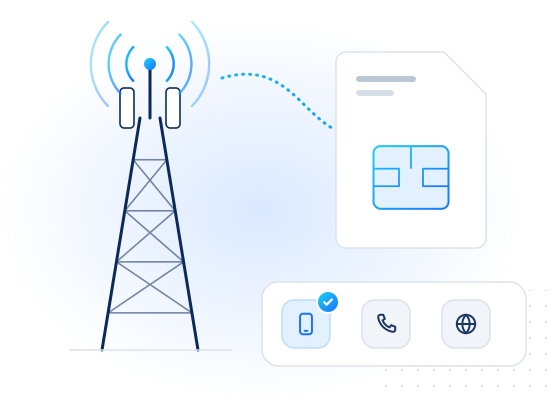
A passkey is a sign-in credential that replaces passwords and one-time codes with public-key cryptography. The FIDO Alliance defines it as "an authentication credential based on FIDO standards, that can be stored on your phone or computer, or in a hardware security key allowing a user to sign in to apps and websites with the same process that they use to unlock their device" (FIDO Alliance). Because each passkey only works for the site it was created for, passkeys resist phishing.
How does a passkey work?
Passkeys are built on the W3C Web Authentication standard, WebAuthn Level 3 (a W3C Recommendation since August 2026), and FIDO's client-to-authenticator protocol.
- Registration. Your device creates a new key pair for the site. The private key stays in the device's secure hardware or in your password manager. The site stores only the public key.
- Sign-in. The site sends a random challenge. After you unlock the device with a fingerprint, face or PIN, the device signs the challenge with the private key, and the site checks the signature with the public key.
- Scoping. WebAuthn binds each credential to the site's identifier: "only that Relying Party, as identified by its RP ID, is able to employ the public key credential". A look-alike domain can't ask for it.
The specification calls a passkey a discoverable credential: the device can find it without the site first naming the user, which enables username-less sign-in.
Synced and device-bound passkeys
FIDO distinguishes synced passkeys, copied between a user's devices through a cloud service with end-to-end encryption, from device-bound passkeys that "never leave a single device", such as those on hardware security keys. Synced passkeys fix the lost-phone problem but depend on the security of the sync account. NIST's SP 800-63B-4 covers syncable authenticators and says they "SHALL NOT be used at AAL3", its highest assurance level.
Passkey vs OTP
| SMS / app OTP | Passkey | |
|---|---|---|
| Phishing | A code can be typed into a fake site | Bound to the real domain |
| SIM swap | SMS codes move with the number | Not affected |
| Cost per sign-in | SMS fees for delivered codes | None |
| Works on a new device | Yes, if the number or app is there | Needs sync, or another device nearby |
| Account recovery | Often the recovery method itself | Still needs a recovery path |
See one-time password (OTP) for how codes work and fail.
Why does it matter for fraud?
When sign-in becomes phishing-resistant, attackers move to the weaker doors: account recovery, adding a new passkey from a compromised session, and changing the phone number or e-mail on the account. A SIM swap or a newly added VoIP number on a recovery path can undo the security a passkey adds. That is why recovery and contact-change flows deserve the checks sign-in used to get. See account takeover via phone number change.
How does MobileValidate fit in?
MobileValidate doesn't issue or verify passkeys. It helps on the paths around them: when a user adds or changes a phone number or e-mail for recovery, check its line type and carrier, whether it has an account on channels you use, and, for major webmail providers, whether the mailbox exists. The account security use case shows when to step up verification.
Frequently asked questions
What is the difference between a passkey and an OTP?
An OTP is a code that is sent to you or generated for you and then typed in, so it can be phished or intercepted. A passkey never leaves your device or password manager as a secret: the device signs a challenge for one specific website, so a fake site gets nothing it can reuse.
Do passkeys replace phone numbers?
They replace SMS codes as a sign-in method, not the phone number itself. Numbers remain a contact channel, a recovery option and a fraud signal, and recovery is where attackers go once sign-in is phishing-resistant.
What happens if I lose the device with my passkey?
Synced passkeys are restored from the passkey provider's end-to-end encrypted sync to a new device. Device-bound passkeys are not, so services need another recovery path, which is often a verified phone number or e-mail address.