On this page
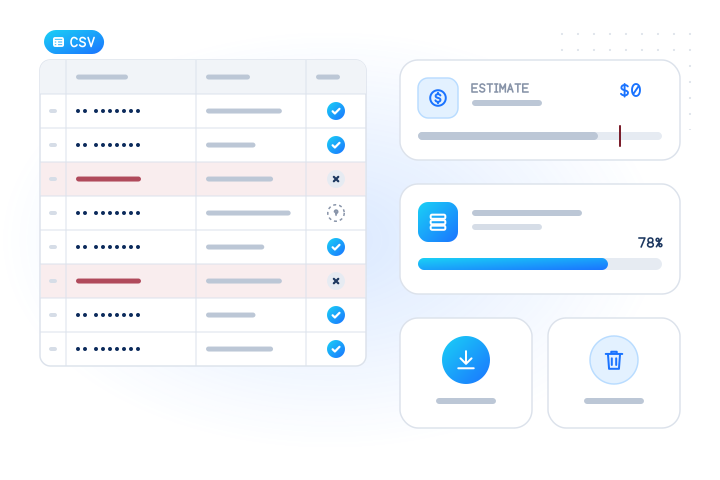
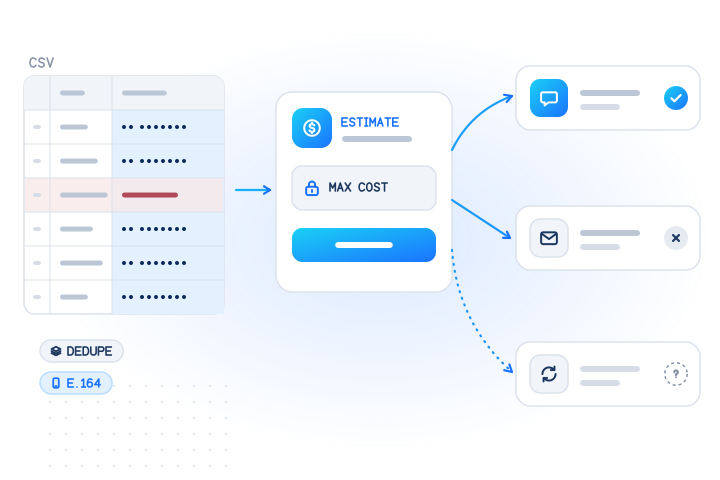
To check WhatsApp numbers in bulk, put your customers' numbers in a CSV file, upload it in the dashboard or send it to POST /v1/jobs with the whatsapp check, read the free estimate, cap the cost, and download one row per number with registered: true, false or unknown. A job holds up to 50,000 numbers, only conclusive answers are billed, and nothing is sent to the numbers. Use the answers to choose a channel for customers who opted in, never to find new people to message.
This guide is the end-to-end bulk workflow. For a single number in real time, read the WhatsApp API guide. For format, line-type and duplicate cleanup across every channel, read how to clean a phone number list in bulk.
When should you use a bulk WhatsApp number checker?
When you already hold a list and don't need the answers this second. Typical cases: moving reminders to WhatsApp for customers who asked for them, re-checking an old CRM export, or checking a day's new numbers in one go. Bulk jobs use the lower bulk price. Sign-up and one-time passcode flows, where the user is waiting, belong to the real-time POST /v1/lookup instead.
| Bulk job | Real-time lookup | |
|---|---|---|
| Endpoint | POST /v1/jobs or dashboard upload | POST /v1/lookup |
| Size | Up to 50,000 numbers and e-mails | Up to 100 per request |
| Price | Bulk price for 132+ numbers per country | Real-time price |
| Answer | When the job finishes | Usually within the request |
| Best for | Customer lists, periodic re-checks | Sign-up, OTP, profile changes |
How do you prepare the file?
One row per customer, your own ID column, and a phone column.
crm_id,phone
C-01,+447700900001
C-02,07700 900002
C-03,+44 7700 900002
C-04,+447700900003
C-05,+447700900006
C-06,12345- Column names. The API reads a column named
phone,number,msisdn,mobile,telephoneore164. Without a recognised header it uses the first column. The dashboard detects the phone column and lets you change it. - E.164 if you can. International format (
+and country code, as in ITU-T E.164) needs no extra settings. Numbers written without+need adefault_country, which applies to the whole job, so split a mixed-country list or convert it first. - Duplicates and typos. You don't have to remove them. The job converts every number to E.164, then marks repeats as
duplicateand impossible numbers asinvalid_number. Neither is checked or billed. Row C-03 above is a duplicate of C-02, and C-06 is invalid. - File type. The dashboard takes CSV, TSV or TXT files up to 10 MB, or pasted text. Excel files must be saved as CSV first. An API upload may be up to 4 MB per request.
- Only your own contacts. Leave out bought lists, scraped numbers and number ranges. More on this below.
How do you run the job in the dashboard?
Sign in to the dashboard and choose Bulk jobs › Upload a list. The wizard has three steps:
- Upload. It finds the phone column, asks for a country for numbers without
+, and shows how many rows are valid, invalid or duplicates before anything runs. - Choose checks. Pick WhatsApp, or WhatsApp Business if you need the business flag. Each check shows its bulk price per 1,000 and, where it applies, the real-time price for small groups.
- Review and start. You see the free estimate: the maximum cost, the price lines and your balance. You can set a cost cap.
The job then shows live progress. You can cancel it, download the results as CSV and delete them.
How do you run it with the API?
Estimate first. It's free, checks nothing and stores nothing. Then create the job with the same body, a max_cost and an Idempotency-Key, so a retried request can't start a second job. This example uses a test key (mv_test_…) and the file above; test keys are never billed and answer the documented test values.
curl https://api.mobilevalidate.com/v1/jobs/estimate \
  -H "Authorization: Bearer $MOBILEVALIDATE_API_KEY" \
  -H "Content-Type: application/json" \
  -d '{"numbers": ["+447700900001", "07700 900002", "+44 7700 900002", "+447700900003", "+447700900006", "12345"],
       "checks": ["whatsapp.business"], "default_country": "GB"}'

curl https://api.mobilevalidate.com/v1/jobs \
  -H "Authorization: Bearer $MOBILEVALIDATE_API_KEY" \
  -H "Idempotency-Key: wa-list-2026-10-10-001" \
  -F file=@customers.csv -F checks=whatsapp.business -F default_country=GB -F max_cost=0.00
Then follow it with GET /v1/jobs/{id}?wait=30, which long-polls until the job finishes or 30 seconds pass, or subscribe a webhook to job.completed. Test jobs complete at once. Live jobs move from queued to running to completed; we don't promise a fixed duration, so build on the status, not on a timer.
What do the estimate and max_cost protect you from?
The estimate returns row counts (valid, invalid, duplicate, suppressed) and max_cost, the most the job can cost. A high invalid share usually means a wrong default_country or a broken export, so fix it and estimate again.
Its breakdown matters for WhatsApp. The bulk price applies to groups of at least 132 numbers from the same country in one job. A smaller group, such as 20 German numbers in a UK list, is checked the real-time way and priced at the real-time price, shown on a separate line with "reason": "small_batch". Collect small lists into one job per day or per country to get the bulk price for all of them.
max_cost turns the estimate into a ceiling. If the job could cost more, it is refused with 402 cost_limit_exceeded before anything is stored. The maximum is reserved when the job starts, conclusive answers are charged, and the rest is released. The cap also protects you when prices change: current rates are always on the pricing page.
How do you read the results?
Download the file with GET /v1/jobs/{id}/download?format=csv. It keeps your row order, so you can join it back to your CRM IDs. With the test values, the WhatsApp Business columns read like this (columns trimmed):
row_no,e164,number_status,whatsapp.business.status,whatsapp.business.registered,whatsapp.business.business,whatsapp.business.billed
1,+447700900001,valid,completed,true,false,false
2,+447700900002,valid,completed,false,false,false
3,+447700900002,duplicate,,,,
4,+447700900003,valid,unknown,,,false
5,+447700900006,valid,completed,true,true,false
6,,invalid_number,,,,
Rows 1 and 5 have an account, and row 5 is a business account. Row 2 has none. Row 4 is unknown (the test value simulates a timeout): the column is empty and it wasn't charged. In live mode billed is true only on the conclusive rows. To pull one bucket through the API, page through GET /v1/jobs/{id}/results?service=whatsapp.business®istered=true, or registered=null for the rows to retry.
The business check is a separate service, listed on the pricing page; see the WhatsApp Business check. Plain whatsapp gives you the same three answers without the business column, as described on the WhatsApp number check page.
What should you do with each answer?
| Result | Meaning | What to do |
|---|---|---|
registered: true, customer opted in to WhatsApp | Account exists | Send the messages they asked for on WhatsApp; keep SMS as fallback |
registered: true, no WhatsApp opt-in | Account exists | Nothing changes. Ask for opt-in in your next contact they expect |
registered: false | No account | Use SMS, voice or e-mail; don't offer WhatsApp to this number |
Unknown (empty, status: unknown) | No conclusive answer | Keep your current channel; re-check later; free |
business: true | WhatsApp Business account | In a B2B CRM, it's likely a company line, not a personal phone |
invalid_number / duplicate | Not checked | Fix or merge the record; free |
suppressed | The person objected | Not checked; honour the objection in your own systems too |
Never overwrite a stored conclusive answer with an unknown one, and never delete unknown rows: they are missing data, not bad numbers. Store each answer with checked_at.
How often should you re-check?
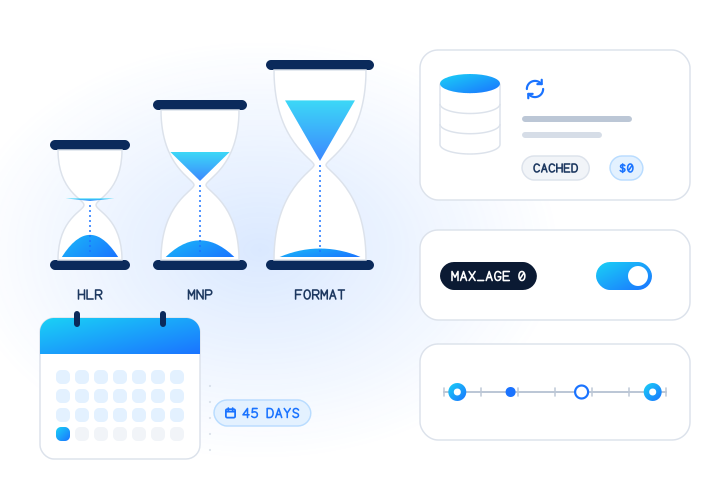
Registration changes slowly, but people join, leave and change numbers, and carriers reassign old ones. Before a campaign to customers who opted in, re-check rows older than your threshold, starting with the oldest. A monthly or quarterly pass suits an active customer base. Re-checks of the same number inside the freshness window come from your account's cache for free (cached: true). The result validity guide explains how fast each signal goes stale.
Which countries does a bulk WhatsApp check cover?
Both WhatsApp checks cover numbers from every country we serve in real time. In bulk jobs, the WhatsApp registration check doesn't cover mainland China (+86) numbers: they answer unsupported_country, are free, and the estimate lists them in unsupported_checks before you start, so you can check them with POST /v1/lookup instead. Numbers from sanctioned countries and regions are never checked: they answer unsupported_country and are free.
How do you stay within WhatsApp's rules and the law?
The check is for data hygiene and channel choice, not for building audiences. This is general guidance, not legal advice.
- Opt-in comes first. WhatsApp's policy says you may only contact people who "have given you their mobile phone number" and from whom you have received "opt-in permission" (WhatsApp, 2026). Meta's opt-in guide adds that businesses must clearly state who people are opting in to hear from (Meta for Developers, 2026). A
registered: trueis not consent. - No bulk sending through the app. WhatsApp's terms forbid "bulk messaging, auto-messaging, auto-dialing, and the like" (WhatsApp, 2021), and its Help Center has a page on unauthorized automated or bulk messaging. Send business messages through the official business platform, to people who opted in.
- No ranges. Researchers have shown that contact discovery can be abused to map who uses a messenger (NDSS 2021). A request with 20 or more consecutive numbers is refused with
suspected_enumeration, and each account has a daily cap. A real customer list rarely trips this. - Lawful basis and minimisation. Under the GDPR you need a lawful basis for checking customers' numbers, and should keep only what you use: the answer and
checked_at, not the full file.
Our acceptable use policy forbids unsolicited bulk messaging and checking ranges to find out who uses WhatsApp. Anyone can object through the opt-out form. WhatsApp is named descriptively; MobileValidate is not affiliated with WhatsApp or Meta.
How long is job data kept?
Bulk job inputs, results and downloads are kept for your account's retention setting, 30 days by default and adjustable from 1 day to 24 months, then deleted automatically. Purge earlier with DELETE /v1/jobs/{id} or the delete button in the dashboard. The job record stays with purged_at set, but its rows and downloads are gone. A per-account check history (sealed number, answer and time) is kept for up to 400 days, as the DPA describes, and the privacy policy lists every retention period.
To try the whole flow without spending anything, get a free test key and upload the six-row file above.
Sources
- WhatsApp Business Messaging Policy (last updated 23 September 2026) — WhatsApp, 2026
- Get opt-in for WhatsApp — Meta for Developers, 2026
- WhatsApp Terms of Service — WhatsApp, 2021
- Unauthorized use of automated or bulk messaging on WhatsApp — WhatsApp Help Center, 2026
- All the Numbers are US: Large-scale Abuse of Contact Discovery in Mobile Messengers (NDSS 2021) — IACR ePrint / NDSS, 2021
- Recommendation ITU-T E.164: The international public telecommunication numbering plan — ITU, 2010
- General Data Protection Regulation (EU) 2016/679 — European Union, 2016
Frequently asked questions
How many numbers can I check for WhatsApp in one bulk job?
Up to 50,000 numbers and e-mail addresses per job, with at most 100,000 identifier × check combinations. A file uploaded in the dashboard can be up to 10 MB. Split bigger lists into several jobs.
Why are some numbers in my bulk WhatsApp job priced at the real-time price?
The bulk price for WhatsApp checks needs at least 132 numbers from the same country in one job. A smaller group from one country is checked the real-time way and priced at the real-time price. The free estimate shows these numbers in a separate small_batch line before anything runs.
Am I charged for unknown, invalid or duplicate rows?
No. Invalid, duplicate and suppressed rows are never checked, and inconclusive answers such as unknown, unsupported country or a timeout are never billed. You pay only for conclusive registered or not registered answers. Cache hits are free too.
Can I use a bulk WhatsApp check to find people to message?
No. Check only numbers of your own customers and contacts who gave you their number. WhatsApp's business messaging policy requires that people gave you their number and opted in before you message them, and a registered answer is not consent. Sequential number ranges are refused.
Does the bulk check tell me if a number is a WhatsApp Business account?
Only if you ask for it. Request whatsapp.business instead of whatsapp: it answers whether an account exists and, in the business column, whether it is a WhatsApp Business account. If you request both, they collapse into the business check.
How long are bulk job results kept?
For your account's retention setting: 30 days by default, adjustable from 1 day to 24 months. You can delete a finished job's results at any time from the dashboard or with DELETE /v1/jobs/{id}.
Related services and guides
More from the blog
All articlesDevelopers
How to check if a phone number is on WhatsApp with an API
How a WhatsApp registration check works, what registered, not registered and unknown mean, and how to call it responsibly from cURL, Node and Python.
9 min read
Deliverability
How to clean a phone number list in bulk, step by step
A step-by-step way to clean a phone list with the MobileValidate jobs API: free estimate, dedupe, invalid rows, capped cost, CSV download and data purge.
7 min read
Developers
How long is a phone check result valid? Caching HLR, MNP and messaging-app answers
Each phone signal goes stale at its own speed. How often to re-verify numbers, how to cache HLR, MNP and messaging-app answers, and how long to keep them.
8 min read