

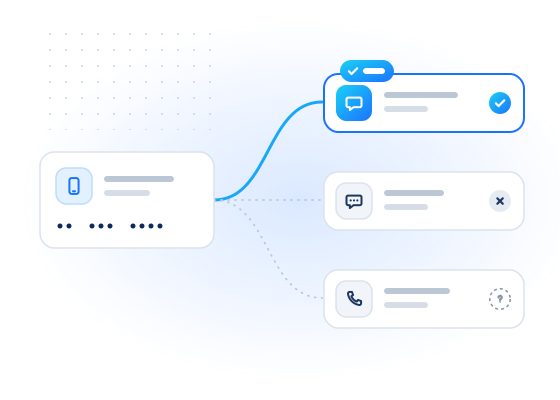
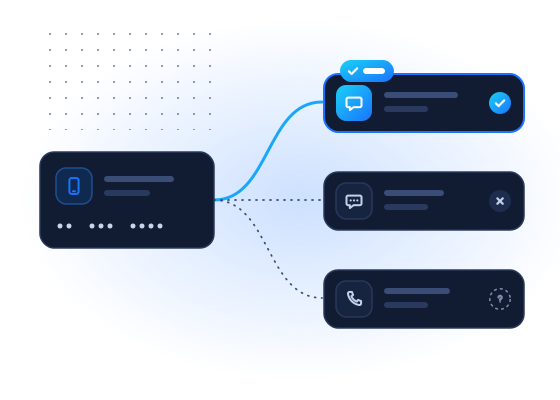
Channel selection means sending each message a customer expects on a channel that will reach them. One request tells you whether an opted-in customer's number has a WhatsApp, Telegram or Viber account. A bulk job also covers iMessage and RCS. You can route order updates, reminders and passcodes accordingly and fall back to SMS when no account exists. This use case is only for customers who have agreed to hear from you.
Why does channel choice matter?
A message sent on a channel the customer doesn't use is wasted. It either fails or waits unread. Messaging habits vary a lot by country. WhatsApp is the default in many markets. Viber is common in parts of Eastern Europe and Southeast Asia. LINE dominates in Japan and Taiwan, and Zalo in Vietnam. iPhone users can receive iMessage. Many Android phones, and iPhones since Apple added RCS support, can receive RCS messages.
Knowing which channels exist for a number helps you:
- send passcodes on a channel that will arrive, with SMS as a fallback
- use a channel that supports what the message needs, such as rich media, buttons or read receipts
- avoid paying for SMS when the customer asked to be contacted on a cheaper app they use
How does the workflow look?
Channel data changes slowly, so you don't need to check before every message. A typical setup:
- When a customer opts in and chooses which channels they accept, run a real-time lookup for the real-time channels (
whatsapp,telegram,viber). - Run a bulk job over your opted-in customer base with
checks: ["whatsapp", "telegram", "viber", "imessage", "rcs"]to include the bulk-only channels. - Store the result and its
checked_atagainst each customer in your CRM. - When sending, pick from the channels the customer consented to and that show
registered: true, and fall back to SMS. - Refresh on a schedule, for example monthly, or when a delivery fails.
What should you do with each result?
| Result for a consented channel | Suggested routing |
|---|---|
registered: true | Eligible. Send on this channel if the customer prefers it |
registered: false | Don't use this channel for this number |
registered: null (unknown) | Keep the previous routing or fall back to SMS; check again later |
RCS registered: true with device_os | Eligible for RCS. Use device_os to preview the message on the right handset platform |
No channel true | Use SMS or voice |
How much does it cost?
Each channel is a separate check, billed only when conclusive. You're not charged for inconclusive results (unknown, unsupported country, timeout, invalid, duplicate). Checking five channels on one number can bill up to five checks, so check only the channels you can actually send on. Bulk jobs cost less per check than real-time lookups and are the natural fit for refreshing a customer base. See pricing for current rates.
Run POST /v1/jobs/estimate first to see the maximum cost, and pass it as max_cost when you create the job. Numbers checked recently for the same service come free from your account's cache.
Example request
A bulk job with five channels, two of them bulk only:
curl https://api.mobilevalidate.com/v1/jobs \
  -H "Authorization: Bearer mv_test_publicSandboxn9ZgneuhR1B9CRfKG3fulym" \
  -H "Content-Type: application/json" \
  -d '{"numbers":["+447700900001","+447700900002"],"checks":["whatsapp","telegram","viber","imessage","rcs"]}'
// npm install mobilevalidate · Node.js 20+ · save as check.mjs and run: node check.mjs
import { MobileValidate } from "mobilevalidate";
// Omit apiKey to read MOBILEVALIDATE_API_KEY from the environment.
const mv = new MobileValidate({ apiKey: "mv_test_publicSandboxn9ZgneuhR1B9CRfKG3fulym" });
const { data, error } = await mv.jobs.create({
numbers: ["+447700900001", "+447700900002"],
checks: ["whatsapp", "telegram", "viber", "imessage", "rcs"],
});
if (error) console.error(error.code, error.message);
else console.dir(data, { depth: null });// Node.js 18+, Deno, Bun or the browser console (ES module: save as .mjs or use "type": "module").
const res = await fetch("https://api.mobilevalidate.com/v1/jobs", {
method: "POST",
headers: {
Authorization: "Bearer mv_test_publicSandboxn9ZgneuhR1B9CRfKG3fulym",
"Content-Type": "application/json",
},
body: JSON.stringify({
numbers: ["+447700900001", "+447700900002"],
checks: ["whatsapp", "telegram", "viber", "imessage", "rcs"],
}),
});
console.log(res.status, res.headers.get("x-request-id"));
console.dir(await res.json(), { depth: null });# pip install mobilevalidate-sdk
from mobilevalidate import MobileValidate
# Omit api_key to read MOBILEVALIDATE_API_KEY from the environment.
mv = MobileValidate(api_key="mv_test_publicSandboxn9ZgneuhR1B9CRfKG3fulym")
result = mv.jobs.create(
numbers=["+447700900001", "+447700900002"],
checks=["whatsapp", "telegram", "viber", "imessage", "rcs"],
)
print(result)<?php
$ch = curl_init('https://api.mobilevalidate.com/v1/jobs');
curl_setopt_array($ch, [
CURLOPT_POST => true,
CURLOPT_RETURNTRANSFER => true,
CURLOPT_HTTPHEADER => [
'Authorization: Bearer mv_test_publicSandboxn9ZgneuhR1B9CRfKG3fulym',
'Content-Type: application/json',
],
CURLOPT_POSTFIELDS => json_encode([
'numbers' => ['+447700900001', '+447700900002'],
'checks' => ['whatsapp', 'telegram', 'viber', 'imessage', 'rcs'],
]),
]);
$response = curl_exec($ch);
echo curl_getinfo($ch, CURLINFO_RESPONSE_CODE), PHP_EOL, $response, PHP_EOL;package main
import (
"fmt"
"io"
"net/http"
"strings"
)
func main() {
body := strings.NewReader(`{"numbers":["+447700900001","+447700900002"],"checks":["whatsapp","telegram","viber","imessage","rcs"]}`)
req, err := http.NewRequest("POST", "https://api.mobilevalidate.com/v1/jobs", body)
if err != nil {
panic(err)
}
req.Header.Set("Authorization", "Bearer mv_test_publicSandboxn9ZgneuhR1B9CRfKG3fulym")
req.Header.Set("Content-Type", "application/json")
res, err := http.DefaultClient.Do(req)
if err != nil {
panic(err)
}
defer res.Body.Close()
out, _ := io.ReadAll(res.Body)
fmt.Println(res.Status, string(out))
}require "net/http"
require "json"
uri = URI("https://api.mobilevalidate.com/v1/jobs")
req = Net::HTTP::Post.new(uri)
req["Authorization"] = "Bearer mv_test_publicSandboxn9ZgneuhR1B9CRfKG3fulym"
req["Content-Type"] = "application/json"
req.body = JSON.generate({
"numbers" => ["+447700900001", "+447700900002"],
"checks" => ["whatsapp", "telegram", "viber", "imessage", "rcs"]
})
res = Net::HTTP.start(uri.host, uri.port, use_ssl: true) { |http| http.request(req) }
puts res.code, res.bodyRuns as pasted with the public sandbox key, which answers the test values only. In the SDKs, omit the key to use MOBILEVALIDATE_API_KEY.
The job returns straight away with its id and progress (total: 2, checks_total: 10). Fetch the rows with GET /v1/jobs/{id}/results. Response (excerpt, test mode: the first row of the results page):
{
  "kind": "phone",
  "input": "+44770*****01",
  "e164": "+447700900001",
  "country": "GB",
  "number_status": "valid",
  "checks": {
    "whatsapp.registered": {"service": "whatsapp.registered", "status": "completed", "registered": true, "attributes": null, "confidence": "high", "confidence_score": 0.99, "checked_at": "2026-09-25T14:28:27.270Z", "cached": false, "age_seconds": 1, "billed": false, "reason": null, "poll_after_ms": null},
    "telegram.registered": {"service": "telegram.registered", "status": "completed", "registered": true, "attributes": null, "confidence": "high", "confidence_score": 0.99, "checked_at": "2026-09-25T14:28:27.270Z", "cached": false, "age_seconds": 1, "billed": false, "reason": null, "poll_after_ms": null},
    "viber.registered": {"service": "viber.registered", "status": "completed", "registered": true, "attributes": null, "confidence": "high", "confidence_score": 0.99, "checked_at": "2026-09-25T14:28:27.270Z", "cached": false, "age_seconds": 1, "billed": false, "reason": null, "poll_after_ms": null},
    "imessage.registered": {"service": "imessage.registered", "status": "completed", "registered": true, "attributes": null, "confidence": "high", "confidence_score": 0.99, "checked_at": "2026-09-25T14:28:27.270Z", "cached": false, "age_seconds": 1, "billed": false, "reason": null, "poll_after_ms": null},
    "rcs.registered": {"service": "rcs.registered", "status": "completed", "registered": true, "attributes": null, "confidence": "high", "confidence_score": 0.99, "checked_at": "2026-09-25T14:28:27.270Z", "cached": false, "age_seconds": 1, "billed": false, "reason": null, "poll_after_ms": null}
  }
}
Stored results show the input masked (+44770*****01). The normalized e164 is returned so you can match rows to your records.
What limits and rules apply?
A job takes up to 50,000 numbers and e-mails and up to 20 checks. The total of rows × checks can't exceed 100,000. Requests that look like sequential number ranges or generated e-mail lists are rejected. Each account also has a daily cap on numbers. Job data is kept for 30 days by default, and you can delete a finished job's data at any time with DELETE /v1/jobs/{id}.
This use case is only for messages to people who agreed to receive them. Don't check number lists to find out who uses an app, and don't start conversations on a channel because an account exists. Messaging platforms require opt-in for business messages, and our acceptable use policy forbids unsolicited bulk messaging.
Frequently asked questions
Does a messenger account mean I may message that person there?
No. An account shows the channel can reach the number. Your right to send depends on the person's consent and the platform's business messaging rules, which usually require opt-in.
Why are iMessage and RCS bulk only?
Those checks are only offered in bulk jobs in our API. Run them in a job ahead of time, for example when a customer signs up or once a month, and store the channel preference in your CRM.
How often should I refresh channel data?
People switch phones and apps, and numbers get reassigned. Refreshing active customers every few weeks, or before a major send, keeps routing current. Each result carries checked_at so you can see its age.
What does the RCS check add?
It reports whether the number can receive RCS messages and, when known, the handset platform in device_os (ios, android or unknown).
Which channel should I pick when several exist?
Use the channel the customer chose. When they allowed several, pick by cost, the features the message needs and the customer's past engagement. The check tells you what is possible, not what they prefer.
Related
- ServiceCheck if a phone number is registered on WhatsApp
- ServiceCheck if a phone number is registered on Telegram
- ServiceCheck if a phone number is registered on Viber
- ServiceCheck if a phone number is registered for iMessage
- ServiceCheck if a phone number can receive RCS messages
- Use caseSMS cost reduction and deliverability
Guides on this topic
All articlesGuides
How to check if a phone number uses iMessage
What iMessage registration means, blue vs green bubbles, iMessage vs RCS on iPhone, what businesses can and can't send, and a bulk API example.
7 min read
Developers
How to check if a phone number is on WhatsApp with an API
How a WhatsApp registration check works, what registered, not registered and unknown mean, and how to call it responsibly from cURL, Node and Python.
8 min read
Deliverability
How to choose a messaging channel by country
WhatsApp, Telegram, Viber, LINE, Zalo, RCS or SMS? How to pick a channel per country for messages customers expect, and measure it on your own base.
6 min read