On this page
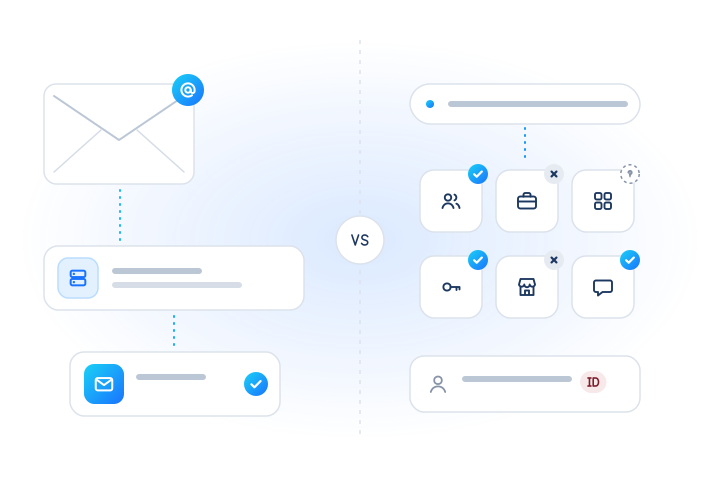
To check if a Gmail, Yahoo or Outlook account exists without sending an e-mail, use an account check that asks the provider's own registration signals rather than probing its mail servers. You get registered, not registered or unknown for each address, stamped with the time of the check. With MobileValidate, the gmail, yahoo and outlook checks run in bulk jobs, and the email mailbox check answers in real time at sign-up.
This guide is about the three big free providers specifically: how their addresses work, why do-it-yourself probing is a poor fit for them, which check to use where, and what the answer can and can't tell you. For the general picture, see e-mail verification vs account existence checks and how to check if an address exists without sending.
Why does a "Gmail checker" need anything special?
Because the three largest free providers are where most consumer sign-ups come from, and they behave differently from a company mail server. Each has its own domains, alias rules and account lifecycle. A generic checker that treats @gmail.com like any other domain either gives you an answer you can't trust or quietly damages your sending reputation while getting it.
Three facts shape the problem:
- A large share of your list. In consumer data these providers often hold a big part of the addresses, so their answers drive your list quality. Measure the share on your own list: group it by domain before you do anything else.
- Accounts come and go. Each provider closes inactive accounts on its own schedule (see the table below), so an address that worked in a 2019 export may be gone today.
- Aliases. One mailbox can have many spellings, and a checker has to decide what to do with them.
Why can't I just probe the mail server with RCPT TO?
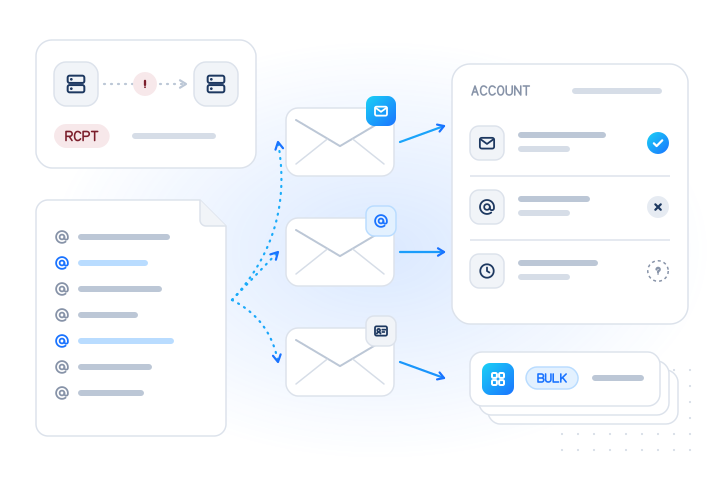
You can try, but at these providers it is unreliable and risky for the mail you actually need to deliver. The classic probe connects to the provider's MX host, starts a delivery, sends RCPT TO:<address> and hangs up before any message.
The providers do document what a non-existent account looks like during a real delivery. Google lists 550 5.1.1 with "The email account that you tried to reach does not exist" (Google). Yahoo's Sender Hub has a "Recipient does not exist" entry: "The Yahoo account that you're trying to send to does not exist" (Yahoo Sender Hub). So why not rely on that?
- Probes look like abuse. Google's same error list includes
421 4.7.28, "Gmail has detected an unusual rate of email". Yahoo describes temporary deferrals ("TS" errors) and blocks for high volume and unusual traffic patterns from one IP address. Opening thousands of sessions that never send a message is exactly that pattern. - Deferrals are not answers. A
4xxreply means "try later". A sign-up form can't wait minutes for a retry, and a list job that retries aggressively makes the deferrals worse. - Your reputation is shared. If the probing IP or domain also sends your receipts and password resets, every throttle and block hits them too. Google's sender guidelines also ask senders to "confirm each recipient's email address before subscribing them" and to automatically unsubscribe "recipients who have multiple bounced messages", which is about real mail to real people, not probing.
- Many hosts block port 25. Cloud servers often can't open outbound SMTP connections at all.
The broader mechanics (VRFY, catch-all, greylisting) are covered in our guide to checking without sending. For these three providers, the practical conclusion is simple: don't probe; use a check that answers yes, no or unknown and says when.
What does an account check answer, compared with mailbox validation?
An account check answers whether the provider has an account at this exact address; mailbox validation answers whether mail to it would be accepted. On Gmail, Yahoo and Outlook the two are close, because the free address is the account. They still differ at the edges:
| Question | Mailbox validation (email) | Provider account check (gmail, yahoo, outlook) |
|---|---|---|
| What it answers | Does a working mailbox exist at this address? | Does this provider have an account at this address? |
| Coverage | Major webmail providers; other domains → unknown, UNSUPPORTED_PROVIDER | One provider family each (domains in the next table) |
| Modes | Real time (POST /v1/lookup) and bulk jobs | Bulk jobs only (POST /v1/jobs) |
| Best moment | While the user is on the form | Nightly sign-up review, list cleaning, CRM hygiene |
| Returns | registered: true / false / null + checked_at | registered: true / false / null + checked_at |
Two edge cases show why the distinction matters. A Google Account can be created with a non-Gmail address, and a Microsoft account can use any e-mail address as its sign-in, so "has a Google or Microsoft account" is not the same as "has a Gmail or Outlook mailbox". The provider checks here are about the provider's own mail domains. And neither check proves that the person who typed the address controls it; only a confirmation link or code does that.
How do Gmail, Yahoo and Outlook addresses differ?
They differ in domains, alias rules and how long an unused account survives. This is what each provider documents:
| Gmail | Yahoo Mail | Outlook (consumer) | |
|---|---|---|---|
| Domains | gmail.com, googlemail.com | yahoo.com and country domains (e.g. yahoo.co.uk), ymail.com, rocketmail.com | outlook.com, hotmail.com, live.com, msn.com, plus country versions (e.g. hotmail.co.uk) |
| Dots in the local part | Ignored: dotted versions reach the same inbox | Part of the address | Part of the address |
| Built-in aliases | name+tag@ delivers to name@ | Disposable basename-keyword@ addresses for eligible accounts | Extra "usernames" (aliases) on one Microsoft account |
| Inactive accounts | Personal account may be deleted after 2 years of inactivity | Mailbox inactive after 12 months; account deletion after 18 months without sign-in | Microsoft account must be signed in at least once in 2 years |
| Our check | gmail (bulk) | yahoo (bulk) | outlook (bulk) |
Sources: Google on dots ("Emails sent to any dotted version of your address will only go to you"), plus addresses and inactive accounts; googlemail.com dates from a 2005 trademark dispute, and mail to either domain "reaches the same mailbox" (InfoWorld, 2005). Yahoo on disposable addresses and deactivation. Microsoft on Hotmail and Live becoming Outlook.com, aliases and the account activity policy. Provider rules change; check their pages before you build logic on them.
What we do with aliases. Nothing. Addresses are trimmed and lowercased, and dots and +tags are kept, because rewriting could merge addresses that belong to different people. So j.doe@gmail.com and jdoe@gmail.com are two rows. If your own rules say one inbox should count once (for example to stop one person from claiming a trial twice), collapse the Gmail spellings on your side before you send the list. See e-mail checks for the normalization rules.
Which check should I use, in real time or in bulk?
Use the mailbox check in real time and the provider checks in bulk. The provider checks are bulk only: POST /v1/lookup refuses them with 403 service_disabled.
| Situation | Check | Endpoint |
|---|---|---|
| User is typing an address into your sign-up form | email (mailbox) | POST /v1/lookup, up to 100 identifiers |
| Review yesterday's sign-ups for invented addresses | gmail, yahoo, outlook | POST /v1/jobs |
| Clean a CRM or customer export before a service notice | gmail, yahoo, outlook (plus email for other webmail) | POST /v1/jobs, up to 50,000 per job |
| Company or custom domain | none of these; expect unknown | follow up with a confirmation e-mail |
At sign-up, a real-time call with the mailbox check looks like this (test-mode addresses):
curl https://api.mobilevalidate.com/v1/lookup \
  -H "Authorization: Bearer $MOBILEVALIDATE_API_KEY" \
  -H "Content-Type: application/json" \
  -d '{"emails": ["registered@test.mobilevalidate.com", "unsupported@test.mobilevalidate.com"], "checks": ["email"]}'
Treat false as "ask the user to correct the address", and unknown as "carry on and rely on your confirmation e-mail". Never block a person only because an answer is unknown.
How do I check a whole list of Gmail, Yahoo and Outlook addresses?
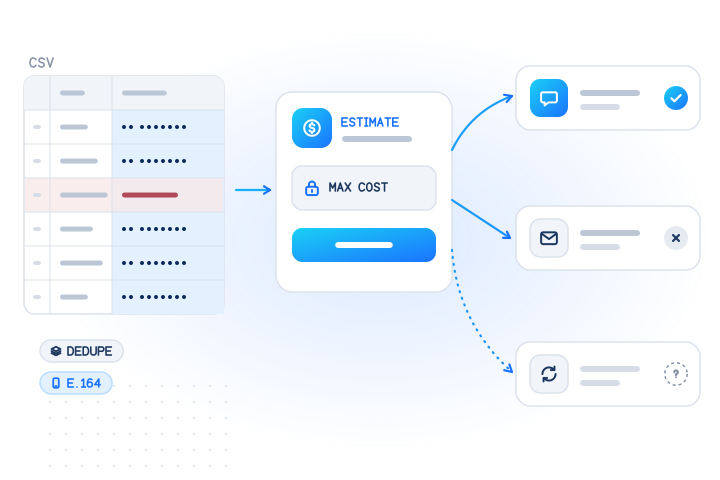
Group the list by provider, estimate it for free, then run one job per provider group. Every check in a job runs on every address in it, and a provider check on another provider's address is meant to come back unknown. Splitting keeps the estimate tight and the results easy to read.
- Group by domain using the domain column in the table above. Addresses on other domains go to the
emailcheck or to your confirmation flow. - Estimate each group with
POST /v1/jobs/estimate. It is free, checks nothing and returns the valid, invalid, duplicate and cached counts plus the maximum cost. - Run the job with that maximum as
max_cost, so it can never cost more:
curl https://api.mobilevalidate.com/v1/jobs \
  -H "Authorization: Bearer $MOBILEVALIDATE_API_KEY" \
  -F file=@yahoo-addresses.csv -F checks=yahoo
# GET /v1/jobs/{id}?wait=30, then GET /v1/jobs/{id}/download?format=csv- Act on the answers.
false: stop sending, and ask the customer for a new address through another channel you already have.true: keep.unknown: keep your previous status and retry later.
Bulk-only e-mail checks have a minimum per job: when a group returns at least one answer, it is billed at least the price of 500 checks, and the estimate shows this as a country_minimum line. Collecting small daily batches into one weekly job avoids paying the minimum on tiny groups. Current per-check prices are on the pricing page; unknown or inconclusive results are never charged, and repeat checks inside the freshness window come from your account's cache for free. Bulk jobs has the full rules.
One more limit applies to every provider. Twenty or more addresses on one domain whose local parts differ only by digits or separators (anna1@, anna.2@, anna_3@) are refused as suspected_enumeration, and googlemail.com counts as gmail.com for this rule. Live keys are also limited to 50 addresses of one such pattern per account per day. Real customer lists don't look like that; generated ones do.
What are the legitimate use cases?
Checks on addresses people gave you, for fraud prevention and deliverability. Typical ones:
- Sign-up quality. Scripted registrations often use invented addresses at the big free providers. A real-time mailbox check catches typos while the user can still fix them; a nightly provider check flags accounts registered with addresses that never existed.
- Fake-account and trial-abuse prevention. Combined with your own alias collapsing, the answers help you spot one person behind many sign-ups.
- CRM hygiene. Old Hotmail, Yahoo and Gmail addresses decay as accounts are closed for inactivity. Checking before a service or account notice tells you which customers you need to reach another way. See CRM data hygiene.
- Protecting transactional mail. Yahoo's best practices tell senders to "Monitor hard and soft bounces as well as inactive recipients" and remove invalid ones. Removing dead addresses keeps receipts and password resets flowing.
What these checks are not for: discovering whether a particular person has an account, guessing address variations, or building and "cleaning" lists for unsolicited mail. Our acceptable use policy forbids all three.
What does the check never return, and what are the privacy rules?
It never returns a name, photo, profile, recovery details, last sign-in or anything from the mailbox. The answer is registered: true, false or null, with checked_at, confidence and whether it was billed. Nothing is sent to the address and no mailbox is opened.
- Lawful basis and minimal storage. Checking an e-mail address is likely to be processing of personal data. Under the GDPR you need a lawful basis (Article 6) and should keep only what you need (Article 5(1)(c)): the answer and its date, not a log of every check. Ask your counsel what applies to you.
- An account isn't consent. A
trueanswer means the address exists, not that its owner wants your mail. - Masked results. In stored job results, inputs are masked, and job data is deleted after the retention period (30 days by default) or earlier on request.
- Objections. People can object through our opt-out form. Suppressed addresses are skipped and never charged.
Gmail, Yahoo and Outlook are named descriptively. MobileValidate is not affiliated with Google, Yahoo or Microsoft.
What are the key takeaways?
- To check if a Gmail, Yahoo or Outlook account exists without sending mail, use an account check, not an SMTP probe. Probes at the big providers run into rate limits and deferrals and can hurt your real mail.
- The answer is registered, not registered or unknown, with
checked_at. Unknowns are free. - The
gmail,yahooandoutlookchecks are bulk only. For real-time sign-up checks, use the mailbox check (email). - Know the domains and aliases:
googlemail.comis Gmail,ymail.comandrocketmail.comare Yahoo,hotmail.com,live.comandmsn.comare Outlook. Gmail ignores dots and plus tags; we never rewrite addresses, so collapse spellings yourself. - Accounts expire with inactivity at all three providers, so recheck old lists before you rely on them.
- Use the checks for sign-up quality, fraud prevention and list hygiene on addresses people gave you. Never to find out who has an account.
Sources
- Gmail SMTP errors and codes — Google Workspace Admin Help, 2026
- Email sender guidelines — Google Workspace Admin Help, 2026
- Dots don't matter in Gmail addresses — Gmail Help, 2026
- Tips to optimize your Gmail inbox — Google Workspace Learning Center, 2026
- Inactive Google Account Policy — Google Account Help, 2026
- Google rebrands U.K. e-mail service after dispute — InfoWorld, 2005
- SMTP Error Codes — Yahoo Sender Hub, 2026
- Sender Best Practices — Yahoo Sender Hub, 2026
- Reasons Yahoo deactivates or deletes an account — Yahoo Help, 2026
- Create, use, edit, or delete disposable email addresses in AT&T Yahoo Mail — Yahoo Help, 2026
- Hotmail and Outlook.com — Microsoft Support, 2026
- Add or remove an email alias in Outlook.com — Microsoft Support, 2026
- Microsoft account activity policy — Microsoft Support, 2026
- General Data Protection Regulation (EU) 2016/679 — European Union, 2016
Frequently asked questions
How can I check if a Gmail account exists without sending an e-mail?
Use an account check that asks the provider's own registration signals instead of sending mail. With MobileValidate, send gmail.com and googlemail.com addresses to a bulk job with checks: ["gmail"]. Each address comes back registered, not registered or unknown, with the time of the check. Nothing is sent to the address.
Is there a real-time Gmail, Yahoo or Outlook checker?
The provider-specific account checks (gmail, yahoo, outlook) run in bulk jobs only. For a real-time answer while a user is on your sign-up form, use the mailbox check (checks: ["email"]) on POST /v1/lookup, which covers major webmail providers.
Why can't I just ask the Gmail, Yahoo or Outlook mail server with RCPT TO?
A probe from your own server looks like the unusual traffic that large providers rate-limit or defer, and it can put the reputation of your real outgoing mail at risk. Many cloud hosts also block outbound port 25. An answer you can't get reliably or safely is not a basis for decisions.
Do you treat j.doe@gmail.com and jdoe@gmail.com as the same address?
No. Addresses are only trimmed and lowercased. Gmail ignores dots and delivers name+tag@gmail.com to name@gmail.com, but we never rewrite addresses. If you want one row per inbox, collapse the spellings yourself before sending the list.
Which domains belong to Yahoo Mail and Outlook?
Yahoo Mail serves yahoo.com, Yahoo's country domains such as yahoo.co.uk, and the older ymail.com and rocketmail.com. Microsoft's consumer mail serves outlook.com, hotmail.com, live.com and msn.com, including country versions such as hotmail.co.uk.
Does an account check return the owner's name or other details?
No. The answer is only registered, not registered or unknown, with checked_at. No name, photo, profile, sign-in activity or mailbox content is ever returned, and unknown answers are never charged.
Related services and guides
More from the blog
All articlesGuides
E-mail verification vs account existence checks: what's the difference?
Mailbox validation says an address can receive mail. An account check says it is registered on a service. When to use each, and the privacy rules.
8 min read
Guides
Bulk Telegram number check for Asian customer lists (Indonesia, India, Philippines, Vietnam, Hong Kong)
Check Telegram numbers in bulk for Indonesia, India, the Philippines, Vietnam, Hong Kong and more: normalising Asian formats, privacy and unknowns, cost caps.
7 min read
Guides
Bulk WhatsApp number check: how to verify a customer list (CSV upload or API)
Check WhatsApp numbers in bulk: prepare a CSV, get a free estimate, cap the cost, run the job in the dashboard or API, and act on each answer.
8 min read