On this page
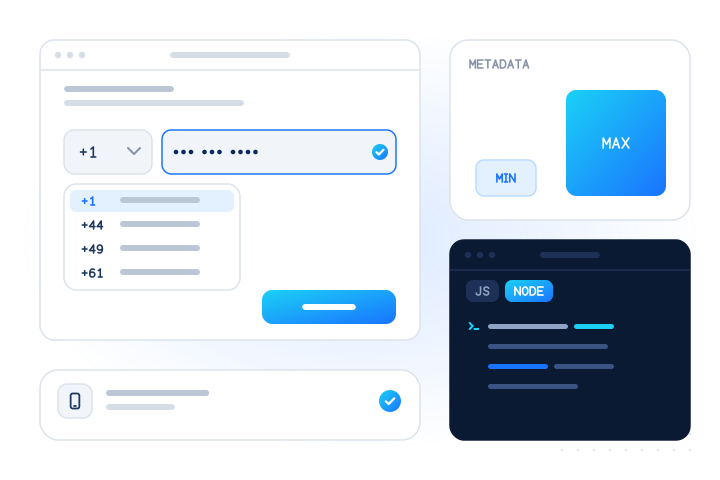
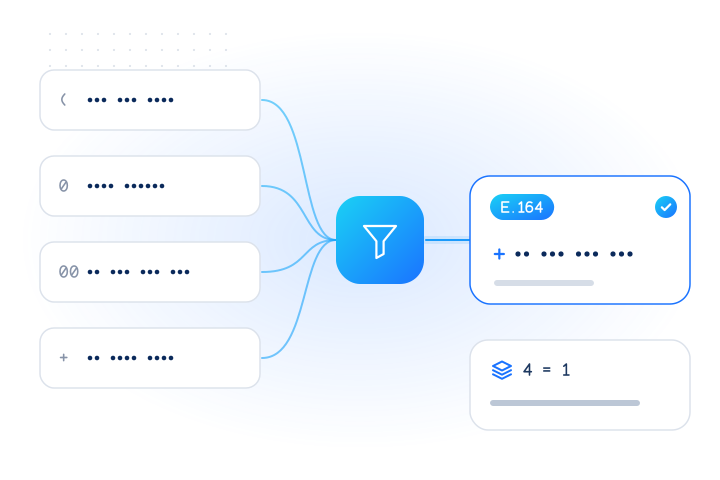
The best phone number input field is one type="tel" text input with autocomplete="tel", a country selector with a sensible default, a clear label, and tolerant parsing: accept any formatting, then normalize to E.164 on the server. Show specific, fixable errors, keep marketing consent in a separate unticked checkbox, and run network checks after submit without blocking on unknown answers.
Most bad numbers in a database were typed by real people into a form that made mistakes easy: a field that rejected a plus sign, a country picker stuck on the wrong country, or an error that said "invalid" and nothing else. Fixing the form is cheap, because every correction happens while the person is still on the page.
This guide covers the form itself. For parsing code, see our JavaScript phone validation guide. For why a regex can't do the job, see E.164 regex: why a pattern is not enough.
Why does the input field matter for data quality?
Every later check depends on what the field captured. A lookup can tell you that +447700900001 is a reachable mobile. It can't tell you that the person meant a different country, or dropped a digit.
Errors at capture fall into a few groups:
- Wrong country. A national number such as
07700 900001is only meaningful with a country. If the form guesses wrong, you store a valid-looking number that belongs to nobody, or to somebody else. - Mangled digits. Fields that strip a leading zero or a plus sign, cap the length too short, or truncate on paste.
- Rejected good input. Forms that refuse spaces or brackets push people to type a fake number just to continue.
- Missing consent context. A number collected for login ends up on a marketing list because nobody recorded why it was collected.
Good form design removes most of these before any API call is made.
One field or split fields?
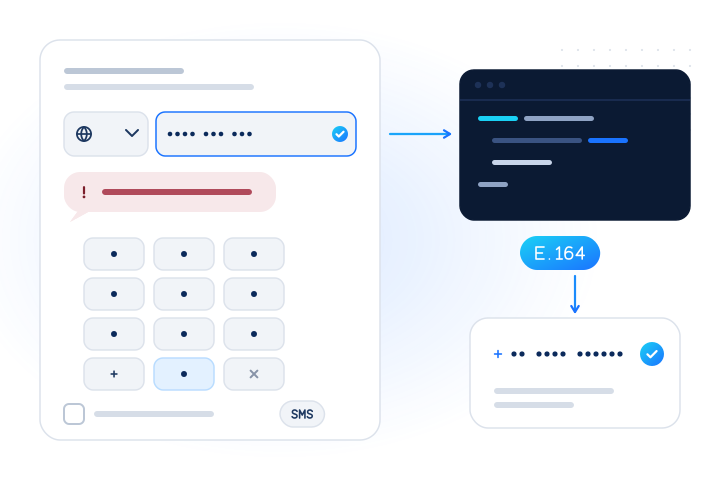
Use one field for the number and a separate country selector. Split boxes, such as area code plus exchange plus line, assume one country's format. They break when a number has a different length, they break paste from a contacts app, and they fight browser autofill.
A single field also matches how people think about their number. They know it as one string, often with their own spacing. Let them type it that way.
The country selector is a real part of the input, not decoration. It supplies the default region when the person types a national number without a country code. If they type a full international number starting with +, the typed country code should win over the selector.
How should the country selector choose its default?
Pick the default from the strongest signal you have, in this order:
- The country the person already chose elsewhere in the flow, such as a billing or shipping country.
- The site or store locale they are using, for example a UK storefront.
- The browser language region (
navigator.language, for exampleen-GB). - IP geolocation, as a last hint only.
IP location alone is a weak default. Travellers, VPN users and people in border regions get the wrong country, and a wrong default silently turns a correct national number into a wrong international one. Whatever you pick, keep the selector visible and easy to change, and allow typing to search it.
Keep flags optional. A country name and calling code (for example "United Kingdom +44") is clearer and works with screen readers.
Which HTML attributes should a phone field use?
Three attributes do most of the work:
<label for="phone">Mobile number</label>
<input id="phone" name="phone" type="tel" autocomplete="tel"
       aria-describedby="phone-hint phone-error">
<p id="phone-hint">We'll text a code to this number. Include the country code if it isn't in the list.</p>
<p id="phone-error" role="alert" hidden></p>type="tel"opens a phone keypad on most mobile devices. The HTML Standard notes that, unlike the URL and e-mail types, the telephone type doesn't enforce a particular syntax, because formats vary so much [1]. That is what you want: you parse, the browser doesn't.autocomplete="tel"tells browsers and password managers to fill the full number, including country code [1]. If you use separate inputs, usetel-country-codefor the code andtel-nationalfor the rest, plustel-extensionif you collect extensions [1]. This also meets WCAG 2.2 success criterion 1.3.5, Identify Input Purpose (Level AA), which asks that the purpose of fields collecting user information can be programmatically determined [2].- A visible
<label>, not only a placeholder. WCAG 2.2 success criterion 3.3.2 asks for labels or instructions when content requires input [2]. Placeholders disappear as soon as someone starts typing.
Don't use type="number". The HTML Standard says the number type "is not appropriate for input that happens to only consist of numbers but isn't strictly speaking a number" [1]. In practice it can drop a leading zero, reject a +, and adds spinner arrows that make no sense for a phone number.
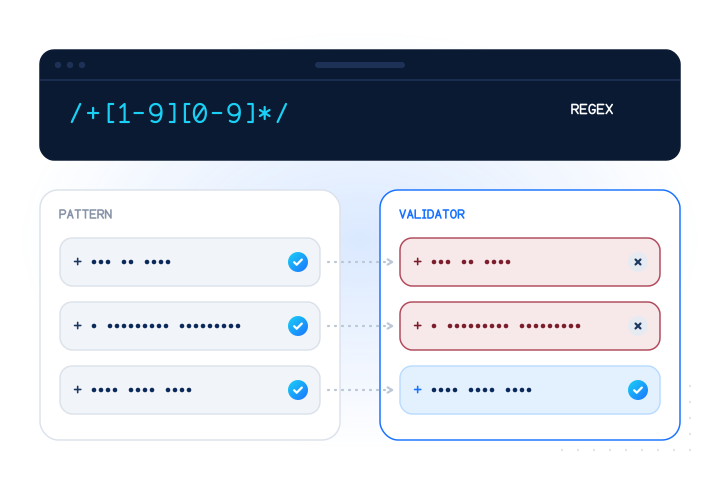
Don't set a short maxlength or a pattern. An E.164 number has at most 15 digits, but people also type spaces, brackets and a trunk prefix, so the typed string is longer. A tight maxlength truncates pasted numbers without telling anyone. A pattern attribute usually encodes one country's format. See our E.164 glossary entry for the format itself.
Should you format the number as the user types?
It helps if it never gets in the way. As-you-type formatting, such as turning 7700900001 into 7700 900001, reassures people that the number was understood. Done badly, it causes more errors than it prevents.
Common pitfalls:
- Cursor jumping. Inserting spaces moves the caret to the end, so editing a digit in the middle becomes a fight. Preserve the caret position, or format only on blur.
- Blocking deletion. If backspace deletes a space that the formatter immediately re-inserts, the person can't delete. Delete the digit before the space instead.
- Breaking paste. A pasted
+44 (0)7700 900001should be accepted and cleaned, not refused character by character. - Formatting for the wrong country. If the selector says one country and the person types another country's number with
+, follow the typed code.
If in doubt, don't format while typing. Show the formatted, normalized number back to the person after they leave the field, for example "We'll text +44 7700 900001", so they can spot a mistake.
What about extensions and landlines?
Decide what the number is for, then say so in the label. "Mobile number" tells people you need a phone that can receive texts. "Phone number" invites landlines, office switchboards and extensions.
If you accept business numbers, add a separate optional extension field with autocomplete="tel-extension" rather than asking people to type ext. 204 into the main field. If you do get an extension in the main field, most numbering-plan libraries can parse common forms, but store it separately from the E.164 number.
If you need a mobile for SMS, remember that in some countries a mobile and a landline can't be told apart by format. The line type is a job for a lookup after submit, not for the form.
How do you write error messages that help?
Say what is wrong and how to fix it. WCAG 2.2 success criterion 3.3.1 asks that an input error be identified and described in text, and 3.3.3 asks that you suggest a correction when you know one, unless that would compromise security [2].
Compare:
| Unhelpful | Helpful |
|---|---|
| "Invalid phone number" | "This number looks too short for the United Kingdom. Check the digits or choose another country." |
| "Wrong format" | "Enter the number with its country code, for example +44 7700 900001, or pick your country from the list." |
| "Not allowed" | "We can't text landline numbers. Enter a mobile number, or choose a voice call instead." |
A good parser tells you why a number failed: too short, too long, or not valid for the region. Map those reasons to messages, and validate on blur or submit, not on every keystroke. Link the error to the field with aria-describedby and announce it, as in the example above.
How should consent be captured next to the field?
Keep purposes separate. A number collected for sign-in codes, delivery updates or fraud prevention is not permission to send marketing texts.
- Say why you need the number in the hint text: "We'll text a code to this number."
- Ask for marketing consent separately, with an optional checkbox that is not ticked by default, and wording that says what messages to expect.
- Record the evidence: the wording shown, the time, and the source form. You'll need it for opt-out handling and audits.
- Don't make the phone field required if the flow works without it.
Rules differ by country. In the EU and UK, a phone number is personal data; see is a phone number personal data under GDPR?. This isn't legal advice; check with your own counsel.
What should happen on the server after submit?
The form is for convenience. The server decides. Anyone can bypass client-side checks, so repeat them:
import { parsePhoneNumberFromString } from "libphonenumber-js/max";

export function normalizePhone(input, defaultCountry) {
  const phone = parsePhoneNumberFromString(String(input ?? ""), defaultCountry);
  if (!phone || !phone.isValid()) return { ok: false, reason: "invalid_number" };
  return { ok: true, e164: phone.number, country: phone.country };
}
Store the E.164 value as the canonical number, and keep the country that was selected. Deduplicate on E.164, never on the raw string.
A format check only says the number could exist. If the number will receive an OTP or a delivery text, check it against the network after submit:
- The carrier lookup returns the line type and current carrier, so you can offer a voice call to a landline or apply tighter limits to VoIP numbers.
- The HLR lookup asks the home network whether a mobile is reachable right now, so you can offer another channel before an SMS fails.
The OTP and sign-up guard recipe shows the whole flow in code, and OTP fraud prevention checks explains the rules. See pricing for current prices.
Never block on unknown. Networks time out and some countries have no data. An unknown result means "no conclusive answer", not "bad number". Continue with your normal flow and limits. MobileValidate doesn't charge for unknown or other inconclusive results, and numbers the parser rejects as invalid are never checked or charged.
How should you test the field?
Test with real-world input, not only the happy path:
- A national number with the right country selected, and with the wrong one.
- A full international number with
+, with00, and with the trunk(0)many people write. - Pasted numbers with spaces, dots, dashes and brackets.
- Autofill from the browser and from a password manager.
- Screen reader announcement of label, hint and error.
For API tests, the MobileValidate test numbers (+447700900001 to …006) return fixed answers with a test key. Note that the UK drama range they use is rejected by numbering-plan libraries on purpose, so allow it only outside production.
What are the key takeaways?
- Use one
type="tel"field withautocomplete="tel"and a visible label, plus a country selector. - Default the country from the person's own choices and locale first; use IP location only as a last hint.
- Never use
type="number", a tightmaxlengthor a one-countrypattern. - Accept any formatting and normalize to E.164 on the server with a numbering-plan library.
- Write errors that say what is wrong and how to fix it, and connect them to the field for assistive technology.
- Keep marketing consent in a separate, optional, unticked checkbox, and record it.
- Check line type or reachability after submit when the number must receive messages, and never block on unknown.
Sources
Frequently asked questions
Should a phone number field be one input or split into several boxes?
Use one text input for the number, plus a country selector. Split boxes for area code and subscriber number only fit one country's format, break autofill and paste, and confuse people with numbers that have a different length.
Should I use type="number" for a phone field?
No. Use type="tel". The HTML Standard says the number type is not appropriate for input that only happens to consist of digits. It can drop a leading zero or plus sign and shows spinner arrows. type="tel" opens a phone keypad on mobile devices and accepts any characters.
Which autocomplete value should a phone field use?
Use autocomplete="tel" for a single field that holds the full number with country code. If you split country code and number, use tel-country-code and tel-national, and tel-extension for an extension. These tokens let browsers and password managers fill the number correctly.
Should I reject numbers with spaces, dashes or brackets?
No. Accept whatever the person types, including spaces, dashes, dots, brackets and a leading plus or trunk zero. Strip and parse it on the server with a numbering-plan library such as libphonenumber, then store the E.164 form.
Should the form block a sign-up if a network check returns unknown?
No. unknown means there was no conclusive answer, not that the number is bad. Continue with your normal flow and apply your usual limits. MobileValidate doesn't charge for unknown results.
Can the phone field double as SMS marketing consent?
No. Collecting a number for account security is not consent to marketing messages. Ask for marketing consent with a separate, optional checkbox that is not ticked by default, and record when and how it was given. Check your own legal requirements with counsel.
Related services and guides
More from the blog
All articlesDevelopers
Phone number validation in JavaScript and Node.js
Validate phone numbers in JavaScript with libphonenumber-js: min vs max metadata, E.164, form input, and a live line-type check with runnable Node code.
9 min read
Developers
E.164 regex: why a pattern is not enough to validate phone numbers
The common E.164 regex accepts impossible numbers. Real counterexamples, the shortest valid international numbers, and what to use a regex for instead.
7 min read
Developers
E.164 phone number format: a practical guide for developers
How to normalize phone numbers to E.164 in JavaScript and Python, the pitfalls that break deduplication, and how the MobileValidate API normalizes input.
8 min read