On this page
To validate a phone number in Java, add com.googlecode.libphonenumber:libphonenumber, parse the input with PhoneNumberUtil.parse() and a default region, check isValidNumber(), and store format(number, PhoneNumberFormat.E164). In Spring, wrap it in a Bean Validation constraint. Kotlin uses the same library. For the line type or service status, send the E.164 number to a lookup API from your backend. All the code below was compiled and run on JDK 25.
Which library and version should you use?
Google's libphonenumber is written in Java, so on the JVM you use the original, not a port. It's Apache 2.0 licensed and is the reference implementation that the JavaScript, Python, PHP and Go ports follow. Version 9.0.40 reached Maven Central on 2026-09-23. Google published 25 metadata releases in 2025, and each one changed phone metadata for at least one country, so plan to upgrade it regularly, for example with Dependabot or Renovate.
<dependency>
  <groupId>com.googlecode.libphonenumber</groupId>
  <artifactId>libphonenumber</artifactId>
  <version>9.0.40</version>
</dependency>
Gradle (Kotlin DSL): implementation("com.googlecode.libphonenumber:libphonenumber:9.0.40").
The core jar is about 360 KB. Offline geocoding (com.googlecode.libphonenumber:geocoder, 3.40) and carrier names (carrier, 2.40) are separate artifacts. Skip them unless you need them: the carrier module maps number ranges to the network that was originally allocated the range, which is wrong for ported numbers. See why carrier lookups can be wrong.
How do you parse and validate a number in Java?
// Phones.java
package com.example.phone;

import com.google.i18n.phonenumbers.NumberParseException;
import com.google.i18n.phonenumbers.PhoneNumberUtil;
import com.google.i18n.phonenumbers.PhoneNumberUtil.PhoneNumberFormat;
import com.google.i18n.phonenumbers.PhoneNumberUtil.ValidationResult;
import com.google.i18n.phonenumbers.Phonenumber.PhoneNumber;
import java.util.regex.Pattern;

public final class Phones {
  private static final PhoneNumberUtil UTIL = PhoneNumberUtil.getInstance(); // thread-safe, load once
  // Our reserved test range (+44 7700 9xxxxx). libphonenumber marks it invalid on purpose.
  private static final Pattern TEST_RANGE = Pattern.compile("^\\+4477009\\d{5}$");

  public record Result(boolean ok, String e164, String region, String type, String reason) {
    static Result fail(String reason) { return new Result(false, null, null, null, reason); }
  }

  private Phones() {}

  /** defaultRegion like "GB"; null requires a leading +. */
  public static Result normalize(String raw, String defaultRegion, boolean allowTestRange) {
    String in = raw == null ? "" : raw.strip();
    if (in.isEmpty() || in.length() > 32) return Result.fail("unparseable");
    PhoneNumber number;
    try {
      number = UTIL.parse(in, defaultRegion);
    } catch (NumberParseException e) {
      return Result.fail("unparseable");
    }
    String e164 = UTIL.format(number, PhoneNumberFormat.E164);
    if (allowTestRange && TEST_RANGE.matcher(e164).matches()) return new Result(true, e164, "GB", "TEST", null);
    if (!UTIL.isValidNumber(number)) {
      ValidationResult why = UTIL.isPossibleNumberWithReason(number);
      return Result.fail(switch (why) {
        case TOO_SHORT -> "too_short";
        case TOO_LONG -> "too_long";
        default -> "invalid";
      });
    }
    return new Result(true, e164, UTIL.getRegionCodeForNumber(number), UTIL.getNumberType(number).name(), null);
  }
}
Our JUnit 6 test asserts these results against libphonenumber 9.0.40, and all of them pass:
| Call | Result |
|---|---|
normalize("(202) 555-0143", "US", false) | +12025550143 |
normalize("07911 123456", "GB", false) | +447911123456, region GG, type MOBILE |
normalize("+1 123 456 7890", null, false) | invalid (no US area code starts with 1) |
normalize("+44 79111 234567", null, false) | too_long |
normalize("202-555-0143", null, false) | unparseable (no region, no +) |
normalize("07700 900001", "GB", false) | invalid (Ofcom's reserved drama range) |
The GG result is correct: +44 7911 numbers belong to Guernsey. Take the region from getRegionCodeForNumber(), never from a table of dialling codes. isPossibleNumber() only checks length; isValidNumber() also checks that the digits sit in an allocated range. Use the first for typing hints, the second before you store anything.
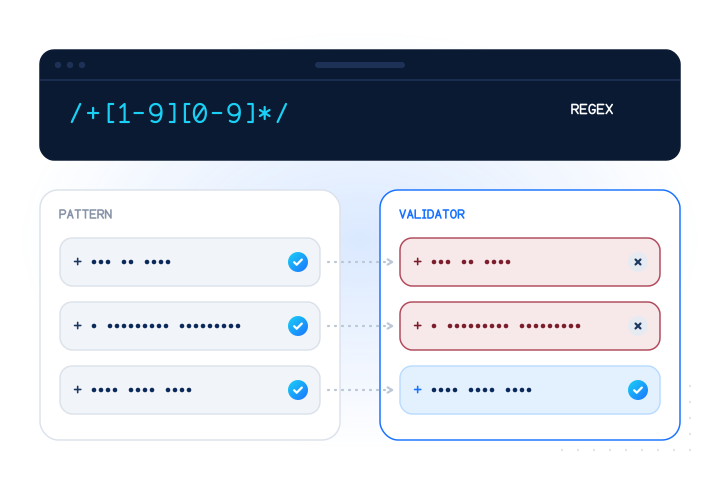
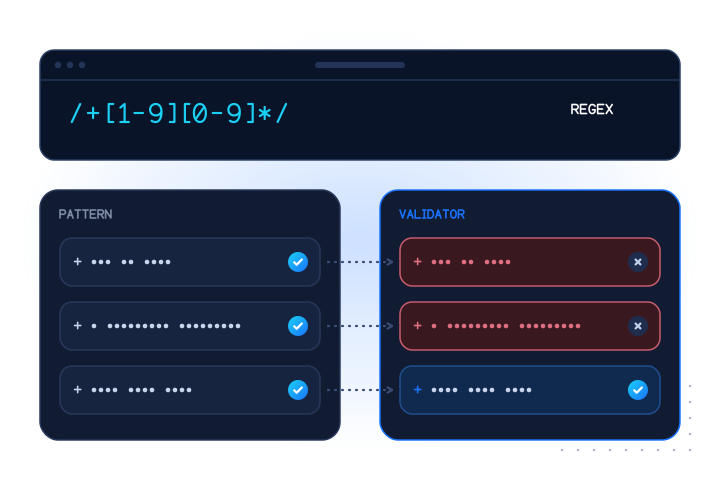
A regex can't replace this. E.164 regex: why a pattern is not enough has the counterexamples.
How do you validate phone numbers in Spring Boot?
Spring Boot runs Jakarta Bean Validation (Hibernate Validator) through spring-boot-starter-validation. A custom constraint takes two small types:
// ValidPhone.java
package com.example.phone;

import jakarta.validation.Constraint;
import jakarta.validation.Payload;
import java.lang.annotation.ElementType;
import java.lang.annotation.Retention;
import java.lang.annotation.RetentionPolicy;
import java.lang.annotation.Target;

@Target({ElementType.FIELD, ElementType.PARAMETER, ElementType.RECORD_COMPONENT})
@Retention(RetentionPolicy.RUNTIME)
@Constraint(validatedBy = ValidPhoneValidator.class)
public @interface ValidPhone {
  String message() default "is not a valid phone number";
  String defaultRegion() default "";
  Class<?>[] groups() default {};
  Class<? extends Payload>[] payload() default {};
}// ValidPhoneValidator.java
package com.example.phone;
import jakarta.validation.ConstraintValidator;
import jakarta.validation.ConstraintValidatorContext;
public class ValidPhoneValidator implements ConstraintValidator<ValidPhone, String> {
private String region;
@Override
public void initialize(ValidPhone annotation) {
region = annotation.defaultRegion().isEmpty() ? null : annotation.defaultRegion();
}
@Override
public boolean isValid(String value, ConstraintValidatorContext context) {
if (value == null) return true; // combine with @NotBlank when the field is required
return Phones.normalize(value, region, false).ok();
}
}Annotate a request record, record SignUp(@NotBlank @ValidPhone(defaultRegion = "GB") String phone) {}, and put @Valid @RequestBody SignUp body in the controller. We tested the constraint with Hibernate Validator 9.1.4: 07911 123456 produces no violations, while 12345 produces one, phone is not a valid phone number.
Validators check; they don't convert. Call Phones.normalize() again in your service layer and persist the E.164 value, not what the user typed. If users choose their country, validate at class level so the validator can read both fields.
How does it look in Kotlin?
The same library, with less ceremony:
import com.google.i18n.phonenumbers.NumberParseException
import com.google.i18n.phonenumbers.PhoneNumberUtil
import com.google.i18n.phonenumbers.PhoneNumberUtil.PhoneNumberFormat

private val util: PhoneNumberUtil = PhoneNumberUtil.getInstance()

/** Returns the E.164 form, or null when the input is not a valid number. */
fun toE164(raw: String, defaultRegion: String? = null): String? {
    val number = try {
        util.parse(raw.trim(), defaultRegion)
    } catch (e: NumberParseException) {
        return null
    }
    return if (util.isValidNumber(number)) util.format(number, PhoneNumberFormat.E164) else null
}

fun main() {
    println(toE164("07911 123456", "GB"))   // +447911123456
    println(toE164("+1 123 456 7890"))       // null
}
Compiled with Kotlin 2.4.20, it printed exactly the two values in the comments. Returning null for "not valid" fits Kotlin's null safety: callers have to handle it.
What should Android apps do differently?
On Android, the size of the metadata and how it loads matter more than on a server. Some teams use libphonenumber-android, a community fork that loads metadata from Android assets for faster start-up; its 9.0.38 release came out on 2026-09-03. Whichever you use, the division of labour is the same:
- On the device: format as the user types (
AsYouTypeFormatter) and check validity for instant feedback. - On your backend: validate again and run any paid lookup. An API key inside an APK can be extracted, so never ship one.
Ask for the country with a picker, prefilled from the SIM or locale. Without a region, national input such as 07911 123456 can't be parsed.
How do you check the line type with java.net.http?
A valid number might be a landline, a VoIP line or out of service. A carrier lookup returns the current line_type and carrier. This client uses the JDK's HttpClient and Jackson 3 (the JSON library Spring Boot 4 uses). It sends numbers in the POST body, polls while answers are pending and retries only errors the API marks as retryable:
// MobileValidateClient.java
package com.example.phone;

import java.io.IOException;
import java.net.URI;
import java.net.http.HttpClient;
import java.net.http.HttpRequest;
import java.net.http.HttpResponse;
import java.time.Duration;
import java.util.List;
import java.util.Map;
import tools.jackson.databind.JsonNode;
import tools.jackson.databind.json.JsonMapper;

public final class MobileValidateClient {
  private static final JsonMapper JSON = JsonMapper.builder().build();
  private final HttpClient http = HttpClient.newBuilder().connectTimeout(Duration.ofSeconds(10)).build();
  private final String baseUrl;
  private final String apiKey;

  public MobileValidateClient(String apiKey, String baseUrl) {
    this.apiKey = apiKey;
    this.baseUrl = baseUrl == null ? "https://api.mobilevalidate.com" : baseUrl;
  }

  public static final class ApiException extends RuntimeException {
    public final String code;
    public final int status;
    ApiException(String code, int status, String message) {
      super(code + " (" + status + "): " + message);
      this.code = code;
      this.status = status;
    }
  }

  /** Checks up to 100 E.164 numbers. Numbers go in the POST body, never in the URL. */
  public JsonNode lookup(List<String> numbers, List<String> checks) throws IOException, InterruptedException {
    String body = JSON.writeValueAsString(Map.of("numbers", numbers, "checks", checks, "wait", 10));
    JsonNode res = send(HttpRequest.newBuilder(URI.create(baseUrl + "/v1/lookup"))
        .POST(HttpRequest.BodyPublishers.ofString(body)).header("Content-Type", "application/json"));
    while ("pending".equals(res.path("status").asString())) {
      Thread.sleep(res.path("next").path("poll_after_ms").asLong(2000));
      res = send(HttpRequest.newBuilder(URI.create(baseUrl + "/v1/lookups/" + res.path("id").asString() + "?wait=10")).GET());
    }
    return res.path("results");
  }

  private JsonNode send(HttpRequest.Builder builder) throws IOException, InterruptedException {
    HttpRequest request = builder.header("Authorization", "Bearer " + apiKey)
        .timeout(Duration.ofSeconds(45)) // the server may long-poll for up to `wait` seconds
        .build();
    for (int attempt = 0; ; attempt++) {
      HttpResponse<String> res = http.send(request, HttpResponse.BodyHandlers.ofString());
      JsonNode json = JSON.readTree(res.body());
      if (res.statusCode() < 300) return json;
      JsonNode err = json.path("error");
      if (!err.path("retryable").asBoolean(false) || attempt == 3) {
        throw new ApiException(err.path("code").asString("http_error"), res.statusCode(), err.path("message").asString(""));
      }
      long retryAfter = res.headers().firstValueAsLong("Retry-After").orElse(1L << attempt);
      Thread.sleep(Duration.ofSeconds(retryAfter));
    }
  }
}
Create it once with the key from your environment (MOBILEVALIDATE_API_KEY) and reuse it; HttpClient is thread-safe. In Spring, expose it as a bean. If your project still uses Jackson 2, change the imports to com.fasterxml.jackson.databind and asString() to asText().
What does a test-mode run return?
With a free test key, the test numbers return fixed answers and nothing is billed. Our integration test called lookup(List.of("+447700900001", "+447700900003", "+447700900004"), List.of("carrier")) and printed (E.164, status, line type, reason):
+447700900001 completed mobile
+447700900003 unknown unknown UPSTREAM_TIMEOUT
+447700900004 completed mobile
…004 stays pending for about five seconds, so the client polled once. …402 threw ApiException with code insufficient_balance straight away, because it isn't retryable. The test is guarded with @EnabledIfEnvironmentVariable(named = "MOBILEVALIDATE_API_KEY", matches = "mv_test_.*"), so it never runs with a live key.
The test range needs one special case: libphonenumber rejects +44 7700 900xxx because Ofcom reserves it for drama. Pass allowTestRange = true to normalize() only when the key starts with mv_test_.
How should your code act on the answers?
mobile: SMS is a sensible channel. Storeline_typewithchecked_at.fixed_line,toll_freeorvoip: don't send SMS. Offer voice or e-mail, or add a step if your fraud rules call for it.unknown: keep your default and re-check later. It isn't billed. Storenull, neverfalse.- Errors: retry only when
retryableis true. The errors reference lists every code.
In a sign-up request, give the lookup a short timeout and continue if it doesn't answer. For large imports, batch up to 100 numbers per lookup or use a bulk job, and stay under 10 requests per second per key. The Go guide shows a rate-limited batch pattern that translates directly to a Java Semaphore or RateLimiter.
What are the key takeaways?
- Use
com.googlecode.libphonenumber:libphonenumber(9.0.40 in late September 2026) and upgrade it regularly. - Load
PhoneNumberUtil.getInstance()once; validate withisValidNumber()and store E.164. - In Spring, a
@ValidPhoneconstraint validates; your service layer converts and persists. - Kotlin uses the same API; returning
nullfor invalid input fits its type system. - On Android, validate on the device for feedback, but call lookup APIs from your backend.
- Treat
unknownas missing data, retry only retryable errors, and test every branch with free test numbers.
Sources
- libphonenumber — Google, 2026
- com.googlecode.libphonenumber:libphonenumber — Maven Central, 2026
- Java Bean Validation — Spring Framework reference, 2026
- libphonenumber release notes — Google, 2026
Frequently asked questions
What are the Maven coordinates for libphonenumber?
com.googlecode.libphonenumber:libphonenumber. Version 9.0.40 was the latest on Maven Central in late September 2026. The geocoder and carrier modules are separate artifacts you only need if you use them.
Is PhoneNumberUtil thread-safe?
Yes. PhoneNumberUtil.getInstance() returns a shared instance that is safe to use from many threads. Load it once, for example in a static field, rather than per request.
How do I validate a phone number in a Spring Boot request?
Write a Jakarta Bean Validation constraint whose validator calls libphonenumber, annotate the field, and put @Valid on the controller parameter. Spring Boot's validation starter runs it automatically.
Should an Android app call the lookup API directly?
No. Validate the format on the device for quick feedback, and call the lookup API from your backend so the API key never ships in the app.
Related services and guides
More from the blog
All articlesDevelopers
Phone number validation in Go: parsing, E.164 and rate-limited lookups
Validate phone numbers in Go with nyaruka/phonenumbers, format E.164, and call a lookup API with context timeouts, rate limiting and 429 back-off.
7 min read
Developers
E.164 regex: why a pattern is not enough to validate phone numbers
The common E.164 regex accepts impossible numbers. Real counterexamples, the shortest valid international numbers, and what to use a regex for instead.
7 min read
Developers
Phone number validation in code: libraries, the validation ladder and when to call an API
The phone validation ladder: syntax, numbering plan, line type and live checks, with the right library for JavaScript, Python, PHP, Go and Java.
7 min read