On this page
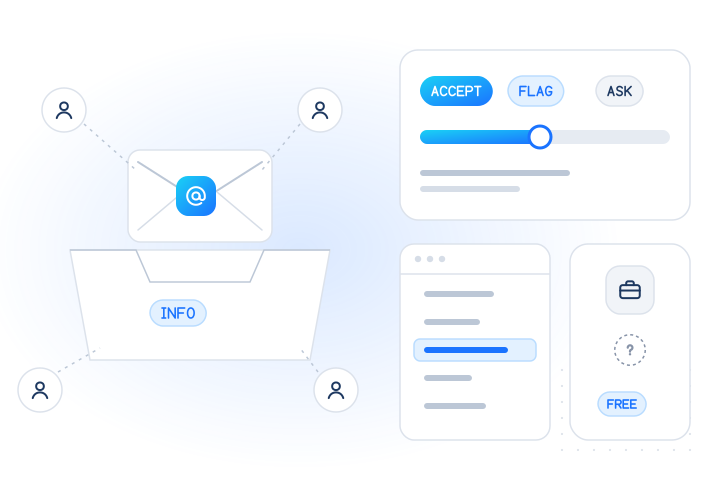
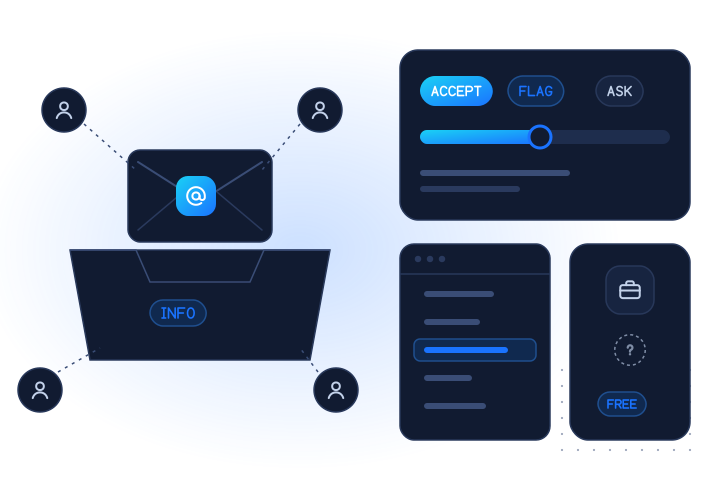
A role-based e-mail address, such as info@, sales@ or support@, belongs to a function rather than to one person. It is not a fake or a bad address, so don't block it by default. Accept it for business contacts and transactional mail, flag it where you need one accountable person, and ask for a personal address only when the account truly depends on it.
Role detection is also a different question from "does this mailbox exist?" or "is this a throwaway address?". This guide covers what role addresses are, how to treat them in each context, and how to detect them without insulting a customer called Anna.
What is a role-based e-mail address?
It is an address named after a job, team or service instead of a person. Typical examples are info@example.com, sales@example.com, support@example.com, billing@example.com, hr@example.com and admin@example.com.
Three things set role addresses apart from personal ones:
- Shared reading. Mail to a role address often lands in a team inbox, a ticket queue or a distribution list. Several people can read it, and none of them may be the person who filled in your form.
- Changing owners. People leave, but
accounts@stays. The address outlives any one reader. - Automation. Many role addresses feed an autoresponder or a helpdesk tool rather than a person's inbox.
Some role names are older than most companies that use them. RFC 2142, a 1997 standards-track document, lists mailbox names for common roles: business names such as INFO, MARKETING, SALES and SUPPORT; operations names such as ABUSE, NOC and SECURITY; and service names such as POSTMASTER, HOSTMASTER and WEBMASTER [1]. It also says these names "must be recognized independent of character case" [1]. One of them is mandatory for mail servers: RFC 5321 requires any SMTP server that relays or delivers mail to "support the reserved mailbox 'postmaster' as a case-insensitive local name" [2].
So a role address is a normal, often required, part of how organisations run e-mail. The question is not whether it is legitimate, but whether it fits what you are about to do with it.
Why do role addresses matter at all?
Because an address does two jobs in most systems: it is a way to reach someone, and it is often an identity. Role addresses are good at the first and weaker at the second.
- Identity. If you use the e-mail address as the login and the password-reset channel, anyone who reads
it@can take over the account. That may be exactly what the customer wants for a shared admin account. It may also be a surprise six months later. - Consent. For marketing, you need the recipient's agreement. With a shared inbox, you can't tell which of its readers agreed, and the next reader may not have. Complaints from people who never signed up hurt your sender reputation.
- Abuse patterns. Free-trial and promotion abuse sometimes uses role-style addresses on domains the abuser controls, because they are easy to vary. On its own that means little. Combined with other signals, it can be one more reason to look closer.
None of this makes a role address suspicious by itself. It changes what you should do next.
Should you accept, flag or ask for a personal address?
It depends on what the address will be used for. A decision table:
| Context | Role address (e.g. billing@) | Why |
|---|---|---|
| B2B lead or demo form | Accept. Optionally ask for a named contact in a second field | A team inbox is a normal way for a company to talk to a supplier. See lead verification |
| Invoices, receipts, alerts | Accept | Shared finance or ops inboxes are often the right destination for these |
| Product account where one person logs in | Flag. Suggest a personal address for login and keep the role address as a notification contact | Keeps password resets with one accountable person |
| Admin or owner of a team account | Ask for a personal address as the owner, allow role addresses as extra contacts | Recovery and security notices need someone who can act |
| Free trial or promotion | Flag, and combine with other signals before granting value | A role address alone is weak evidence. See SaaS free-trial abuse |
| Newsletter or marketing opt-in | Accept only with confirmed opt-in from that inbox | The confirmation click shows someone at that inbox wants the mail |
| Existing marketing list | Review role addresses that never engage and send a re-permission message before removing them | Shared inboxes are where silent disinterest and complaints collect |
Two rules sit under the whole table. First, don't reject a form silently: if you need a personal address, say why ("We'll send security codes here, so please use an address only you can read"). Second, treat the result as a flag in your own records, not as a permanent label on the customer.
How do you detect a role-based address?
With a local rule. There is no network check that answers "is this a role address?", because the mail server treats sales@ like any other mailbox. Detection is text matching on the local part, the text before the @.
A careful version looks like this:
- Split at the last
@. Only the local part matters. The domain tells you whether it is a company or consumer webmail domain, which is useful context, but not the role. - Normalise a copy for comparison only. Lowercase it, drop a plus tag (
sales+eubecomessales) and remove dots, hyphens and underscores. Never store or send to this copy. Mailbox names can be case-sensitive by the standard [2], and on many providers dots and plus tags are part of the real address. - Match exact tokens against a short list.
sales,info,support,billing,admin,office,contact,hr,accounts,noreplyand the RFC 2142 names are a reasonable start. Add team words you actually see, such ascareersorpress. - Add the languages of your markets. A list with only English words misses
kontakt@,ventas@,vendas@,facturation@and many more. Build these lists with people who speak the language. - Record the reason. Store
role_match: "billing"next to the address, so support can explain a flag later.
Where does role detection go wrong?
Mostly on names and substrings.
- Names that are role words. Short lists sometimes include words that are also first names or surnames. A rule that treats every
office@as a role is fine; a rule that also treatsanna@ormarketing.anna@as a role because of loose matching is not. Match whole tokens, not substrings:wholesale.lee@should not matchsales. - Personal addresses with a role prefix.
support.jdoe@orjdoe-support@is often one person's alias for work. Whether to flag it is a policy choice. Keep the rule explicit so you know which way you chose. - Small companies. At a two-person company,
info@may be the founder's only work address. That is why the table above says flag or ask, not block. - Consumer webmail. A role-looking address on a consumer webmail domain is simply a personal mailbox with a generic name. It is shared only if the owner shares it.
Review what the rule flags for a few weeks before it changes any user-facing flow.
How is this different from disposable detection and mailbox validation?
They answer three different questions, and mixing them up causes most bad sign-up rules:
| Check | Question it answers | Typical source |
|---|---|---|
| Role detection | Is this address named after a function rather than a person? | Your own local-part list |
| Disposable detection | Is the domain a throwaway or temporary-inbox service? | Domain blocklists and domain signals |
| Mailbox validation | Does a mailbox with this address exist at the provider? | The provider's answer, or a check made without sending |
A role address on a real company domain is usually permanent and reachable, the opposite of a disposable one. A role address can also sit on a catch-all domain, where no check made without sending can confirm the mailbox. Our guide to catch-all addresses covers that case, and the e-mail verification guide walks through the full ladder of checks.
What can MobileValidate tell you about a role address?
Less than you might hope, and we'd rather say so. Our mailbox check answers one question: does this address have a mailbox at a major webmail provider? It returns registered: true, false or null (unknown) with the time of the check.
Role addresses mostly live on company and custom domains. Those return unknown with reason: "UNSUPPORTED_PROVIDER", and inconclusive results are never charged. We don't return a role flag, and we don't guess who reads a shared inbox. In practice:
- Run your role rule locally, before or alongside the API call. It costs nothing and needs no network.
- Use the mailbox check for consumer webmail addresses, where a
falseanswer catches typos and made-up addresses before you send a confirmation link. The sign-up recipe shows the flow. - Treat
unknownas unknown: accept the address and confirm it by e-mail.
Prices are per conclusive check and differ between real-time and bulk use. See pricing for current prices. The e-mail docs list every field.
Check only addresses people gave you, such as sign-ups, orders and customer records. Our acceptable use policy forbids guessing addresses and building lists for unsolicited mail, and generating info@, sales@ and so on for a domain is exactly that kind of guessing.
What should you do with role addresses already in your CRM?
Treat them as contacts with a context, not as errors:
- Tag them with the matched role so segments and reports can separate them.
- Keep them for transactional and account mail the customer set up.
- Check marketing consent. If the opt-in wasn't confirmed from that inbox, send a re-permission message before the next campaign.
- Add a named contact where the account needs one, at the next natural touchpoint such as a renewal.
- Watch bounces and engagement. A role address that hard-bounces or never engages is removed like any other. See CRM data hygiene.
What are the key takeaways?
- A role-based e-mail address belongs to a function (info@, sales@, support@), not a person. Names such as postmaster@ and abuse@ are defined in RFC 2142, and RFC 5321 requires mail servers to accept postmaster.
- Role addresses are legitimate. Accept them for business contacts and transactional mail, flag them where one person must own the account, and ask for a personal address only when recovery or security depends on it.
- For marketing, send only after a confirmed opt-in from that inbox.
- Detect with a local rule: exact tokens, normalised copies for comparison only, lists in your customers' languages, and a stored reason.
- Role detection is not disposable detection and not mailbox validation. Keep the three signals separate.
- MobileValidate's mailbox check covers major webmail providers; company domains return
unknownwithUNSUPPORTED_PROVIDER, free of charge. Role detection is up to you.
Sources
Frequently asked questions
What is a role-based e-mail address?
It is an address that belongs to a job or a function rather than to one person, such as info@, sales@, support@ or billing@ at a company domain. Several people often read it, and the people behind it change over time. Some role names, such as postmaster@ and abuse@, are defined in internet standards.
Should I block role-based e-mail addresses at sign-up?
Usually not. For business products, a shared address such as billing@ or it@ is often the right contact. Block only where a personal account is essential, and even then ask for a personal address with a clear message instead of rejecting the form silently.
Are role-based addresses bad for e-mail deliverability?
Not for mail people asked for, such as receipts and account notices. The risk is in marketing: nobody knows which reader of a shared inbox agreed to receive it, so complaints are more likely. Send marketing to a role address only after a confirmed opt-in from that inbox.
How do I detect a role-based address?
Compare the local part, the text before the @, with a list of role names after lowercasing it and removing separators and plus tags for the comparison only. Keep the list short and exact, include the languages of your markets, and treat a match as a flag, not a verdict.
Does MobileValidate flag role-based addresses?
No. Role detection is a local rule you run yourself. Our mailbox check answers whether a mailbox exists at major webmail providers. Company and custom domains, where most role addresses live, return unknown with reason UNSUPPORTED_PROVIDER, and those results are not charged.
Related services and guides
More from the blog
All articlesGuides
E-mail verification: the complete 2026 guide
E-mail verification explained step by step: syntax, MX, mailbox, catch-all, disposable and bounce checks, account signals, privacy rules, and which check fits which job.
10 min read
Guides
E-mail verification vs account existence checks: what's the difference?
Mailbox validation says an address can receive mail. An account check says it is registered on a service. When to use each, and the privacy rules.
8 min read
Guides
HLR lookup vs MNP lookup vs number validation: what each one answers
Validation checks the digits, MNP finds the current network, HLR asks the network if the number is live. What each answers, costs and misses.
7 min read