

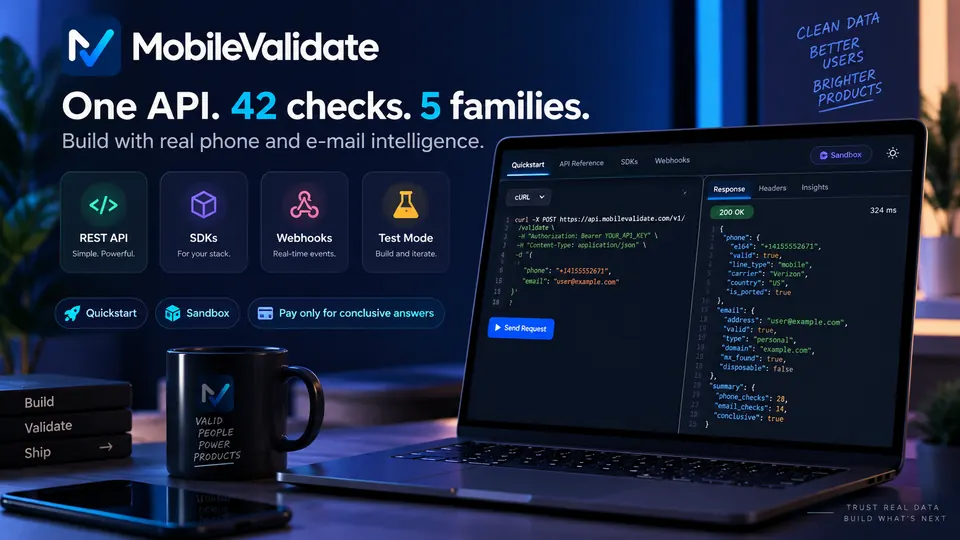
SaaS free-trial abuse is repeated sign-ups by the same people to reuse free trials, credits or free tiers. Checking the phone number and e-mail at sign-up gives you quality signals: line type, whether the mobile line is live, whether the mailbox exists and, where enabled, spam reputation. Use them to add friction selectively, never as identity claims.
Why is free-trial abuse hard to stop?
Free trials and free credits exist to let real prospects try the product. AI products have raised the stakes: a free tier that includes model usage has a direct compute cost per account, so each abusive sign-up costs real money, not just a seat in a database. The people farming trials know the usual defences:
- Throwaway e-mail addresses. Invented or short-lived addresses at big webmail providers, or variations such as
name1@,name2@,name3@. - Cheap phone numbers. Numbers from VoIP apps and online number services pass a format check and can often receive a code.
- Automation. Scripts create accounts in bursts, often following a visible pattern in the addresses or numbers they use.
- Real people, repeatedly. Some abuse is simply one person who never wants to pay, using a new address each month.
No single signal separates abusers from new users. What helps is a handful of cheap, explainable signals, combined with your own data, feeding a decision that adds friction only where it's needed. The OWASP Automated Threats project lists account creation (OAT-019) as a distinct automated threat worth designing for.
Which sign-up signals help?
- Line type. The carrier lookup reports
mobile,fixed_line,voipand other types. A VoIP number isn't bad on its own, but it changes how much trust a phone number adds. See VoIP number. - Reachability. The HLR lookup says whether a mobile number is assigned and reachable now. An unassigned number (
status: invalid) can't be a real user's phone. - Mailbox existence. The e-mail mailbox check answers whether the mailbox exists at major webmail providers. A made-up address fails here before you spend a verification e-mail on it.
- Spam reputation (limited access). Spam reputation reports regulator actions, complaint data, community reports and recently unassigned numbers, with the reasons.
- Repeated test patterns. Look in your own sign-up data for addresses that differ only by digits, sequential phone numbers, or many sign-ups from one device or network. The API applies its own anti-enumeration rules: a request with 20 or more consecutive numbers, or 20 or more addresses on one domain that differ only by digits, is refused with
suspected_enumeration.
None of these signals says who someone is. They say how much a given number or address is worth as evidence of a real, reachable user.
How does the workflow look?
- Normalize. Pass the number as entered with
default_countryif needed; the API converts it to E.164. - Check. Call
POST /v1/lookupwith the number and address andchecks: ["carrier", "email"], plushlrorspamif you use them. Usewait: 5. - Score. Combine the results with your own signals (device, IP reputation, payment method, prior accounts) into a tier: full trial, reduced trial, or verify first.
- Apply friction by tier. Full trial for strong signals; a smaller credit allowance or a second factor for mixed signals; card or manual review for weak ones.
- Don't block on missing data.
unknownandpendingcount as neutral. - Log the decision with
checked_at, not the raw response, and review your thresholds regularly against real conversion and abuse data.
Which checks answer which question?
| Check | What it answers | When to run it | Link |
|---|---|---|---|
carrier | Mobile, VoIP, fixed line or another type? | Every sign-up with a phone number | Carrier lookup |
email | Does the mailbox exist at a major webmail provider? | Every sign-up | E-mail mailbox check |
hlr | Is the mobile number assigned and reachable now? | Sign-ups that unlock paid resources | HLR lookup |
spam (limited access) | Is the number in spam or fraud reports? | Where enabled for your account | Spam reputation |
whatsapp | Is the number registered on WhatsApp? | Optional extra weight for a real, in-use number | WhatsApp number check |
What should you do with each result?
| Signals | Suggested tier |
|---|---|
| Mobile line, reachable, mailbox exists | Full trial |
Mobile line, mailbox unknown (company domain) | Full trial; company domains are often outside mailbox coverage |
line_type: voip and an otherwise clean session | Reduced credits, or a second factor before the full allowance |
Mailbox registered: false | Ask the user to fix the address before the trial starts |
HLR status: invalid | Ask for another number; this one isn't assigned |
Spam risk_level: high (if enabled) | Verify first: card check or manual review |
Pattern match in your own data (e.g. name7@, name8@ minutes apart) | Verify first, and review the burst |
Checks unknown or pending | Neutral; decide on your other signals |
What does a request look like?
This test-mode request checks one number and one address. +447700900002 has no carrier data (unknown, free) and [email protected] has no mailbox.
curl https://api.mobilevalidate.com/v1/lookup \
  -H "Authorization: Bearer mv_test_publicSandboxn9ZgneuhR1B9CRfKG3fulym" \
  -H "Content-Type: application/json" \
  -d '{"numbers":["+447700900002"],"emails":["[email protected]"],"checks":["carrier","email"],"wait":5}'
// npm install mobilevalidate · Node.js 20+ · save as check.mjs and run: node check.mjs
import { MobileValidate } from "mobilevalidate";
// Omit apiKey to read MOBILEVALIDATE_API_KEY from the environment.
const mv = new MobileValidate({ apiKey: "mv_test_publicSandboxn9ZgneuhR1B9CRfKG3fulym" });
const { data, error } = await mv.lookup({
numbers: ["+447700900002"],
emails: ["[email protected]"],
checks: ["carrier", "email"],
wait: 5,
});
if (error) console.error(error.code, error.message);
else console.dir(data.results, { depth: null });// Node.js 18+, Deno, Bun or the browser console (ES module: save as .mjs or use "type": "module").
const res = await fetch("https://api.mobilevalidate.com/v1/lookup", {
method: "POST",
headers: {
Authorization: "Bearer mv_test_publicSandboxn9ZgneuhR1B9CRfKG3fulym",
"Content-Type": "application/json",
},
body: JSON.stringify({
numbers: ["+447700900002"],
emails: ["[email protected]"],
checks: ["carrier", "email"],
wait: 5,
}),
});
console.log(res.status, res.headers.get("x-request-id"));
console.dir(await res.json(), { depth: null });# pip install mobilevalidate-sdk
from mobilevalidate import MobileValidate
# Omit api_key to read MOBILEVALIDATE_API_KEY from the environment.
mv = MobileValidate(api_key="mv_test_publicSandboxn9ZgneuhR1B9CRfKG3fulym")
result = mv.lookup(
numbers=["+447700900002"],
emails=["[email protected]"],
checks=["carrier", "email"],
wait=5,
)
print(result)<?php
$ch = curl_init('https://api.mobilevalidate.com/v1/lookup');
curl_setopt_array($ch, [
CURLOPT_POST => true,
CURLOPT_RETURNTRANSFER => true,
CURLOPT_HTTPHEADER => [
'Authorization: Bearer mv_test_publicSandboxn9ZgneuhR1B9CRfKG3fulym',
'Content-Type: application/json',
],
CURLOPT_POSTFIELDS => json_encode([
'numbers' => ['+447700900002'],
'emails' => ['[email protected]'],
'checks' => ['carrier', 'email'],
'wait' => 5,
]),
]);
$response = curl_exec($ch);
echo curl_getinfo($ch, CURLINFO_RESPONSE_CODE), PHP_EOL, $response, PHP_EOL;package main
import (
"fmt"
"io"
"net/http"
"strings"
)
func main() {
body := strings.NewReader(`{"numbers":["+447700900002"],"emails":["[email protected]"],"checks":["carrier","email"],"wait":5}`)
req, err := http.NewRequest("POST", "https://api.mobilevalidate.com/v1/lookup", body)
if err != nil {
panic(err)
}
req.Header.Set("Authorization", "Bearer mv_test_publicSandboxn9ZgneuhR1B9CRfKG3fulym")
req.Header.Set("Content-Type", "application/json")
res, err := http.DefaultClient.Do(req)
if err != nil {
panic(err)
}
defer res.Body.Close()
out, _ := io.ReadAll(res.Body)
fmt.Println(res.Status, string(out))
}require "net/http"
require "json"
uri = URI("https://api.mobilevalidate.com/v1/lookup")
req = Net::HTTP::Post.new(uri)
req["Authorization"] = "Bearer mv_test_publicSandboxn9ZgneuhR1B9CRfKG3fulym"
req["Content-Type"] = "application/json"
req.body = JSON.generate({
"numbers" => ["+447700900002"],
"emails" => ["[email protected]"],
"checks" => ["carrier", "email"],
"wait" => 5
})
res = Net::HTTP.start(uri.host, uri.port, use_ssl: true) { |http| http.request(req) }
puts res.code, res.bodyRuns as pasted with the public sandbox key, which answers the test values only. In the SDKs, omit the key to use MOBILEVALIDATE_API_KEY.
Response (excerpt, test mode: the checks of the phone row, then of the e-mail row):
[
  {
    "network.carrier": {
      "service": "network.carrier", "status": "unknown", "registered": null, "attributes": null,
      "confidence": null, "confidence_score": null, "checked_at": null,
      "cached": false, "age_seconds": null, "billed": false, "reason": "NO_DATA", "poll_after_ms": null
    }
  },
  {
    "email.valid": {
      "service": "email.valid", "status": "completed", "registered": false, "attributes": null,
      "confidence": "high", "confidence_score": 0.99, "checked_at": "2026-09-29T11:20:05.733Z",
      "cached": false, "age_seconds": 0, "billed": false, "reason": null, "poll_after_ms": null
    }
  }
]
The carrier answer is neutral and free. The mailbox doesn't exist, so the sign-up form asks for a working address before the trial starts.
How much does it cost?
You pay per check, and only for conclusive answers. Unknown answers are free, as are invalid input, duplicates and unsupported countries. A two-check sign-up bills at most two checks. The HLR lookup is $0.005 per number; see pricing for the carrier, e-mail and other rates.
Compare that with what an abusive account costs you: free credits consumed, compute, support tickets and skewed funnel data. Most teams run the cheap checks on every sign-up and the HLR or spam check only on sign-ups that unlock expensive resources. Repeat checks of the same number inside the freshness window come from your cache for free, and max_cost caps any single request.
What about consent and compliance?
- Tell users. Say in your privacy notice that you check phone numbers and e-mail addresses at sign-up to prevent fraud and abuse.
- No identity claims. The results are risk signals about a number or an address. Don't present them to users or staff as identity verification, and don't use them for credit, employment, housing or insurance decisions.
- Proportionate friction. Give flagged users a way through: a second factor, a card check or a support contact. Genuine users with VoIP numbers or new addresses exist.
- Data minimization. Store the tier and
checked_at, not full responses. Our privacy checklist lists the questions to settle before launch. - Only your own sign-ups. Check the details people give you. Our acceptable use policy forbids enumerating numbers or addresses.
What are the common mistakes?
- One hard rule. "Block all VoIP" loses real customers and teaches abusers to buy a different number type. Use tiers.
- Treating unknown as fraud. Company domains and slow networks return unknown. It's neutral.
- Checking after the credits are granted. Run the check before the trial allowance is unlocked.
- Retrying around
suspected_enumeration. If the API refuses a request as a pattern, review the burst of sign-ups instead of splitting the request. - Never re-tuning. Abuse patterns change. Compare your tiers with actual conversions and abuse every month.
For the OTP side of the same problem, see OTP and sign-up fraud.
Frequently asked questions
What is free-trial abuse?
It is when one person or group signs up again and again to keep using a free trial, free credits or a free tier, usually with throwaway phone numbers and e-mail addresses. It costs compute, support time and distorted conversion data.
Which signals help at sign-up?
Line type (mobile, VoIP, fixed line), whether the mobile line is reachable, whether the e-mail mailbox exists, spam reputation where enabled, and patterns in your own sign-up data such as many addresses that differ only by a number.
Should I block VoIP numbers?
Usually not. Many real users have VoIP numbers, especially in business settings. Treat VoIP as a reason for a smaller trial, a second factor or a card check, not as an automatic block.
Does this identify the person behind a sign-up?
No. The checks describe the number or the address, never the person. We don't return names, profiles or linked accounts, and the results must not be used as identity verification.
Do you detect disposable phone numbers or disposable e-mail domains?
We don't sell a disposable-number or disposable-domain list. The carrier lookup reports VoIP line types and the mailbox check reports whether an address exists at major webmail providers; combine those with your own rules.
How fast is the check in a sign-up flow?
POST /v1/lookup waits up to 30 seconds (default 10). For sign-up, pass a short wait such as 5 seconds; anything still pending can finish in the background while the user continues.
What does an unknown answer mean?
No conclusive answer, for example after a timeout or for an e-mail provider we don't cover. It is not charged, and it should not count against the user.
Is spam reputation available to every customer?
Not yet. Spam reputation is in limited access (internal customers only). The carrier, HLR and e-mail checks are available to all customers.