On this page
To check if a phone number has a LinkedIn account, run it through a registration check in a bulk job. You get back registered, not registered or unknown for each number, with the time of the check. With MobileValidate the code is linkedin. It covers numbers from the United States and India, and linkedin.email answers the same question for e-mail addresses from any country. Neither check returns a profile, name or employer.
This guide is for sales, marketing-ops and recruiting teams that already hold contact data: inbound leads, customers and applicants. It covers what a LinkedIn answer means, why "no" is common and neutral, how to put it into a lead score, and what 10,000 checks cost. It also covers the legal side, because a check on business contacts is still processing of personal data.
What does a LinkedIn number check tell you?
It tells you whether a LinkedIn account is associated with the number at the time of the check, and nothing more. Every answer has checked_at and one of these outcomes:
| Answer | Meaning | How to read it for B2B leads | Billed |
|---|---|---|---|
registered: true | A LinkedIn account has this number attached | Positive: the number was confirmed by text-message code on a professional account | Yes |
registered: false | Conclusive: no account has this number | Neutral: most members never add a number | Yes |
registered: null (unknown) | No conclusive answer; reason says why | No information | No |
unsupported_country | Not a US or Indian number | Not checked | No |
A true carries weight because LinkedIn verifies numbers. Its help centre says adding a number sends "a verification code to your mobile device via SMS (text message) to confirm that you own this number" (LinkedIn Help). A number that passed that step on a professional network is unlikely to be a typo or a number someone made up to get past a form.
Is a LinkedIn phone number lookup the same as finding a profile?
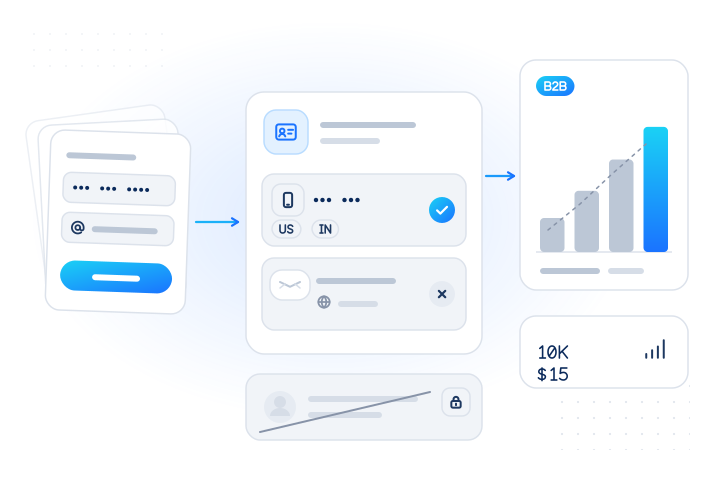
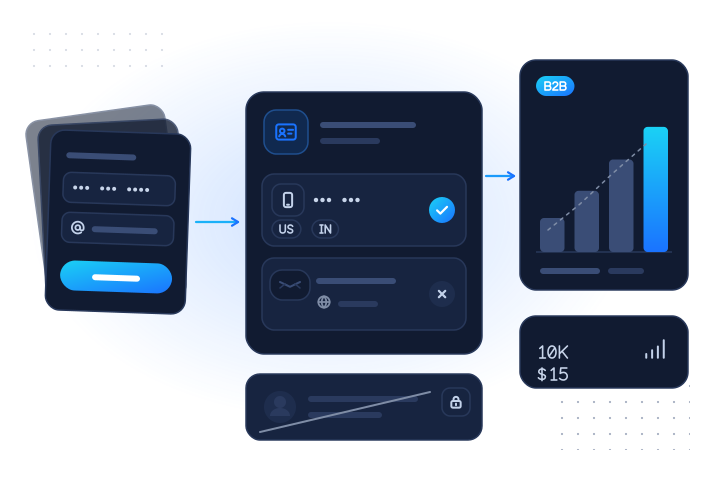
No. People who search for a "LinkedIn phone number lookup" sometimes want the account behind a number. We don't offer that, and we never will. The check returns no profile link, name, headline, photo, employer, job title, location or connection count. We don't infer any personal trait from the answer either.
| Registration check (what we do) | Reverse or profile lookup (what we refuse) | |
|---|---|---|
| Question | Is a LinkedIn account associated with this number or address? | Whose account is it, and where do they work? |
| Output | true, false or unknown, with checked_at | Profile, name, employer, title |
| Input | Contacts who came to you with a lawful basis | Any number you want to identify |
| Available | Yes, in bulk jobs | Never |
LinkedIn itself treats the phone number as private account data. Once a number is confirmed, "the phone number used to authenticate the account will not be visible by default", and members choose separately whether to show a number in the Contact info section of their profile (LinkedIn Help). A check that preserves that privacy can only say yes or no. LinkedIn is named here descriptively. MobileValidate is not affiliated with LinkedIn or Microsoft.
Why do many real professionals come back as "not registered"?
Because LinkedIn is built around e-mail, and the phone number is mainly a security feature. That makes "no" a weak answer on LinkedIn, weaker than on the number-is-the-account messaging apps.
- Sign-up runs on e-mail. LinkedIn's sign-up asks for "first and last name, email address" (LinkedIn Help). A number is something "you may be asked to provide" to confirm the account, or can add later (LinkedIn Help).
- The number is for recovery and two-step sign-in. LinkedIn recommends "at least one mobile phone number to your account as a way to reset your password". It adds that numbers added in settings "won't be displayed on your LinkedIn profile" (LinkedIn Help). Members who never lock themselves out may never add one.
- Numbers change. Members add and remove numbers in settings at any time, and someone who switches carrier or employer may not update LinkedIn. Keep
checked_atwith every answer.
The e-mail check has its own version of this problem. Many members sign up with a personal address, so a work address often shows "not registered" even for a genuine professional. Treat a work-address false as neutral, as the LinkedIn e-mail check page explains.
| Property | WhatsApp, Viber, Signal | |
|---|---|---|
| Sign-up identifier | Phone number | E-mail address |
| Phone number required | Yes | No: optional, mostly for security |
| Number shown to others | Usually | Not by default |
What false usually means | No account on that app | No account, or an account without this number |
| Best read as | Channel availability | B2B identity signal |
How do sales and CRM teams use the answer?
As one input among several for contacts who are already in your funnel. These are the uses we see work, all on data the business collected itself.
- Inbound lead scoring. Demo requests, trial sign-ups and webinar registrations attract mistyped numbers and throwaway entries. Run the day's US and Indian leads in a nightly job. Add points for a LinkedIn
trueon the phone or the work e-mail, and pair it with the US carrier lookup so a VoIP or landline number is visible too. See lead verification. - Fake sign-ups in B2B trials. Repeated free trials from invented contact data rarely come with a LinkedIn account on either the number or the address. Absence alone proves nothing, but absence plus a disposable domain plus a fresh VoIP number is worth a second look.
- CRM hygiene. Customer records go stale as people change jobs and numbers. A quarterly bulk run over existing customer contacts shows which numbers still sit on a live professional account, next to a mailbox check for the addresses. See CRM data hygiene.
- Routing sales effort. A lead with a
trueon both the number and the work address is a good candidate for a call from a sales rep. A lead with nothing conclusive anywhere goes to an e-mail nurture first. - Agencies and lead-generation firms. Teams that deliver leads to clients can attach the check to each delivery batch as a quality field, as long as the leads were collected with notice and a lawful basis. Only the yes/no field travels. No profile data is involved.
A simple, explainable scoring rule:
| Signal | Points |
|---|---|
LinkedIn true on the phone number | +2 |
LinkedIn true on the work e-mail | +2 |
| Mailbox valid on the work e-mail | +1 |
| Line type mobile (carrier lookup) | +1 |
| Line type VoIP and no conclusive LinkedIn answer | −1 (review) |
Any false or unknown | 0 |
Keep the rule in your own CRM, so a sales rep can see why a lead scored as it did. Never auto-reject on a LinkedIn answer alone.
Can recruiters use it for candidate contact hygiene?
Yes, for contact hygiene, and only for candidates who applied, were referred or are already in your applicant tracking system. Typical problems are a CV with a mistyped number, an old number from a candidate who applied two years ago, or a referral entered with a digit missing. A LinkedIn true on an applicant's number is one sign the number is current. Our candidate verification page covers the full set of contact checks for recruiters.
The limit is firm. Whether someone is on LinkedIn must not decide whether they get an interview. That is an employment decision based on an online footprint, and our acceptable use policy forbids eligibility decisions of that kind. Many good candidates don't use LinkedIn at all, or don't attach a number.
What will it not do?
- No identity. No profile, name, employer, title, photo, connections or contact details, ever. It can't tell you who owns a number.
- No discovery. It doesn't find professionals, build prospect lists or "enrich" a number into a person. Requests that look like sequential number ranges or generated e-mail lists are refused with
suspected_enumeration, and every account has a daily identifier cap (GET /v1/limits). See rate limits and abuse. - No scraping. The check collects no profile data and returns none. LinkedIn's User Agreement forbids using "crawlers, browser plugins and add-ons or any other technology" to "scrape or copy the Services, including profiles" (LinkedIn), and our terms forbid running scraped lists through any check.
- No real time. Both LinkedIn checks run in bulk jobs only.
POST /v1/lookupanswers403 service_disabled. For an instant signal inside a form, use real-time checks such as the carrier lookup. - No other countries for numbers. The number check covers US and Indian numbers only. Use the e-mail check for contacts elsewhere.
How do I check a list for LinkedIn in bulk?
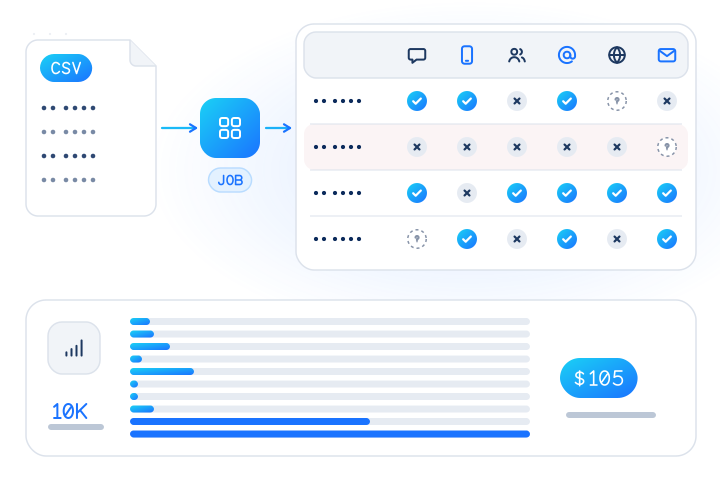
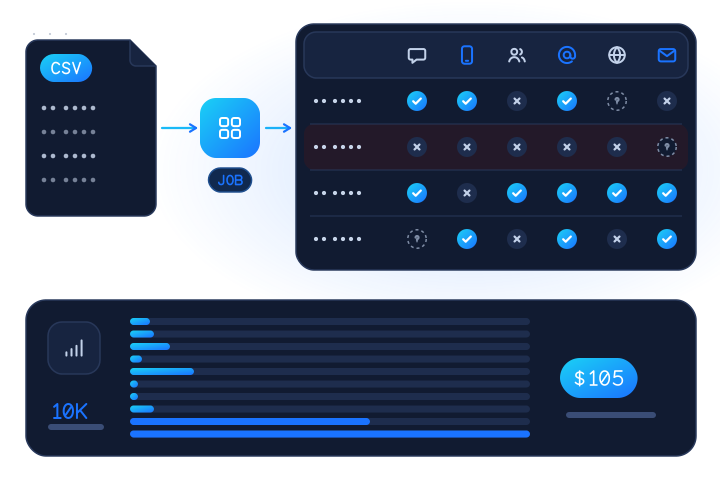
Upload a CSV and request linkedin, linkedin.email or both. No code is needed in the dashboard; the API takes the same file.
- Clean the file. Put numbers in E.164 (
+12025550143) or passdefault_country=US. The free phone list cleaner and e-mail list cleaner fix formats and remove duplicates in the browser. - Estimate for free.
POST /v1/jobs/estimatetakes the same body as a job, checks nothing and returns the maximum cost, with counts of invalid, duplicate, cached and unsupported rows. - Run the job. Up to 50,000 numbers and e-mails per job.
- Download the results as CSV or NDJSON and join them back to your CRM.
curl https://api.mobilevalidate.com/v1/jobs \
  -H "Authorization: Bearer $MOBILEVALIDATE_API_KEY" \
  -F file=@inbound-leads.csv -F checks=linkedin,linkedin.email -F default_country=US
# then: GET /v1/jobs/{id}?wait=30 and GET /v1/jobs/{id}/download?format=csv
A phone (or mobile, e164) column feeds the number check and an email column feeds the e-mail check. A row with both is checked both ways. In the download, numbers come first (rows 1 to n) and e-mails after them, so join phone results on e164 and e-mail results on email, or send phones and addresses as two files and join each on row_no. The bulk jobs guide has the full column list.
Here is a real test-mode run from 15 November 2026, using the public sandbox key and the documented test addresses (test values):
curl https://api.mobilevalidate.com/v1/jobs \
  -H "Authorization: Bearer mv_test_publicSandboxn9ZgneuhR1B9CRfKG3fulym" \
  -H "Content-Type: application/json" \
  -H "Idempotency-Key: linkedin-email-blog-001" \
  -d '{"emails": ["registered@test.mobilevalidate.com", "not-registered@test.mobilevalidate.com"], "checks": ["linkedin.email"]}'
The CSV download for that job (GET /v1/jobs/{id}/download?format=csv), unedited:
row_no,input_masked,e164,country,number_status,service,status,registered,business,checked_at,cached,billed,kind,email,email_status,linkedin.email.status,linkedin.email.registered,linkedin.email.billed
1,re•••@test.mobilevalidate.com,,,,linkedin.email,completed,true,,2026-11-15T04:38:05.824Z,false,false,email,registered@test.mobilevalidate.com,valid,completed,true,false
2,no•••@test.mobilevalidate.com,,,,linkedin.email,completed,false,,2026-11-15T04:38:05.824Z,false,false,email,not-registered@test.mobilevalidate.com,valid,completed,false,false
The phone columns are empty because these rows are e-mail addresses. Test jobs are never billed, so billed is false; in a live job a conclusive answer shows true.
What does a worked example look like?
Say a SaaS company exports last month's inbound demo requests: 10,000 rows, each with a phone number and a work e-mail, collected through its own form with a privacy notice. The numbers below are fictional (US 555-01xx numbers and masked Indian numbers); the results show what the columns look like, not real answers.
CSV in:
| row | phone | |
|---|---|---|
| 1 | +1 202 555 0143 | j.doe@example-corp.com |
| 2 | +1 312 555 0177 | ops@example-startup.io |
| 3 | +91 98••• ••021 | a.k@example-it.in |
| 4 | +44 7700 900123 | m.r@example-agency.co.uk |
Result columns out (phone part):
| e164 | country | linkedin.registered.status | linkedin.registered.registered | billed |
|---|---|---|---|---|
| +12025550143 | US | completed | true | true |
| +13125550177 | US | completed | false | true |
| +9198•••••021 | IN | unknown | (empty) | false |
| +447700900123 | GB | unsupported_country | (empty) | false |
The e-mail part of the download has the same shape with linkedin.email.* columns, one row per address, for every country.
Cost for 10,000 rows (prices from the live catalog, 15 November 2026):
| Check | Unit price (bulk, per conclusive answer) | Rows that can be billed | Maximum cost |
|---|---|---|---|
linkedin (phone) | $0.0015 | 10,000 if all are US or Indian | $15.00 |
linkedin (phone), mixed list | $0.0015 | e.g. 6,000 US + 3,000 IN; 1,000 other countries free | $13.50 |
linkedin.email | $0.0001 | 10,000 addresses | $1.00 |
| Both on 10,000 US/IN leads | $16.00 |
You pay only for conclusive answers, so the final charge is usually below the maximum: unknowns, unsupported countries, invalid rows and duplicates are released back to your balance. Two minimums apply to bulk-only checks. Each country in a job that returns at least one answer is billed at least the price of 2,000 LinkedIn number checks ($3.00), and an e-mail job at least the price of 500 checks ($0.05). With 10,000 rows neither matters. For small lists, collect a few weeks of leads into one job. The estimate shows any minimum as a country_minimum line before you start, and pricing lists the current rules.
Top-ups of $100 or more get a bonus credit (+5% from $100, +8% from $500, +10% from $2,000).
How do I start for free?
- Free test key. Get one at /get-test-key. It returns fixed answers for the documented test e-mail addresses, so you can build the import, the CSV join and the scoring rule before spending anything. See test mode.
- Free estimate.
POST /v1/jobs/estimateon your real list shows the maximum cost and how many rows are unsupported, before anything is checked. - Free real checks. Every account gets 20 real phone and 10 real e-mail checks on the dashboard's Try it page.
- Live access. Request access and start with the LinkedIn number check or the LinkedIn e-mail check.
Is it legal to check B2B leads for a LinkedIn account?
It can be, but only with a real lawful basis for the contacts you check. A business number or a named work address is still personal data under the GDPR when it relates to an identifiable person. Our guide on whether a phone number is personal data explains why.
- Legitimate interest is a test, not a label. The EDPB says that for Article 6(1)(f), "three cumulative conditions must be fulfilled": a legitimate interest, the need to process the data for it, and that the person's "interests or fundamental freedoms and rights … do not take precedence" (EDPB, 2024). Checking the quality of a lead who asked for a demo can pass. Checking a bought list of strangers is unlikely to.
- Regulators enforce it, including against LinkedIn. On 24 October 2024 Ireland's Data Protection Commission fined LinkedIn €310 million, finding that for behavioural analysis and targeted advertising "LinkedIn's interests were overridden by the interests and fundamental rights and freedoms of data subjects" (DPC, 2024). If the platform's own reliance on legitimate interest can fail, yours needs documenting too.
- Tell people. Mention contact verification in your privacy notice (GDPR Articles 13 and 14), store only the answer and
checked_at(data minimisation, Article 5(1)(c)) and keep decisions with significant effects under human review (Article 22) (GDPR). - India. The Digital Personal Data Protection Rules were notified on 14 November 2025, with "an eighteen-month period for phased compliance" and a separate, clear consent notice for each purpose (PIB, 2025). For Indian leads, make contact verification part of the purpose you state when you collect the number.
- Presence is not permission. A
truegives you no right to message anyone on LinkedIn or anywhere else.
You, as the customer, warrant that you have the authority to check each contact (see our terms and acceptable use policy). Anyone can object to checks on their number or address at /opt-out. This is general information, not legal advice; confirm the basis for your own flow with your counsel.
What are the key takeaways?
- A LinkedIn check answers registered, not registered or unknown, with
checked_at: never a profile, name, employer or title, and never who owns a number. - Phones: US and India only. E-mail: every country. Both run in bulk jobs only.
- LinkedIn runs on e-mail and keeps numbers for security, so
trueis a useful B2B signal andfalseis neutral. - Good uses: lead scoring, B2B trial-abuse signals, CRM hygiene and candidate contact hygiene on data you collected yourself. Prospect discovery, scraped lists and hiring decisions are out.
- As of 15 November 2026, 10,000 numbers cost at most $15.00 and 10,000 e-mails at most $1.00; unknowns are free and the estimate is free.
- Start with a test key, estimate your list, and run it through the LinkedIn number check.
Sources
- Add and remove mobile phone numbers from your account — LinkedIn Help, 2026
- Verify your phone number on LinkedIn — LinkedIn Help, 2025
- Sign up to join LinkedIn — LinkedIn Help, 2026
- User Agreement (effective 3 November 2025) — LinkedIn, 2025
- Irish Data Protection Commission fines LinkedIn Ireland €310 million — Data Protection Commission (Ireland), 2024
- Guidelines 1/2024 on processing of personal data based on Article 6(1)(f) GDPR — European Data Protection Board, 2024
- General Data Protection Regulation (EU) 2016/679 — European Union, 2016
- DPDP Rules, 2025 Notified — Press Information Bureau, Government of India, 2025
Frequently asked questions
How do I check if a phone number has a LinkedIn account?
Send the number to a registration check in a bulk job. With MobileValidate, upload a CSV or send a JSON list to POST /v1/jobs with checks: ["linkedin"]. Each US or Indian number comes back registered, not registered or unknown, with the time of the check. Numbers from other countries come back unsupported_country and are not charged.
Is a LinkedIn phone number lookup the same as finding someone's profile?
No. The MobileValidate LinkedIn check answers only whether a LinkedIn account is associated with a number or e-mail address you already hold. It never returns a profile URL, name, photo, job title, employer or connections, and it can't tell you who owns a number.
Which countries does the LinkedIn number check cover?
As of November 2026, United States and India numbers only. The LinkedIn e-mail check (linkedin.email) has no country limit. Both run in bulk jobs only, not in real time.
How much does it cost to check 10,000 numbers for LinkedIn?
As of 15 November 2026 the bulk price is $0.0015 per conclusive answer, so 10,000 US or Indian numbers cost at most $15.00. The e-mail check is $0.0001 per conclusive answer, so 10,000 addresses cost at most $1.00. Unknown, unsupported-country, invalid and duplicate results are free.
Is a not-registered answer a sign that the lead is fake?
No. A phone number is optional on LinkedIn and is used mainly for account security, and many members keep their account on a personal e-mail address rather than their work address. Treat registered as a positive signal and not registered as neutral.
Can recruiters use the LinkedIn check to screen candidates?
Only for contact hygiene, such as spotting a mistyped number on an application, and only for candidates who applied or were referred. Using presence on LinkedIn to accept or reject a candidate is an eligibility decision that our acceptable use policy does not allow.
Is checking leads for a LinkedIn account legal under the GDPR?
It can be, when you have a lawful basis. Legitimate interest needs a real interest, a check that is necessary for it, and a balancing test the individual's rights don't override. Confirm with your counsel; checks on bought or scraped lists fail that test, and our terms forbid them.
Can I try the LinkedIn check for free?
Yes. A free test key at /get-test-key returns fixed answers for documented test e-mail addresses, and POST /v1/jobs/estimate shows the maximum cost of any list for free. Every new account also gets 20 real phone and 10 real e-mail checks on the dashboard's Try it page.
Related services and guides
- ServiceCheck if a US or Indian number has a LinkedIn account
- ServiceCheck if an e-mail address has a LinkedIn account
- ServiceUS and Canada carrier lookup in bulk (ported numbers)
- ServiceCheck if an e-mail mailbox exists
- Use caseLead and form verification
- Use caseCandidate contact verification for recruitment
More from the blog
All articlesGuides
How to check if a phone number has an X (Twitter) account
To check if a number is linked to an X (Twitter) account, send it to a registration check: you get registered, not registered or unknown, never the handle.
11 min read
Guides
Messaging-app registration checks: a guide for every app
What a registration check tells you for WhatsApp, Telegram, Viber, Signal, iMessage, RCS, LINE, Zalo and more: modes, unknowns, billing and consent.
9 min read
Guides
Which apps is a phone number registered on? How to check a whole list
Check one number or a list against WhatsApp, Telegram, Signal, iMessage, TikTok, Snapchat, LinkedIn and more in one job: yes, no or unknown, priced per answer.
12 min read