On this page
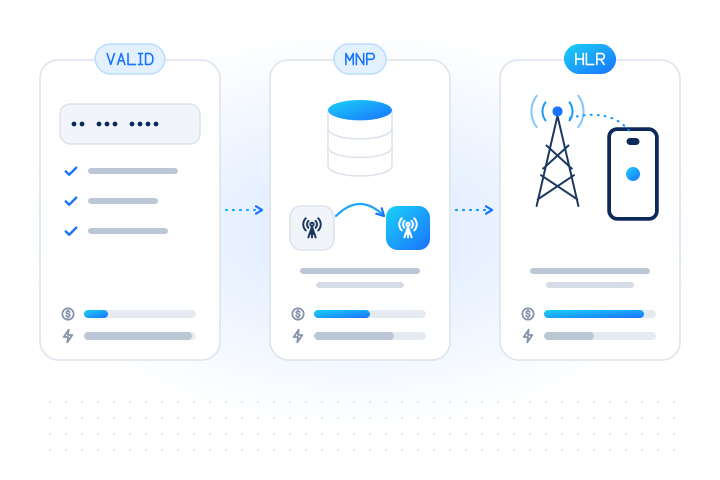
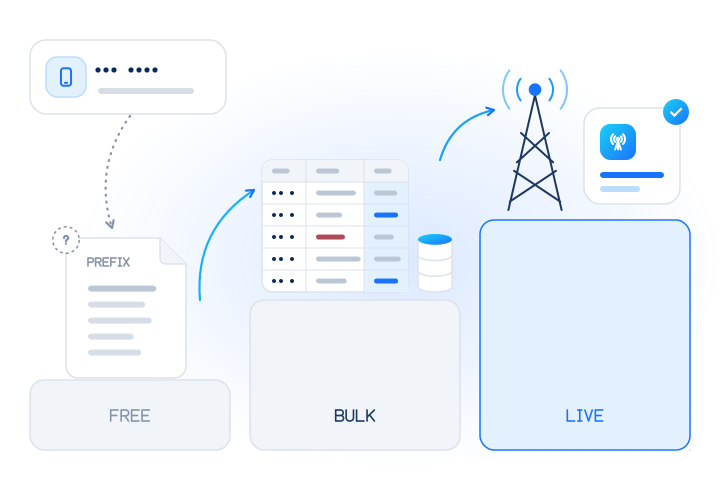
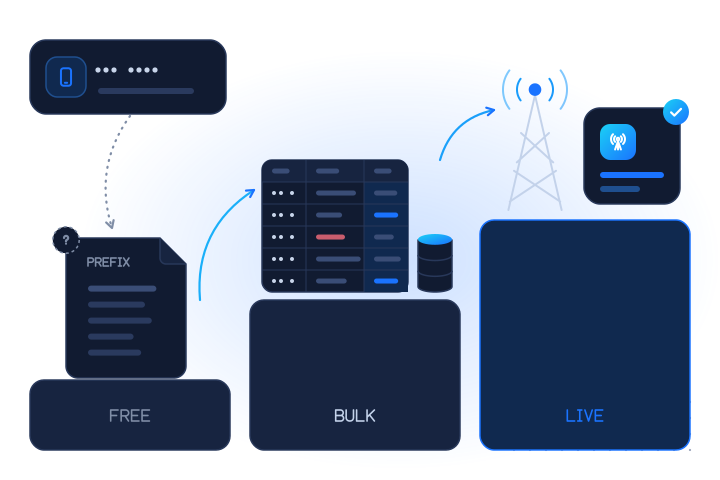
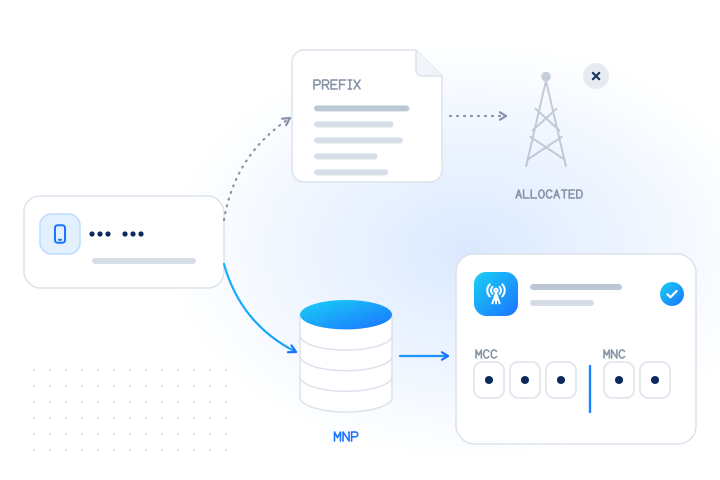
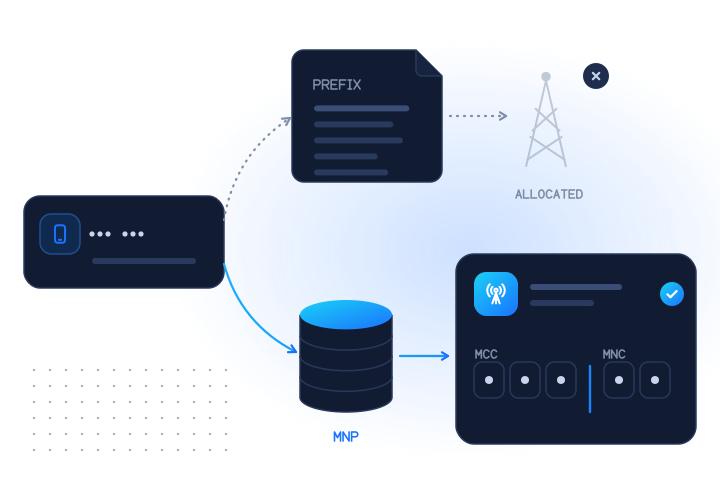
To get the MCC and MNC of a phone number, run a number portability (MNP) lookup or an HLR (home location register) lookup on the number in E.164 format. This is often called an MCC/MNC lookup or MNC lookup. Both checks return the code of the network that serves the number today, for example 23410 (MCC 234, MNC 10). The digits of the number alone only tell you which network the number range was allocated to. For numbers that have been ported to another operator, that answer is usually wrong. If you need the code of your own phone, Android apps can read it from the SIM, while iOS no longer exposes it.
Which method gives which answer?
There are four ways to get an MCC/MNC, and they answer different questions. Pick the one that matches the question you have.
| Method | What you get | Right for ported numbers? | Works for any number? | Cost |
|---|---|---|---|---|
| Prefix or number-range table | The network the range was allocated to | No | Yes, offline | Free |
| MNP lookup | The network serving the number today, plus ported or not_ported | Yes | Mobile numbers, any country except sanctioned ones | Paid per conclusive answer |
| HLR lookup | The current network, plus whether the phone is reachable now and roaming | Yes | Mobile numbers whose home network answers | Paid per conclusive answer, more than MNP |
| Reading the SIM on the device | The SIM's home network and the network it is attached to | Yes, for that device | Only the phone your app runs on | Free |
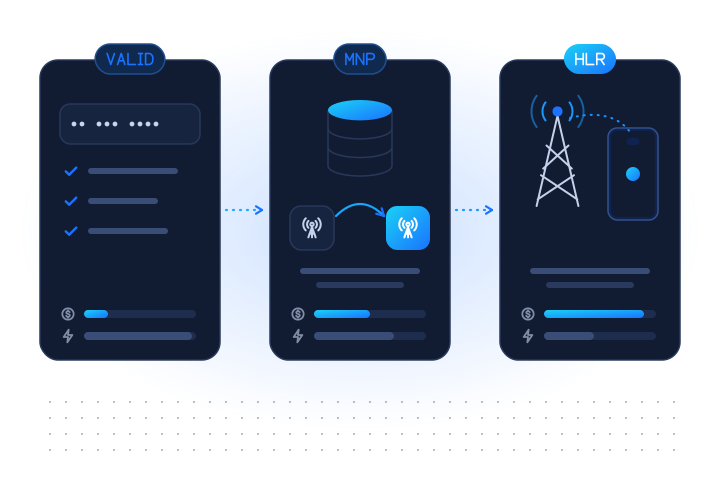
Most teams need the MNP lookup for routing and analytics. Add the HLR lookup when you also need to know whether the phone is live, and use prefix tables only as a free first guess. Landlines and most VoIP numbers have no MCC/MNC at all, because they are not on a mobile network.
What are the MCC and MNC?
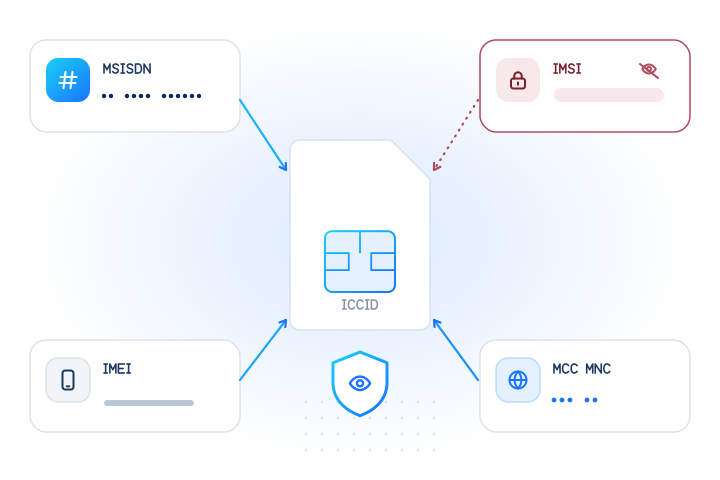
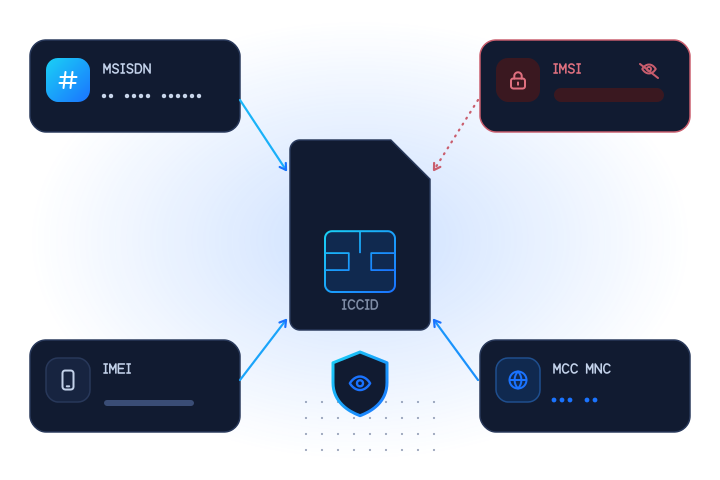
The mobile country code (MCC) and mobile network code (MNC) together identify one mobile network. They are defined in ITU-T Recommendation E.212 (ITU, 2024). The MCC has three digits. The MNC has two or three digits, depending on the country. Written together, they form a five- or six-digit code such as 23410 or 310260. That code is also the first part of every SIM card's IMSI, which is how a network recognises which operator a SIM belongs to. Our MCC and MNC glossary entry covers the basics.
The MCC is not the country calling code. The calling code comes from ITU-T E.164, the numbering plan you dial. The MCC comes from a different plan, and the two rarely match:
| Country | Calling code (E.164) | MCC (E.212) |
|---|---|---|
| United Kingdom | +44 | 234, 235 |
| United States | +1 | 310 to 316 |
| Canada | +1 | 302 |
| Germany | +49 | 262 |
| France | +33 | 208 |
| India | +91 | 404, 405 |
| Brazil | +55 | 724 |
| Mexico | +52 | 334 |
| Nigeria | +234 | 621 |
| Japan | +81 | 440, 441 |
Watch out for coincidences: +234 is Nigeria's calling code, but 234 is also a UK MCC. Two more details trip people up. One calling code can cover several countries: +1 includes the United States, Canada and much of the Caribbean, each with its own MCC. And one country can hold several MCCs, as the United States does. Source: Mobile country code, Wikipedia (2026), which compiles the ITU list.
Can you get the MCC and MNC from the digits alone?
Only the original one. Regulators allocate blocks of numbers to operators, and many publish those allocations, for example the UK's Ofcom numbering data. Map the number's prefix to its block, and the block to the operator's MCC/MNC, and you know which network the number started on.
That is also how open-source libraries work. Google's libphonenumber can return a carrier name for a mobile number, and its documentation says plainly that this is the carrier the range was originally assigned to, not necessarily the current one. It returns a name, not an MCC/MNC. Its getSafeDisplayName method (PhoneNumberToCarrierMapper) returns an empty string in countries where numbers can be ported, precisely because the name may be out of date there.
The problem is mobile number portability. Many countries, including the United States, the United Kingdom, India, Brazil and every EU member state, let subscribers keep their number when they switch operator. After a port, the prefix still points to the old network while a different network serves the number. A prefix table can't tell the two apart, so it can be wrong for any ported number, and it is wrong silently. In the United States and Canada, ported numbers are routed by a local routing number (LRN) rather than by their digits. The mobile number portability atlas lists where portability exists. Our post on why carrier lookups go wrong after a port explains the mechanics.
Prefix data is still useful as a free first pass: it tells you the country, whether the range is mobile, and the likely network for numbers that were never ported. Just don't route money on it.
How do you find the current MCC and MNC of any number?
Use a lookup that asks the porting data or the network itself.
MNP lookup. A number portability lookup checks the porting records for the number and returns the network that serves it now. With MobileValidate's MNP lookup you get three fields: porting (ported or not_ported), mcc_mnc (the current network code) and country (the country of that network). This is the right tool for SMS routing, per-network delivery reports and refreshing the operator stored in your customer records. It costs less than an HLR lookup.
HLR lookup. An HLR lookup asks the number's home network directly. It returns the same current mcc_mnc, plus the network name, and adds whether the phone is reachable right now and whether it is roaming. Use it when you also need to know that the number is live, for example before an OTP or before an expensive message. Mobile numbers only: landlines and most VoIP numbers have no home register to ask.
In both cases you pay only for conclusive answers, and unknown is always free. For the MNP lookup, a number it can't place on a network comes back as unknown. For the HLR lookup, a number the network reports as not assigned (invalid) is a conclusive answer and is billed. See pricing for the current real-time and bulk prices.
What about our carrier lookup? It returns the line type (mobile, fixed line, VoIP and more), the current carrier name and the original carrier when they differ. It is the check to use for sorting a list by line type (currently in beta), but it does not return an MCC/MNC code. When you need the code, use MNP or HLR.
How do you read the MCC and MNC of your own phone?
This only works for the device your code runs on, never for someone else's number.
- Android.
TelephonyManagerhas two methods.getSimOperator()returns the MCC+MNC of the operator that issued the SIM.getNetworkOperator()returns the MCC+MNC of the network the phone is registered on right now. When the phone is roaming, the two usually differ. On dual-SIM phones, callcreateForSubscriptionId()first to pick the SIM. - iOS. Apple deprecated
CTCarrierin iOS 16 with no replacement. According to the iOS 16.4 release notes, apps built with the iOS 16.4 SDK or later get static placeholder values (65535for the codes,--for the name) instead of real data. If your iOS app needs the network, ask your backend to look up the user's number instead.
Example: get the MCC/MNC with an API call
With a test key, +447700900006 returns a ported number and +447700900001 a number that was never ported. Test calls are free. See test mode.
curl https://api.mobilevalidate.com/v1/lookup \
  -H "Authorization: Bearer $MOBILEVALIDATE_API_KEY" \
  -H "Content-Type: application/json" \
  -d '{"numbers": ["+447700900006"], "checks": ["mnp"]}'
Response (excerpt, test mode):
{
  "e164": "+447700900006",
  "country": "GB",
  "checks": {
    "number.mnp": {
      "status": "completed",
      "attributes": {
        "porting": "ported",
        "mcc_mnc": "23410",
        "country": "GB"
      },
      "billed": false
    }
  }
}
In live mode, billed is true for this answer.
mcc_mnc is one string. The first three digits are always the MCC, and the rest is the MNC, so splitting is safe as long as you keep it a string:
function splitMccMnc(code) {
  // "23410" -> { mcc: "234", mnc: "10" }; "310260" -> { mcc: "310", mnc: "260" }
  if (!/^\d{5,6}$/.test(code)) return null;
  return { mcc: code.slice(0, 3), mnc: code.slice(3) };
}def split_mcc_mnc(code: str):
# "23410" -> ("234", "10"); "310260" -> ("310", "260")
if not (code.isdigit() and len(code) in (5, 6)):
return None
return code[:3], code[3:]This rule works for a five- or six-digit mcc_mnc code. It does not work for a raw IMSI, where the MNC length can't be told from the digits alone; that needs a per-country table.
For lists, upload a CSV as a bulk job and you get the same fields for every row. The API, SDKs and MCP server use the same check names.
How do you turn an MCC/MNC into an operator name?
Look it up in a published MCC/MNC list. The ITU publishes the official assignments in its Operational Bulletin as annexes to E.212, and community-maintained lists such as Wikipedia's mobile network code tables are easier to search. A few well-known United States examples:
| MCC/MNC | Network |
|---|---|
310260 | T-Mobile US |
310410 | AT&T Mobility |
311480 | Verizon Wireless |
If you want the name and the code in one call, the HLR lookup returns both mcc_mnc and network. The MNP lookup returns only the code, which is all a routing table needs.
What are the most common MCC/MNC mistakes?
- Storing the code as a number. MNC
01and MNC001are different codes, and an integer column turns both into1. Keep MCC, MNC and the combined code as strings. - Using the calling code as the MCC.
+44is not044. Map countries to MCCs with a table, never by reusing the dialling code. - Assuming the MNC is always two digits. The United States, Canada, India and others use three-digit MNCs for some or all networks. Split by "first three digits, then the rest", not by a fixed length.
- Expecting every brand to have its own code. Many virtual operators (MVNOs) run on a host network's MNC and show the host's code. Larger MVNOs with their own SIMs and core network have their own MNC. So the MNC tells you the network, not always the brand on the customer's bill.
- Treating a stored MCC/MNC as permanent. Ports happen every day. Re-check numbers before they drive a routing or fraud decision, and compare the new code with the one you stored: a change you didn't expect can be a sign of a port-out scam.
Two special ranges are worth knowing too. MCC 001 is reserved for test networks. MCC 901 is a shared international code for networks that don't belong to one country, such as satellite, in-flight and maritime services and some global IoT SIM operators.
Which method should you use?
| Your goal | Use |
|---|---|
| Route SMS by destination network, or reconcile per-network costs | MNP lookup |
| Check a number is live before an OTP or a costly send | HLR lookup |
| Split a list into mobile, landline and VoIP | Carrier lookup |
| Show the user's own network inside an Android app | TelephonyManager on the device |
| A rough guess for numbers you will never message | Prefix data |
Check only numbers you have a lawful reason to process, such as your own customers and people who gave you their number. The acceptable use policy applies to every lookup.
To try it, create a free test key and run the request above, or read HLR vs MNP vs number validation to compare the three checks in more depth.
Sources
- Recommendation ITU-T E.212: The international identification plan for public networks and subscriptions — ITU, 2024
- Recommendation ITU-T E.164: The international public telecommunication numbering plan — ITU, 2010
- Mobile country code — Wikipedia, 2026
- libphonenumber: carrier mapping limitations — Google, 2026
- TelephonyManager: getSimOperator and getNetworkOperator — Android Developers, 2026
- iOS 16 CTCarrier deprecation — Apple Developer Forums, 2023
- iOS & iPadOS 16.4 Release Notes — Apple, 2023
- PhoneNumberToCarrierMapper (getNameForNumber, getSafeDisplayName) — Google libphonenumber, 2026
- Download numbering data — Ofcom, 2026
Frequently asked questions
Can I get the MCC and MNC from a phone number for free?
You can get the MCC/MNC of the network the number range was allocated to for free, from national numbering-plan data. That answer can be wrong for any number that has been ported. The current MCC/MNC needs a number portability (MNP) or HLR lookup, which are paid per conclusive answer.
Is the MCC the same as the country calling code?
No. The calling code comes from ITU-T E.164 and is what you dial, such as +44. The MCC comes from ITU-T E.212 and identifies mobile networks, such as 234 or 235 for the United Kingdom. Calling code +1 covers the United States (MCC 310 to 316), Canada (302) and many other countries.
Does the MCC and MNC change when a number is ported?
Usually. The number stays the same, but the network serving it changes, so the current MCC/MNC is normally the new operator's code. A port between brands on the same host network can keep the same code. The prefix still points to the original operator, which is why prefix tables go wrong for ported numbers.
How do I split an MCC/MNC string like 310260?
The first three digits are always the MCC. The remaining two or three digits are the MNC, so 310260 is MCC 310 and MNC 260, and 23410 is MCC 234 and MNC 10. Store both as strings, because MNC 01 and MNC 001 are different codes.
Can an iPhone app read the carrier's MCC and MNC?
Not reliably. Apple deprecated the Core Telephony carrier fields in iOS 16 with no replacement, and apps built with the iOS 16.4 SDK or later get placeholder values such as 65535 instead of real codes. On Android, TelephonyManager still returns the SIM's and the current network's MCC+MNC.
Related services and guides
More from the blog
All articlesGuides
HLR lookup vs MNP lookup vs number validation: what each one answers
Validation checks the digits, MNP finds the current network, HLR asks the network if the number is live. What each answers, costs and misses.
7 min read
Guides
IMSI vs MSISDN vs ICCID: the mobile identifiers, explained
What the IMSI, MSISDN, ICCID and IMEI are, where each lives, what changes when you port or swap a SIM, and why the IMSI must never leave the network.
8 min read
Guides
Free carrier lookup: how to find a phone number's carrier (and when free isn't enough)
Free carrier lookup methods (prefix data, regulator tables, web tools), why they fail for ported numbers, and when a paid live lookup is worth it.
10 min read