On this page
A low Meta Custom Audience match rate on a phone list usually comes down to data quality, not to Meta. Numbers without a country code, disconnected and reassigned numbers, landlines and numbers that were never added to a Facebook or Instagram account can't match, however the file is uploaded. Fix the format first, remove dead numbers next, and only then judge the match rate.
This guide sets out what Meta's own documentation says about formatting and hashing, why valid-looking numbers still fail, and the cleanup order we recommend for a consented customer list. Meta's documentation was checked on 3 November 2026.
What is a good Custom Audience match rate for phone lists?
There is no official benchmark. As of November 2026, Meta's help pages give no target or guaranteed match rate. They say only that "the more information you can provide, the better the match rate" (Meta Business Help Center), and recommend adding more main identifiers "to increase the chances of getting a better match rate" (Meta, formatting guidelines).
What Meta does show is a match score for each customer-list audience. Its help page says the score is "out of ten", appears "in increments of 0.5" and "is calculated by dividing matched rows by uploaded rows" (Meta). So a score of 6 means roughly 60% of the rows you uploaded matched a profile.
Figures you will find elsewhere are third-party estimates. One ad-tools company publishes these "typical" ranges without naming a source or sample (LeadEnforce, undated):
| Segment (third-party estimate) | Typical match rate quoted |
|---|---|
| Recent buyers | 60–80% |
| Customers from the last 12 months | 45–60% |
| Older CRM records | 20–40% |
Treat these as a rough picture, not a target. The pattern is the useful part: the older a record, the less likely its phone number still belongs to the person you collected it from. The best benchmark is your own: the same kind of list, uploaded the same way, over time.
Which phone format does Meta's customer-list upload expect?
Every number needs its country code. Meta's formatting guidelines say: "Phone numbers must include a country code to be used for matching, even if they're all from the same country. For example, a one must precede a phone number in the United States." The same page says Meta accepts "phone numbers in up to 3 separate columns, with or without punctuation" (Meta).
Meta's other list requirements, from the same page:
| Requirement | What Meta says (3 November 2026) |
|---|---|
| File type | CSV or TXT |
| List size | "at least 1,000 customers" |
| Identifiers | At least one main identifier (e-mail, phone, mobile advertiser ID); more improve the chance of a match |
| Country column | An "ISO two-letter country code, even if they're all from the same country" |
| Freshness | An audience is marked Outdated when its list "hasn't been updated in over 30 days" |
If you send data through the Marketing API instead of uploading a file, you normalize and hash it yourself. For the PHONE key, Meta's developer documentation says: "Remove symbols, letters, and any leading zeroes. You should prefix the country code if the COUNTRY field is not specified." Hashing must be SHA-256, sent as lowercase hex (Meta for Developers).
In practice the safest form for both routes is the E.164 number without the plus sign:
| What's in your CRM | E.164 | What you hash (API) |
|---|---|---|
0491 570 156 (Australian customer) | +61491570156 | 61491570156 |
(020) 7946 0018 (UK customer) | +442079460018 | 442079460018 |
+61491570156 | +61491570156 | 61491570156, not +61491570156 |
Two details trip up a lot of teams. First, the hash of +61491570156 and the hash of 61491570156 are completely different values, so a stray plus sign is enough to lose a match. Second, "leading zeroes" means the trunk 0 of a national number or an international prefix in front of the country code, not every zero. Some countries, Italy for example, keep a 0 after the country code for fixed lines. Convert numbers with a phone-number library and the customer's country, rather than with a find-and-replace.
Why do valid-looking numbers fail to match?
A row matches only when Meta holds an account with the same number. Each of these causes stops that, and only the first one is about formatting:
| Cause | Why it doesn't match | Can you fix it? | How to find it |
|---|---|---|---|
| Missing or wrong country code | 0491 570 156 without 61 is a different number for a global matcher | Yes: add the country code from the customer's country | Normalization with a default country |
| Typos and impossible numbers | Too short, too long or not in the numbering plan | Sometimes: ask the customer again | Format validation |
| Disconnected numbers | Nobody uses the number any more; an old account may have dropped it | No: remove or re-confirm | HLR status unreachable or invalid |
| Reassigned (recycled) numbers | The number now belongs to someone else, so it may match the wrong person | No: re-confirm with the customer | List age, HLR changes over time (list decay) |
| Landlines and some VoIP numbers | Most people attach a mobile number to their accounts | Collect a mobile number or e-mail instead | Line type fixed_line, voip |
| No account with that number | On Facebook and Instagram the phone number is optional; many people sign up with e-mail | No: add an e-mail column | Facebook and Instagram presence checks |
The reassigned row is the one to worry about. A low match rate is just a cost, but a recycled number that matches can show your ad to a stranger who never was your customer. That's a consent problem, not a performance one. Our post on number recycling and list decay covers how fast lists age.
One honest caveat about the match score: removing rows that can't match raises the score, because the score is matched rows divided by uploaded rows. It doesn't add one person to the audience. The rows that can actually start matching are the ones with fixable formatting errors.
How do you clean a phone list before uploading it?
Work from cheap to expensive, and only on customers who gave you their number:
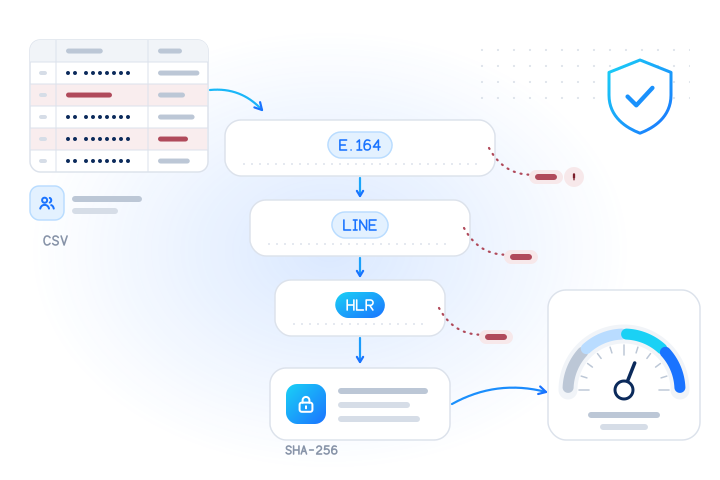
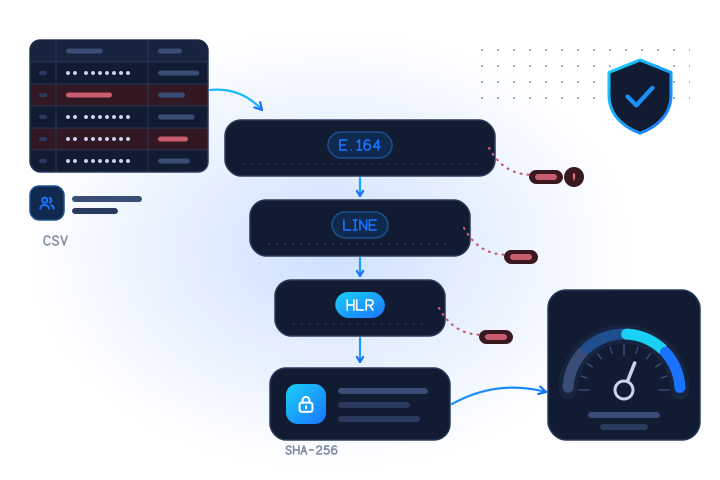
- Normalize. Convert every number to E.164 with the customer's country, and drop or set aside rows that can't be parsed. Remove duplicates after normalizing, because
0491 570 156and+61 491 570 156are the same number. - Check line type. A carrier and line type lookup separates mobile, fixed-line and VoIP numbers. Landlines rarely match an account, so for those customers an e-mail column is the better identifier.
- Check live status (HLR). An HLR lookup asks the home network whether a mobile number is in service.
unreachablecan be temporary;invalid(not assigned) is not. Suppress dead numbers and re-confirm the customer's contact details. - Optionally, estimate Facebook and Instagram presence. Before you pay for a test campaign, a presence check tells you roughly how many of your customers have an account on each platform. More on this below.
- Upload with more identifiers. Add e-mail, name and country columns where you have them. That is the one lever Meta itself recommends.
- Refresh on a schedule. Meta marks a list as Outdated after 30 days. Re-run the hygiene steps before each refresh, not just once.
Here is step 1, and the hashing Meta's API expects, in Node. We ran it on 3 November 2026 with Australian and UK numbers from the ranges reserved for fiction:
import { createHash } from "node:crypto";
import { parsePhoneNumberFromString } from "libphonenumber-js/max";

// raw value from the CRM, and the customer's country from the same record
const rows = [["0491 570 156", "AU"], ["+61 491 570 156", "AU"], ["0061491570157", "AU"], ["(020) 7946 0018", "GB"], ["491 570", "AU"]];

for (const [raw, country] of rows) {
  const p = parsePhoneNumberFromString(raw, country);
  if (!p?.isValid()) { console.log(raw.padEnd(17), "-> drop: not a valid number"); continue; }
  const digits = p.number.slice(1); // E.164 without "+": country code + national number
  const hash = createHash("sha256").update(digits).digest("hex");
  console.log(raw.padEnd(17), "->", p.number, (p.getType() ?? "unknown").padEnd(10), hash.slice(0, 12) + "…");
}0491 570 156 -> +61491570156 MOBILE 10fb72368adc…
+61 491 570 156 -> +61491570156 MOBILE 10fb72368adc…
0061491570157 -> drop: not a valid number
(020) 7946 0018 -> +442079460018 FIXED_LINE 99a4599795d2…
491 570 -> drop: not a valid numberThe first two rows are the same customer written two ways, so they produce the same hash and should be counted once. The third row is a lesson in international prefixes. Australia dials abroad with 0011, not 00, so 0061… doesn't parse as an Australian number. If your data has 00 prefixes, replace them with + before parsing, and check the result. The fourth row is a valid UK landline. The fifth is too short and is dropped.
If you upload a file in Ads Manager, you don't need the hashing step: the Custom Audience terms say contact information "is hashed before you upload and pass it to Meta". The normalization still matters, because the country code has to be there before anything is hashed.
Can you estimate how many numbers have a Facebook or Instagram account?
Yes, roughly. A Facebook or Instagram number check answers one question per number: is an account on that platform associated with it today? The answer is registered: true, false or unknown, with the time of the check. Run on your own consented list, the share of true answers gives you an idea of how many customers Meta could ever match on phone alone.
Read the result as an estimate, for three reasons:
- It isn't Meta's matcher. A presence check and Meta's ad matching are separate processes, so your match score won't equal the share of
trueanswers. falseis weak evidence. On these platforms the number is optional and people control how findable it is. Our guide to checking a number for Facebook or Instagram explains why.- Unknown means no information. Treat it as unchecked, never as a no.
What it's good for is deciding where to put effort. If presence is high but the match score is low, look for a format problem. If presence is low, phone is a weak identifier for this list, so add e-mail addresses. If a segment has many dead or landline numbers, fix the data at collection.
What it's not for: the check never returns a profile, name, username or photo, and we don't offer reverse lookups. It must never be used to find people outside your customer base or to build an audience from a bought or scraped list. Requests with 20 or more consecutive numbers are refused as enumeration, and our acceptable use policy forbids audience building of that kind.
What consent do you need to upload a customer list?
You need a lawful basis for the upload, and Meta makes you promise you have one. In its Customer List Custom Audiences terms (effective 3 December 2025) you "represent and warrant" that you have "all necessary rights and permissions and a lawful basis to disclose and use the Audience and Customer List Data". You also confirm the list leaves out anyone "who has exercised an option" you offered "to opt out of having such data used to create such audiences", and you must remove people who opt out later (Meta). The same terms say Meta "will delete the Customer List Data after the match process is complete", subject to optional features you choose.
Under the GDPR, a phone number of a person is personal data, so uploading it, and running hygiene checks on it, needs a lawful basis under Article 6 (is a phone number personal data?). For marketing use, many businesses rely on consent collected with the number. Rules differ by country, so ask your counsel what applies to your list.
Three rules we apply to every list we check:
- Only numbers people gave you. Customers, sign-ups and leads who agreed to hear from you. No bought, scraped or generated lists.
- Suppress before you check. Honour opt-outs first, so you don't process numbers you shouldn't hold.
- Keep the answer, not the raw data. Store the result, its date and your decision.
How does MobileValidate help with list hygiene?
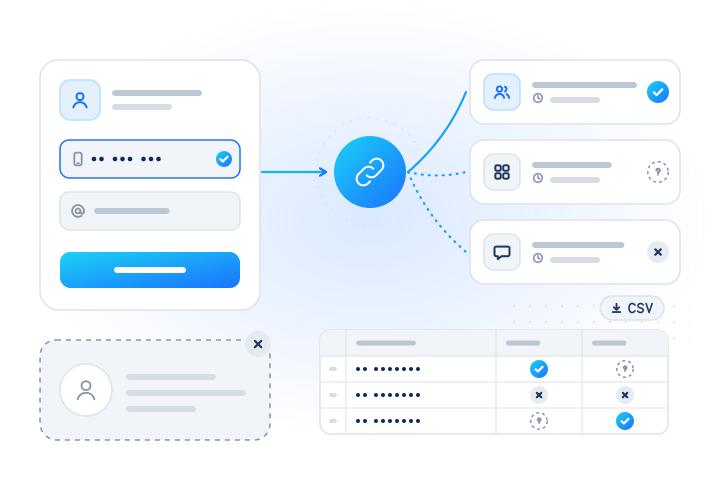
One bulk job runs the whole cleanup on your consented list: normalization, deduplication, line type, live status and the optional presence checks. Prices from our live catalog on 3 November 2026 (current prices are on the pricing page):
| Check | Code | What it tells you | Bulk price per 1,000 | Real time per 1,000 |
|---|---|---|---|---|
| Carrier and line type (beta) | network.carrier | mobile, fixed line, VoIP and carrier | $1.50 | $3.00 |
| Live network status (HLR) | number.hlr | reachable, unreachable, invalid | $5.00 | $6.00 |
facebook | account associated with the number: yes, no, unknown | $0.10 | $0.50 | |
instagram | the same, for Instagram | $0.10 | $0.50 |
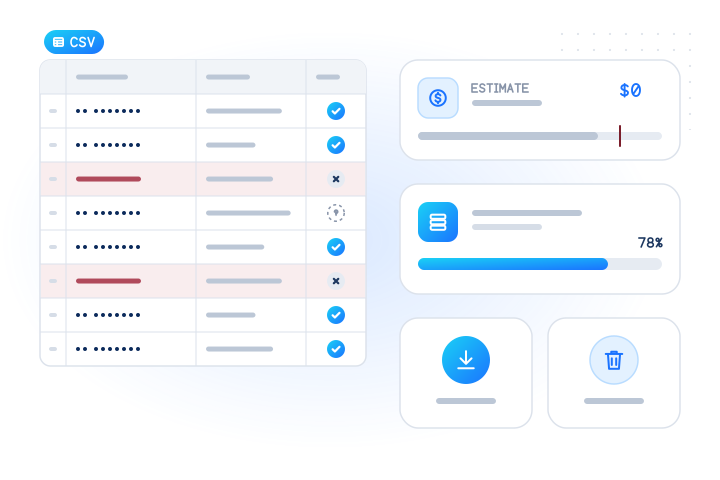
Unknown and other non-conclusive answers are never charged, nor are invalid numbers and duplicates. Before anything runs, the free estimate shows how many rows are valid, invalid and duplicate. This is real output from the public sandbox key, which answers only test numbers, so max_cost is 0. The second number is the first one in national format, and the estimate counts it as a duplicate:
curl https://api.mobilevalidate.com/v1/jobs/estimate \
  -H "Authorization: Bearer $MOBILEVALIDATE_API_KEY" \
  -H "Content-Type: application/json" \
  -d '{"numbers": ["+447700900001", "07700 900001", "+44 7700 900002", "07700900003"],
"default_country": "GB", "checks": ["network.carrier", "facebook", "instagram"]}'{"object":"estimate","total":4,"valid":3,"invalid":0,"duplicate":1,"cached":0,"unsupported":0,"suppressed":0,
"checks":["network.carrier","facebook.registered","instagram.registered"],"checks_total":12,"billable_max":0,
"max_cost":{"amount":"0","currency":"USD"},
"breakdown":[{"check":"network.carrier","price_mode":"batch","reason":null,"checks":3,"unit_price":{"amount":"0.0015","currency":"USD"},"max_cost":{"amount":"0","currency":"USD"}},
{"check":"facebook.registered","price_mode":"batch","reason":null,"checks":3,"unit_price":{"amount":"0.0001","currency":"USD"},"max_cost":{"amount":"0","currency":"USD"}},
{"check":"instagram.registered","price_mode":"batch","reason":null,"checks":3,"unit_price":{"amount":"0.0001","currency":"USD"},"max_cost":{"amount":"0","currency":"USD"}}],
"unsupported_checks":[]}The bulk flow: upload a CSV with a phone column in the dashboard, or send it to POST /v1/jobs (up to 50,000 rows per job), read the estimate, set a cost cap and start. When the job finishes, download the results as CSV with one row per number and columns for each check. Keep the rows you can fix, re-confirm the dead ones with your customers, and upload the normalized list to Meta. The bulk jobs guide has the details.
How to start for free:
- Get a free test key. It returns fixed answers for the test numbers, so you can build the whole flow first.
- Request access for a live account. Every live account gets 5 real phone checks and 5 real e-mail checks on the dashboard's Try it page.
- Upload your list and read the free estimate before you spend anything. Top-ups of $100 or more get a bonus: +5% from $100, +8% from $500 and +10% from $2,000.
Facebook, Instagram and Meta are named here descriptively. MobileValidate is not affiliated with Meta Platforms, and we can't promise a higher match rate. Only Meta's matcher decides that.
What are the key takeaways?
- Meta publishes no target match rate. The match score is matched rows divided by uploaded rows, and third-party benchmarks are estimates.
- Every number needs a country code. For the API, hash the E.164 digits without the plus sign, using SHA-256 in lowercase hex.
- Valid-looking numbers fail when they are disconnected, reassigned, landlines or never added to an account. Only formatting errors can be fixed in the file.
- Clean in this order: normalize, check line type, check live status, optionally estimate Facebook and Instagram presence, then upload with more identifiers.
- Removing unmatched rows raises the score but adds no people. Do it for hygiene, not to make the dashboard look better.
- Only consented customer lists. Meta's terms require a lawful basis and respect for opt-outs, and our checks never return profiles.
Sources
- Customer list formatting guidelines for custom audiences (fetched 3 November 2026) — Meta Business Help Center, 2026
- About customer list custom audiences (fetched 3 November 2026) — Meta Business Help Center, 2026
- Custom Audiences: hashing and normalizing data, multi-key matching (Marketing API, fetched 3 November 2026) — Meta for Developers, 2026
- Customer List Custom Audiences Terms (effective 3 December 2025) — Meta, 2025
- How to improve Facebook custom audience match rate (ad-tools blog, undated, fetched 3 November 2026) — LeadEnforce, 2026
- General Data Protection Regulation (EU) 2016/679 — European Union, 2016
Frequently asked questions
What is a good match rate for a Meta Custom Audience built from phone numbers?
Meta publishes no target or guaranteed match rate. Its help pages only say that more identifiers per customer give a better chance of matching. Third-party blogs quote rough ranges, such as 60–80% for recent buyers and 20–40% for older CRM records, but those are unsourced estimates. Compare your own uploads over time instead.
Which phone number format does Meta want in a customer list?
Every number needs its country code, even if all customers are in one country. In a file upload Meta accepts numbers with or without punctuation, in up to three phone columns. Through the Marketing API you normalize first (digits only: no symbols, letters or leading zeros, country code included) and send the SHA-256 hash.
Should the hashed phone number include the plus sign?
No. Meta's Marketing API rules say to remove symbols, so you hash the digits of the E.164 number without the +, for example 61491570156. A hash of +61491570156 is a different value and will not match.
Why do correctly formatted numbers still not match?
Because a match needs a Meta account that holds that number. Numbers that are disconnected or reassigned, landlines, and numbers whose owner never added them to Facebook or Instagram cannot match, however well they are formatted.
Will removing unmatched numbers improve my campaign?
It raises the reported match score, because Meta divides matched rows by uploaded rows, but it adds no new people to the audience. Remove dead numbers for list hygiene, and fix numbers with formatting errors, because those are the rows that can actually start matching.
Can MobileValidate raise my match rate?
We can't promise a higher match rate, and nobody outside Meta can. A bulk job helps you find rows with formatting errors, dead numbers and landlines, and estimates how many of your consented customers have a Facebook or Instagram account, before you spend money on a test campaign.
Does the Facebook or Instagram check return the customer's profile?
No. Each check answers registered, not registered or unknown, with the time of the check. It never returns a name, username, photo or profile link, and nothing is sent to the number.
Do I need consent to upload a customer list to Meta?
You need a lawful basis for the upload, and Meta's Custom Audience terms make you promise that you have one, and that you leave out people who opted out of this use. In many countries that means consent for marketing use. Ask your counsel, and never upload or check numbers you bought, scraped or generated.
Related services and guides
More from the blog
All articlesGuides
How to check if a phone number has a Facebook or Instagram account
Check if a phone number has a Facebook or Instagram account: a yes, no or unknown answer with a date, never a profile. Real time or bulk, with WhatsApp.
10 min read
Deliverability
How to clean a phone number list in bulk, step by step
A step-by-step way to clean a phone list with the MobileValidate jobs API: free estimate, dedupe, invalid rows, capped cost, CSV download and data purge.
7 min read
Deliverability
Number recycling and phone-list decay: how often to re-check your list
Disconnected phone numbers are reassigned to new people, so every list decays. How recycling works, what the US rules say, and a re-check cadence recipe.
7 min read