On this page
To check if a number is on WhatsApp without saving it, open https://wa.me/ followed by the full international number as digits only (country code, no +, no leading 0) and let it open in the app. If a chat opens, the number has a WhatsApp account; if WhatsApp says the number shared via the URL is invalid, the number either has no account or is written wrongly. You don't save a contact and nothing is sent until you type a message.
That works for one number. This guide covers the three manual methods, how to read the "invalid" message, how to write the number for the countries where most format mistakes happen, and where checking by hand stops making sense.
How do you check a number on WhatsApp without adding it as a contact?
There are three manual ways. All of them are free, and all of them are meant for a number you are about to contact yourself.
| Method | How | What it tells you | How it fails |
|---|---|---|---|
| wa.me link (click to chat) | Open https://wa.me/<number> on your phone or computer, then continue to the app or WhatsApp Web | A chat opens if the number has an account | The browser page tells you nothing; only the app gives the answer. A format mistake looks the same as "no account" |
| New chat search | In the app, start a new chat and type the full number in the search | Recent app versions may offer to chat with a number that has an account | Not documented in WhatsApp's Help Center as of November 2026; varies by version and platform |
| Tap a number in a chat | Tap a number someone sent you in an existing chat | WhatsApp can show a menu that checks whether the number is on WhatsApp and offers to chat | Only works for numbers that already appear in a conversation |
The wa.me link is the documented method. WhatsApp's Help Center describes click to chat like this: if you know the person's number "and they have an active WhatsApp account, you can create a link that will allow you to start a chat with them". Its rule for the number is short: use the "full phone number in international format" and "omit any zeroes, brackets, or dashes". The example is https://wa.me/1XXXXXXXXXX, not https://wa.me/+001-(XXX)XXXXXXX (WhatsApp, read 3 November 2026).
The browser page is not the answer. We opened https://wa.me/447700900001 on 3 November 2026. That is a UK number from the range the regulator Ofcom reserves for TV and radio drama (the same range our test mode uses), so it can never belong to anyone. The link redirected to WhatsApp's "send" page, which still offered "Chat on WhatsApp with 447700900001" and an "Open app" button. So the landing page shows the same thing for every number. You only learn something when the app or WhatsApp Web tries to open the chat.
The in-chat check is a newer feature. In April 2022, Lowyat reported a beta feature: tapping an unknown number in a chat opens "a pop-up dialog that checks whether or not the number is associated with a WhatsApp account" (Lowyat.NET, 2022). Availability still depends on your app version. Because WhatsApp doesn't document the new chat search or the in-chat menu, we don't describe their exact screens.
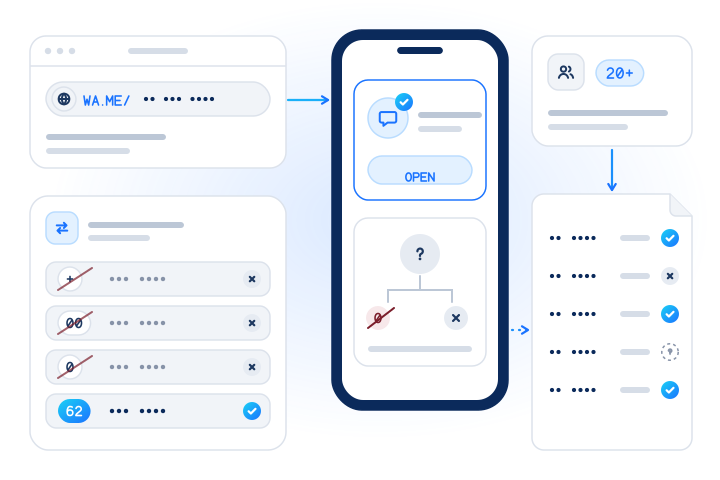
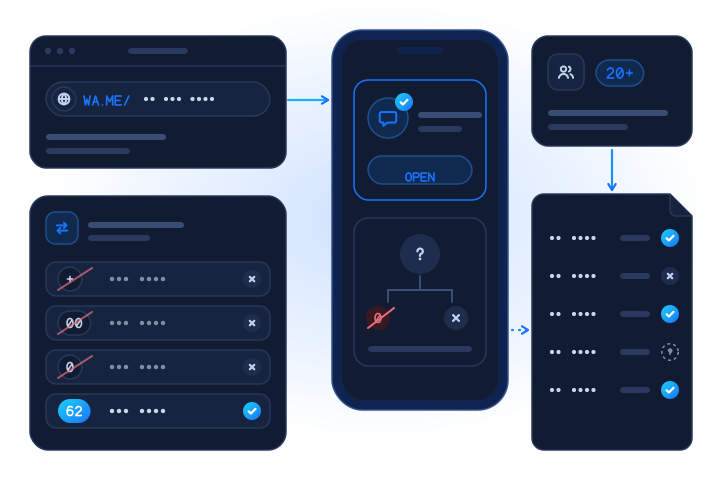
What does "Phone number shared via url is invalid" mean?
When the app can't open a chat for the digits in a wa.me link, users report the message "Phone number shared via url is invalid". WhatsApp's Help Center doesn't explain the message. In practice it has two causes, and the message doesn't say which one applies:
- The number has no WhatsApp account. This is what most people assume.
- The number is written wrongly. Common mistakes are a leading
0(wa.me/07…), an international prefix (wa.me/0044…orwa.me/+44…), a missing country code, or a country rule that was not applied, such as Argentina's mobile9.
So read the message in this order:
| Step | Check | If it fails |
|---|---|---|
| 1 | Is the number complete for its country (right length, right mobile prefix)? | Fix the number first; the message means nothing yet |
| 2 | Is it written as country code + national number, digits only, no 0 after the country code? | Rewrite it with the table below |
| 3 | Does the correctly written link still fail? | Now the number probably has no account, or the account was deleted, banned or moved to another number |
Even step 3 is not final. People change numbers, and operators reassign old numbers to new customers. A "no" today says nothing about who will hold the number next year, and a "yes" says nothing about who holds it now.
How do you write the number for a wa.me link in each country?
Take the international form (E.164) and drop the +. The table shows the countries where we see the most format mistakes. Digits are masked with X.
| Country | Written at home | wa.me digits | The rule that trips people up |
|---|---|---|---|
| Indonesia (+62) | 0812-XXXX-XXXX | 62812XXXXXXXX | Drop the 0. Mobile numbers have 9 to 12 digits after 62, so length varies by operator block |
| Brazil (+55) | (11) 9XXXX-XXXX | 55119XXXXXXXX | Keep the area code and the ninth digit. Since 14 February 2017 every Brazilian mobile has the form 9XXXX-XXXX (Anatel) |
| Mexico (+52) | 55 XXXX XXXX | 5255XXXXXXXX | Since 3 August 2019 all Mexican numbers have 10 digits and the mobile prefixes 044 and 045 are gone (IFT, 2019). See the note below on the old "1" |
| Pakistan (+92) | 03XX XXXXXXX | 923XXXXXXXXX | Drop the 0: 10 digits after 92 (our Pakistan guide) |
| Bangladesh (+880) | 01XXX-XXXXXX | 8801XXXXXXXXX | Drop the 0 but keep the 1: 10 digits after 880 (our Bangladesh guide) |
| Malaysia (+60) | 012-XXX XXXX | 6012XXXXXXX | Drop the 0. 011 numbers have one digit more: 6011XXXXXXXX (our Malaysia guide) |
| Argentina (+54) | 011 15-XXXX-XXXX | 54911XXXXXXXX | Add 9 after 54 and remove the 15: 13 digits in total (WhatsApp, our Argentina guide) |
| United Kingdom (+44) | 07XXX XXXXXX | 447XXXXXXXXX | Drop the 0; never write 44 0 7… |
A note on Mexico. WhatsApp's own help page on international numbers still says, as of 3 November 2026, that Mexican numbers "need to have '1' after '+52'" (WhatsApp). That rule predates the 2019 dialling change. Validation libraries follow the new plan: in our test on 3 November 2026, libphonenumber-js 1.13.13 accepted +52 followed by 10 digits and rejected the same number with a 1 inserted. If a link for a Mexican number fails, the "1" is one of the first things to look at, and it is a good example of why "invalid" doesn't prove "not on WhatsApp".
For the general rules behind this table (country codes, trunk prefixes, maximum length), see our E.164 guide for developers.
Does the other person know you checked?
WhatsApp's help pages don't describe any notification when someone opens a chat with you, and nothing reaches the person until you send a message or call. What you may see depends on their settings: WhatsApp lets people limit who sees their profile photo and About text.
Two things do leave a trace, though:
- The number sits in a URL. A wa.me link ends up in your browser history, and in any link shortener or chat where you paste it.
- Third-party "checker" websites see every number you type. You hand the number, and the fact that you were interested in it, to whoever runs the site. If the number belongs to a customer, that is a disclosure of their personal data to someone you have no agreement with.
Why does WhatsApp stop answering after a few checks?
WhatsApp doesn't publish a limit for how many numbers you can look up, so we can't give you one. What is public is why such limits exist.
Contact discovery, the feature that tells you which contacts use an app, can be abused to map who uses it. In November 2025, researchers at the University of Vienna reported that a flaw let them query more than 100 million numbers per hour through WhatsApp's infrastructure; Meta has since added rate limits and stricter visibility of profile information (University of Vienna, 2025).
WhatsApp's Terms also forbid using the service "directly or through automated means" to "collect information of or about our users in any impermissible or unauthorized manner", and list "bulk messaging, auto-messaging, auto-dialing" among impermissible uses (WhatsApp Terms, read 3 November 2026). A person pasting dozens of numbers into wa.me links, or a browser extension doing it for them, looks exactly like the pattern those rules target. Expect failed lookups, and risk restrictions on the account you check from.
Can I check a whole customer list at once?
Not by hand. Use this rule of thumb:
| Your situation | What to do |
|---|---|
| One or two numbers you are about to message yourself | Use a wa.me link. It's free |
| A handful of numbers, once | wa.me links still work; write each number in the right format first |
| More than about 20 numbers, or a recurring job | Stop checking by hand. Use a bulk check on numbers your customers gave you |
| You need to know if it's a business account | Use a WhatsApp Business check; the manual methods can't tell you reliably |
| A list you bought or a range of numbers | Don't check it. It's how people build lists of app users, and opt-in is missing anyway |
Past a couple of dozen numbers, manual checking has three problems: every number is a separate round of copying, opening and reading the app, a format slip turns a real account into a false "no", and the results never get a date, so you can't tell old answers from new ones.
How does MobileValidate check numbers on WhatsApp?
The WhatsApp number check answers the same question as a wa.me link, for each number you already hold: registered, not registered or unknown, with the time of the check. No WhatsApp account, QR pairing or phone is involved on your side, nothing is sent to the numbers, and no name, photo or profile is returned. Unknown answers, invalid numbers and duplicates are never charged.
- Real time: one
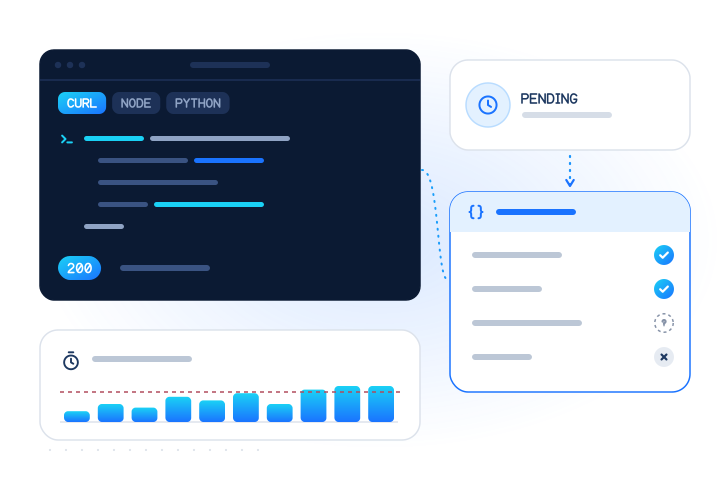
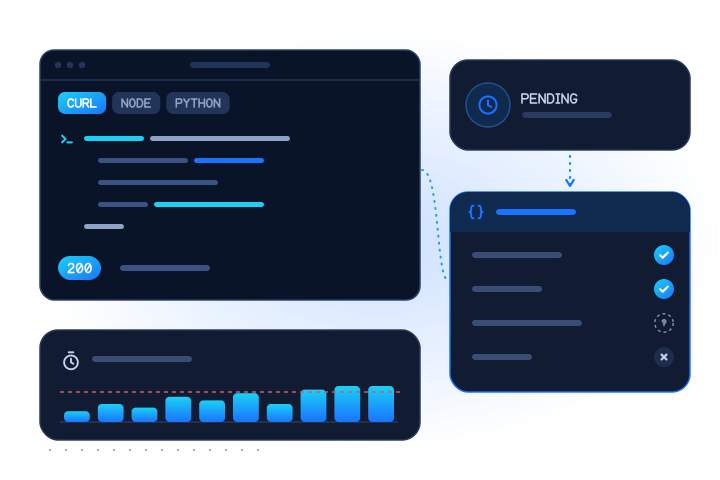
POST /v1/lookupwithchecks: ["whatsapp"], up to 100 numbers per request. The API guide has tested code in cURL, Node and Python. - Bulk: upload a CSV in the dashboard or send it to
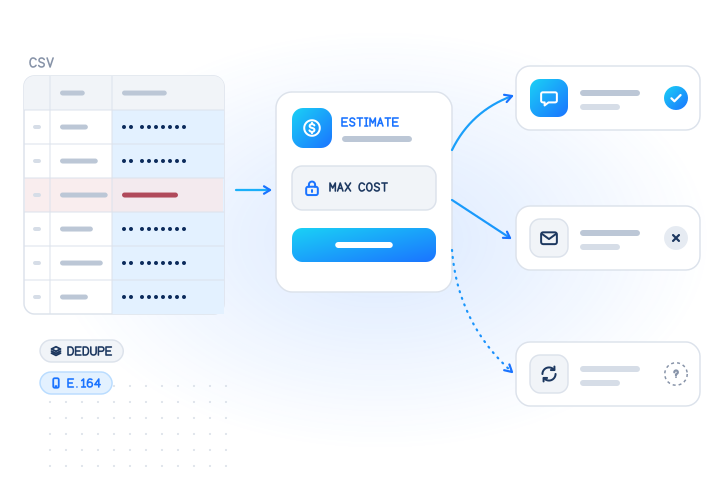
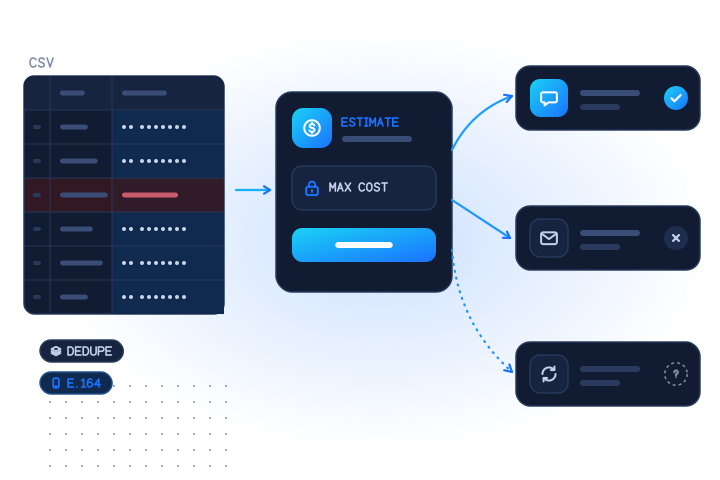
POST /v1/jobs, up to 50,000 numbers per job. The free estimate shows the most the job can cost before anything runs, and you can set a cost cap. The bulk WhatsApp check guide walks through the file, the estimate and the results. - Business accounts: the WhatsApp Business check answers registered or not, plus whether the account is a business account.
Prices from our live catalog on 3 November 2026: the WhatsApp check costs $0.004 per number in real time, and $0.00025 per number ($0.25 per 1,000) in bulk for groups of at least 132 numbers from one country; smaller groups are priced at the real-time price. The WhatsApp Business check costs $0.004 in real time and $0.0003 per number in bulk. Current prices are always on the pricing page. Top-ups of $100 or more get a bonus: +5% from $100, +8% from $500 and +10% from $2,000.
How to start for free:
- Get a free test key. Test keys never reach a real network and return fixed answers for reserved test numbers, so you can build every branch first (test mode).
- Request access for a live account. Every live account gets 5 real phone checks and 5 real e-mail checks on the dashboard's Try it page.
- Upload your list and read the free estimate before you spend anything.
Is it legal to check numbers on WhatsApp?
For one number you are about to contact, it's ordinary use of the app. For a business checking many numbers, three rules apply. Laws differ by country, so for your own case ask your counsel.
- You need a reason to hold the number. A phone number usually identifies a person, so a check is processing personal data. Under the GDPR that needs a lawful basis (Article 6), such as an existing customer relationship. Check only numbers people gave you.
- A registered answer is not permission. WhatsApp's Business Messaging Policy says you may contact people only if "they have given you their mobile phone number or username" and you have "received opt-in permission" from them (WhatsApp, updated 23 September 2026).
- No ranges, no bought lists. Checking sequences of numbers to find out who uses WhatsApp is the enumeration pattern the research above describes. Our API refuses 20 or more consecutive numbers in one request, and our acceptable use policy forbids it.
Our guide to WhatsApp number checks, consent and the law covers the GDPR, India, Brazil and other regions in more detail. People can object to checks on their own number through our opt-out form.
What does a registered answer not tell you?
A "yes" from any method, manual or API, is narrower than it looks:
- Not who owns the number. An account exists; the name you have for the customer may be out of date.
- Not that the phone is on today. An account can stay registered on a phone that is off or lost. For network reachability, use an HLR lookup.
- Not that the person wants your messages. Opt-in is a separate record you keep.
- Not that the number still belongs to the same person. Recycled numbers can carry the previous holder's account for a while.
- Not, by itself, a username. WhatsApp usernames let people message without showing their number, but accounts are still registered with a number. See WhatsApp usernames and number checks.
What are the key takeaways?
- For one number, use a wa.me link:
https://wa.me/+ country code + national number, digits only. Let it open in the app; the browser page shows the same thing for every number. - "Invalid" has two meanings: no account, or a badly written number. Fix the format first.
- Country rules matter: drop the trunk
0, keep Brazil's ninth digit, add Argentina's9, and give Mexico 10 digits after 52. - Manual checking doesn't scale. WhatsApp publishes no limit, but its Terms forbid automated collection of user information. Past about 20 numbers, use a bulk check on your own customers' numbers.
- Registered is not consent. Use the answer to pick a channel for people who opted in, never to find new people to message.
Sources
- How to use click to chat (WhatsApp Help Center, read 3 November 2026) — WhatsApp, 2026
- How to add an international phone number (WhatsApp Help Center, read 3 November 2026) — WhatsApp, 2026
- WhatsApp Business Messaging Policy (last updated 23 September 2026) — WhatsApp, 2026
- WhatsApp Terms of Service (effective 4 January 2021, read 3 November 2026) — WhatsApp, 2021
- Researchers discover security vulnerability in WhatsApp (18 November 2025) — University of Vienna, 2025
- A partir del 3 de agosto, México tendrá una nueva forma de marcación telefónica (Comunicado 34/2019) — Instituto Federal de Telecomunicaciones (IFT), via the Internet Archive, 2019
- Nono dígito na telefonia celular — Anatel, via the Internet Archive, 2019
- WhatsApp is working on a new option for numbers not in your contact list (4 April 2022) — Lowyat.NET, 2022
- General Data Protection Regulation (EU) 2016/679 — European Union, 2016
Frequently asked questions
How do I check if a number is on WhatsApp without saving it?
Open https://wa.me/ followed by the full international number as digits only, for example https://wa.me/447XXXXXXXXX for a UK mobile, then tap to open the chat in the app. If a chat opens, the number has a WhatsApp account. If WhatsApp says the number shared via the URL is invalid, either the number has no account or the format is wrong. You don't have to save the contact or send a message.
What does 'Phone number shared via url is invalid' mean?
It means WhatsApp could not open a chat for the digits in the link. That has two possible causes: the number has no WhatsApp account, or the number is written wrongly, for example with a leading 0, a 00 or + prefix, or no country code. Check the format against the country's rules first. Only a correctly written number that still fails suggests there is no account.
Does the other person know I checked their number on WhatsApp?
WhatsApp's help pages don't describe any notification for opening a chat, and nothing reaches the person until you send a message or call. Depending on their privacy settings you may see their profile photo or About text, so treat the chat screen as personal data and only open it for numbers you have a reason to contact.
How do I write a number for a wa.me link?
Use the country code and the national number with no plus sign, no leading 0 and no spaces, brackets or dashes. Pakistan 03XX XXXXXXX becomes 923XXXXXXXXX, Bangladesh 01XXX-XXXXXX becomes 8801XXXXXXXXX, Malaysia 012-XXX XXXX becomes 6012XXXXXXX, and Argentine mobiles need a 9 after 54.
Is there a free WhatsApp number checker for many numbers?
The manual methods are free but are meant for one number at a time. Checking a list by hand or with a browser script is slow, error-prone and runs against WhatsApp's Terms, which forbid collecting information about users in unauthorized or automated ways. For a customer list, a paid check that returns registered, not registered or unknown is the practical route; MobileValidate bills only conclusive answers.
Can I check a whole customer list on WhatsApp at once?
Yes, with a bulk job. Upload a CSV of numbers your customers gave you, read the free estimate, set a cost cap and download one row per number with registered true, false or unknown. No WhatsApp account, QR pairing or message is involved, and nothing is sent to the numbers.
Is it legal to check if a number is on WhatsApp?
For one number you are about to contact, it is ordinary use of the app. For a business checking many numbers, the check is processing personal data: you need a lawful basis, such as an existing customer relationship, and you need opt-in before you message. Checking number ranges or lists you bought to find WhatsApp users is not acceptable.
Does 'registered' mean I can message the number?
No. It only means a WhatsApp account exists for the number. WhatsApp's Business Messaging Policy, updated 23 September 2026, says businesses may contact people only if they gave you their number or username and opted in to receive messages from you.
Related services and guides
More from the blog
All articlesGuides
Bulk WhatsApp number check: how to verify a customer list (CSV upload or API)
Check WhatsApp numbers in bulk: prepare a CSV, get a free estimate, cap the cost, run the job in the dashboard or API, and act on each answer.
8 min read
Developers
How to check if a phone number is on WhatsApp with an API
How a WhatsApp registration check works, what registered, not registered and unknown mean, and how to call it responsibly from cURL, Node and Python.
9 min read
Guides
Is it legal to check if a number is on WhatsApp? Consent and data-protection rules for businesses (2026)
Is a WhatsApp number check legal? GDPR, India's DPDP Act, Brazil's LGPD, Malaysia's PDPA and US rules, and why registration is not permission to message.
10 min read