On this page
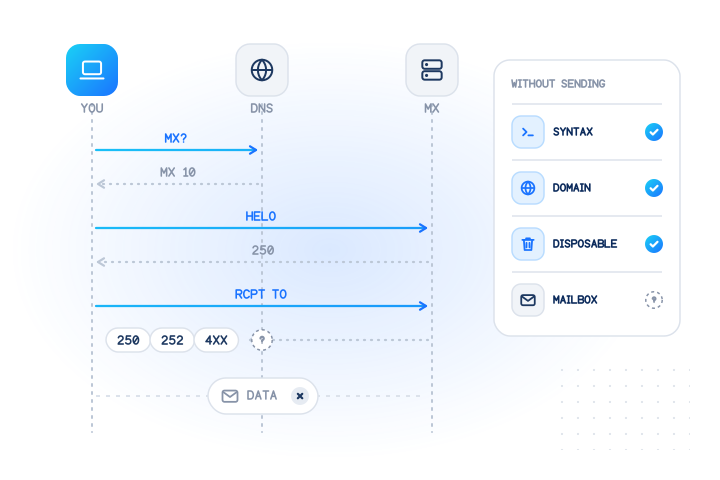
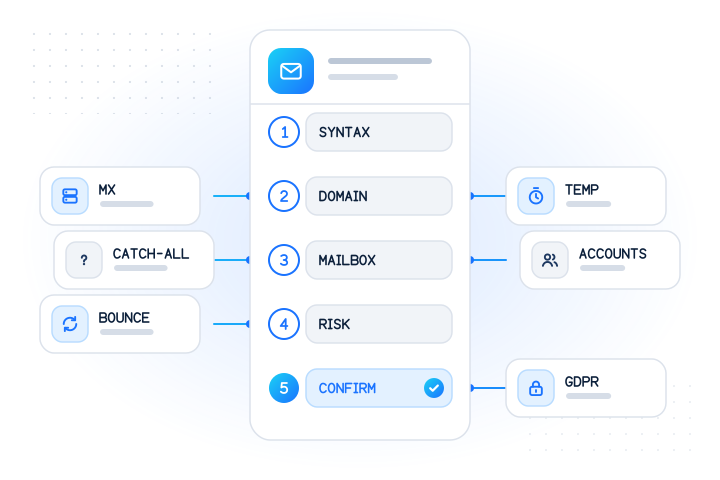
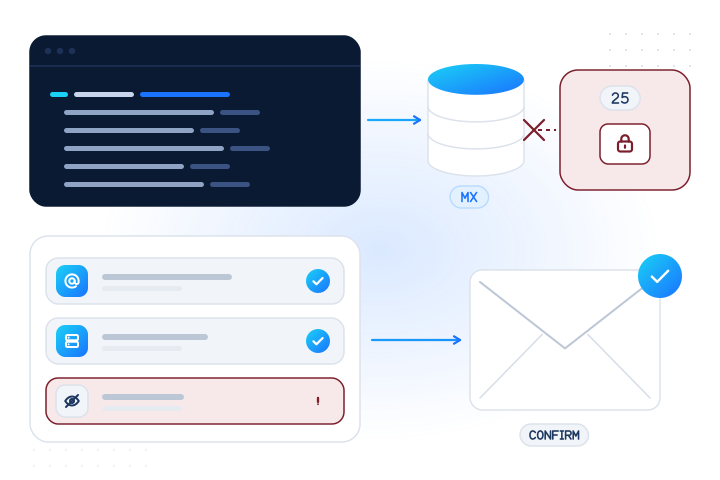
You can check whether an e-mail address is valid for free in three steps. First, check that it is well formed. Second, check that its domain has mail servers, with an MX lookup (dig MX gmail.com or our free e-mail checker). Third, check whether the domain is a known throwaway service. These free checks can prove an address is bad. None of them can prove the mailbox exists. For that you need either a confirmation e-mail the person clicks, or a paid mailbox check.
This article is the hands-on, free-tools version. If you want the underlying mechanics (the validation ladder, catch-all, greylisting and tested code in three languages), read how to check if an e-mail address exists without sending an e-mail. Every command below was run on 2026-11-07, and the prices come from our live catalog on the same day.
What can you check about an e-mail address for free?
| Check | Free tool | What it proves | What it can't tell you |
|---|---|---|---|
| Syntax | Any form library, our e-mail checker | The address is malformed (for example two dots in a row) | Whether anyone uses it |
| Domain and MX | dig, nslookup, our e-mail checker | The domain doesn't exist or accepts no mail | Whether the mailbox exists |
| Disposable domain | A maintained blocklist, our e-mail checker | The domain is a known throwaway inbox service | New throwaway domains not on the list yet |
| Role address | A list of role names, our e-mail checker | The address is info@, sales@ and so on | Whether a person reads it |
| Confirmation e-mail | Your own mail system | The mailbox exists and the person owns it | Nothing; it's the proof, but it costs a round trip |
The first four run in milliseconds and never contact the recipient. The fifth is the only free check that gives a definite yes.
How do I check an e-mail domain's MX records?
Look up the domain's MX (mail exchanger) records. They tell other mail servers where to deliver mail. On macOS or Linux, use dig:
$ dig MX gmail.com +noall +answer
gmail.com.		1208	IN	MX	10 alt1.gmail-smtp-in.l.google.com.
gmail.com.		1208	IN	MX	5 gmail-smtp-in.l.google.com.
gmail.com.		1208	IN	MX	40 alt4.gmail-smtp-in.l.google.com.
gmail.com.		1208	IN	MX	20 alt2.gmail-smtp-in.l.google.com.
gmail.com.		1208	IN	MX	30 alt3.gmail-smtp-in.l.google.com.
Five servers. The lowest number (preference 5) is tried first. nslookup, which also ships with Windows, does the same job (we ran it on Linux; the resolver lines are left out):
$ nslookup -type=mx yahoo.com
Non-authoritative answer:
yahoo.com	mail exchanger = 1 mta7.am0.yahoodns.net.
yahoo.com	mail exchanger = 1 mta5.am0.yahoodns.net.
yahoo.com	mail exchanger = 1 mta6.am0.yahoodns.net.
Here is how to read the four answers you will meet. We ran each of these on 2026-11-07:
| Domain | dig MX answer | Meaning |
|---|---|---|
gmail.com | Five MX records | Can receive mail |
outlook.com | 5 outlook-com.olc.protection.outlook.com. | Can receive mail (one record is enough) |
example.com | 0 . | Null MX: the domain accepts no mail at all |
no-such-domain-mv-test.com | status: NXDOMAIN, no answer | The domain doesn't exist; the address can't work |
neverssl.com | No MX, but an A record (34.223.124.45) | Implicit MX: mail goes to that address |
Two rules from the standards stop you from rejecting good addresses:
- "No MX" isn't automatically invalid. RFC 5321 says that when no MX records exist, "the address is treated as if it was associated with an implicit MX RR", pointing at the domain's own address record (RFC 5321, section 5.1). Look for an A or AAAA record before you reject.
- A null MX is a definite no. RFC 7505 lets a domain publish a single MX with preference 0 and the exchange
."to denote that there exists no mail exchanger for a domain" (RFC 7505).
A DNS timeout or SERVFAIL is neither: it means you don't know. Accept the address and confirm it by e-mail.
What does the free e-mail checker add?
Our free e-mail checker runs the syntax and MX steps for you, applies the implicit-MX and null-MX rules above, and adds three flags: disposable, role and free webmail. It also suggests a fix for a typo in a common domain. It needs no sign-up, checks one address at a time and allows 20 domain checks per network per day. It reads public DNS only. It never opens a connection to the domain's mail servers and never sends anything to the address, and it doesn't store the address.
We ran the checker's logic on a few addresses on 2026-11-07:
| Address | Verdict | Why |
|---|---|---|
jane.doe@gmail.com | domain can receive mail | Five MX records; flagged as free webmail |
sales@outlook.com | domain can receive mail | One MX record; flagged as a role address (sales) and free webmail |
jane@neverssl.com | domain can receive mail | No MX, but an A record (implicit MX) |
test@mailinator.com | risky | Has MX records, but the domain is on the disposable list |
a@no-such-domain-mv-test.com | invalid | "The domain no-such-domain-mv-test.com does not exist, so this address cannot receive mail." |
jane..doe@gmail.com | invalid | "The part before the @ has two dots in a row." |
info@example.com | invalid | example.com is reserved for testing and can't receive internet mail |
Note what the best answer says: "domain can receive mail", not "valid mailbox". That's as far as a free DNS check can go.
How to treat the flags:
- Disposable. For sign-ups that grant free value, such as trials, credits or coupons, treat it as a strong signal and add friction. Disposable lists lag behind new domains, so "not on the list" doesn't mean "safe".
- Role address.
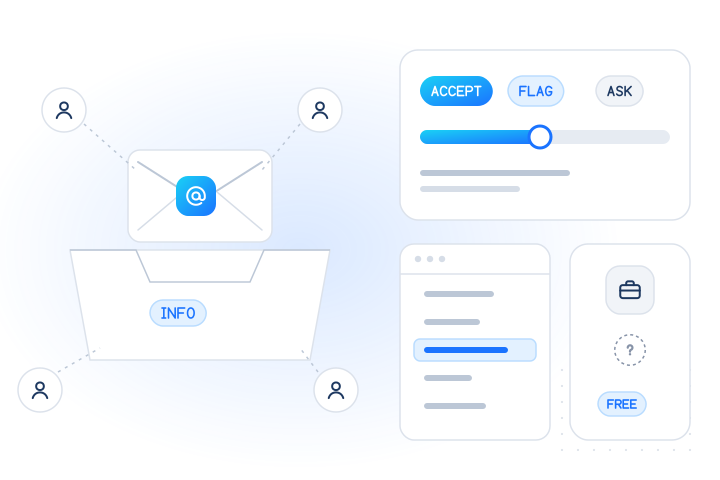
info@andsales@are normal for business contacts and receipts. Flag them only where one person must own the account. Our post on role-based e-mail addresses covers when to accept, flag or ask. - Typo suggestion. Show it to the person ("Did you mean gmail.com?") while they're still on the form. Don't change the address silently.
Why is SMTP probing from your own server risky?
Because the receiving server has every reason not to answer a stranger honestly, and plenty of ways to punish you for asking. The classic trick is to connect to the domain's MX on port 25, send RCPT TO:<address>, read the reply and hang up before sending. Free scripts and libraries that "verify" addresses this way are easy to find. Here is why we don't recommend running them from your own IP:
- Your network may block it. Google Cloud says "connections to destination TCP Port 25 are blocked" when the destination is outside your network (Google Cloud). On Amazon EC2, "traffic over port 25 is blocked to public IPv4 addresses and IPv6 addresses" by default (AWS). From many cloud servers, the probe never reaches anyone.
VRFYis designed to give no answer. RFC 5321 says that a server that disables it for security reasons "MUST return a 252 response, rather than a code that could be confused with successful or unsuccessful verification" (section 7.3).- Catch-all domains say yes to everything. Many company domains accept every address at
RCPT TOand sort it out later, so a "yes" means nothing. - Greylisting says "try later". A temporary 4xx reply on the first attempt is normal, and a probe that gives up learns nothing.
- It looks like abuse. Lots of short SMTP sessions that never deliver a message is the traffic pattern of directory-harvest attacks. If the probing IP also sends your password resets and receipts, you risk rate limits or blocklisting for the mail you care about.
From your own server, a probe can sometimes prove that a mailbox doesn't exist at a provider that answers at RCPT time. It can almost never prove that one does. The details, with the providers' own error codes, are in our article on checking an address without sending.
Is sending a test e-mail the only real proof?
Without a verification provider, yes. A confirmation e-mail with a link that the person clicks proves two things that no other free check can: that the mailbox exists, and that the person who typed the address can read it. It's also what the big mailbox providers expect. Google's sender guidelines tell senders to "confirm each recipient's email address before subscribing them", and to keep the spam rate reported in Postmaster Tools "below 0.10% and avoid ever reaching a spam rate of 0.30% or higher" (Google).
Do it like this:
- Send the confirmation from your normal transactional sender, with a short, clear subject. Don't send "test" messages from a throwaway server: they look like spam and train filters against you.
- Run the free checks first. Syntax and MX checks catch typos and dead domains while the person is still on the page, so fewer confirmation e-mails bounce.
- Treat a bounce as a real "no". A hard bounce (
5xx) on the confirmation means the address doesn't work. Stop sending to it.
The drawback is time and friction. The person has to leave your page, open their inbox and click. Some never do, and for a list of addresses you already hold, you can't send a confirmation to every row without risking bounces and complaints. That is where paid verification comes in.
When should you pay for e-mail verification?
When you need a mailbox-level answer before you send anything. Typical cases:
- Sign-up and trial forms, to stop fake accounts made with invented addresses at big webmail providers before they get a confirmation e-mail or free credit.
- Cleaning a list people gave you (customers, event sign-ups, form leads) before a send, so made-up and closed mailboxes don't produce hard bounces.
- Checkout and lead forms, to catch a mistyped address while the person can still fix it.
What our mailbox check adds over the free tools:
| Free checks | MobileValidate mailbox check (email.valid) | |
|---|---|---|
| Syntax, domain, null MX | Yes | Invalid formats are marked invalid_email and never charged; run the MX and disposable checks yourself or with the free tool |
| Does the mailbox exist? | No (only a confirmation e-mail tells you) | registered: true, false or null, with checked_at, for major webmail providers |
| Contacts the recipient's server from your IP | Only if you probe yourself | Never from your infrastructure; nothing is sent to the address |
| Catch-all and company domains | Can't tell | Not covered: they come back unknown with UNSUPPORTED_PROVIDER, free |
| Unknown answers | – | Never billed |
| Lists | One at a time | Real time (up to 100 per request) or bulk jobs (up to 50,000 per job) |
To be clear about catch-all: we don't sell catch-all detection. Our check covers the major consumer webmail providers, where most sign-ups come from. For addresses on company domains, the confirmation e-mail is still the answer.
Prices from our live catalog on 2026-11-07: US$0.006 per address in real time and US$0.004 in bulk jobs, charged only for conclusive answers. Unknown, unsupported, invalid and duplicate rows are free. Top-ups of US$100 or more get a 5% bonus, US$500 or more 8%, and US$2,000 or more 10%.
How do I try it without paying?
- Free real checks: every live account can verify 10 e-mail addresses (and 20 phone numbers) for real, free, on the dashboard's Try it page. Live access is approved automatically: request access.
- Free test key: get a test key or use the public sandbox key, which answers fixed test values and is never billed.
- Free job estimate: upload a list and see the estimated cost before you start a bulk job.
Here is a real sandbox request from 2026-11-07:
curl https://api.mobilevalidate.com/v1/lookup \
  -H "Authorization: Bearer mv_test_publicSandboxn9ZgneuhR1B9CRfKG3fulym" \
  -H "Content-Type: application/json" \
-d '{"emails":["registered@test.mobilevalidate.com","not-registered@test.mobilevalidate.com","unsupported@test.mobilevalidate.com"],"checks":["email"],"wait":5}'| Address | email_status | status | registered | reason | billed |
|---|---|---|---|---|---|
registered@test.mobilevalidate.com | valid | completed | true | none | false |
not-registered@test.mobilevalidate.com | valid | completed | false | none | false |
unsupported@test.mobilevalidate.com | valid | unknown | null | UNSUPPORTED_PROVIDER | false |
The last row is what a company-domain address looks like in live mode: unknown and free. The full response format is in e-mail checks.
How do I check e-mail addresses responsibly?
Check addresses that people gave you, when they give them to you: at sign-up, checkout or a change of contact details, or in a list of your own customers. Don't use any of these methods, free or paid, to guess addresses, try name variations or build mailing lists. That is enumeration, it is how spam lists are harvested, and our acceptable use policy forbids it. Our API refuses requests that look like generated lists, such as 20 or more addresses on one domain that differ only by digits or separators.
What are the key takeaways?
- Free checks prove an address is bad, never that it is good. Syntax, MX and disposable checks catch typos, dead domains and throwaway inboxes.
- Use
dig MX domain +shortornslookup -type=mx domain, and read the answer correctly: no MX with an A record is an implicit MX;0 .is a null MX;NXDOMAINis a missing domain; a timeout is unknown. - The free e-mail checker does all of that plus disposable, role and typo flags, without contacting the mail server.
- Don't probe SMTP from your own IP. Port 25 is often blocked,
VRFYreturns 252 by design, catch-all and greylisting hide the truth, and your sending reputation pays for it. - A confirmation e-mail is the only free proof that the mailbox exists and belongs to the person.
- Pay for a mailbox check when you need the answer before sending: US$0.006 real time, US$0.004 bulk, unknown free, major webmail providers only. More free utilities are on our free tools page.
Sources
- RFC 5321: Simple Mail Transfer Protocol (sections 5.1 and 7.3) — IETF, 2008
- RFC 7505: A "Null MX" No Service Resource Record for Domains That Accept No Mail — IETF, 2015
- Email sender guidelines — Google (Gmail Help), 2026
- Sending email from an instance — Google Cloud (Compute Engine documentation), 2026
- Amazon EC2 service quotas: restriction on email sent using port 25 — Amazon Web Services, 2026
- MobileValidate service catalog (GET /v1/services), read 2026-11-07 — MobileValidate, 2026
Frequently asked questions
How can I check if an e-mail address is valid for free?
Check three things: that the address is well formed, that its domain has mail servers (an MX lookup with dig, nslookup or a free e-mail checker), and whether the domain is a known throwaway service. These prove an address is bad. They can't prove the mailbox exists; only a confirmation e-mail or a mailbox check can.
How do I look up a domain's MX records?
On macOS or Linux run dig MX example.com +short; on Windows run nslookup -type=mx example.com. A list of mail servers means the domain can receive mail. NXDOMAIN means the domain doesn't exist. A single record of '0 .' is a null MX, which means the domain accepts no mail at all.
Does a valid MX record mean the e-mail address exists?
No. MX records belong to the domain, not the mailbox. gmail.com has mail servers whether or not a given Gmail address was ever created. Use a confirmation e-mail or a mailbox check to learn whether the mailbox itself exists.
Can I verify an e-mail address by connecting to the mail server myself?
It is risky and often impossible. Many cloud networks block outbound port 25, servers that disable VRFY must answer 252 (neither yes nor no), catch-all domains accept every address, and repeated probes can get your IP rate-limited or listed, which hurts the mail you really want to deliver.
Is sending a test e-mail a good way to check an address?
Yes, as a confirmation link the person clicks. It is the only free method that proves both that the mailbox exists and that the person typing owns it. Google's sender guidelines tell bulk senders to confirm each recipient's address before subscribing them.
When is paid e-mail verification worth it?
When you need a mailbox-level answer before sending: at sign-up, to stop fake accounts, or to clean a list of addresses people gave you before a send. MobileValidate's mailbox check costs US$0.006 in real time and US$0.004 in bulk per conclusive answer (catalog, 2026-11-07); unknown results are free.
Does the MobileValidate mailbox check detect catch-all domains?
No. It answers for major webmail providers only. Company and custom domains, where catch-all routing is usually set up, come back unknown with reason UNSUPPORTED_PROVIDER, and those results are not charged.
Is the free e-mail checker limited?
Yes. The free checker on /tools/email-checker checks one address at a time, 20 domain checks per network per day, with no sign-up. It reads public DNS only and never contacts the domain's mail servers. A free account adds 10 real mailbox checks on the dashboard's Try it page.
Related services and guides
More from the blog
All articlesDevelopers
How to check if an e-mail address exists without sending an e-mail
What syntax, MX, disposable-domain and mailbox checks can tell you without sending mail, why SMTP probing gives false answers, and tested code in Node, Python and PHP.
11 min read
Guides
E-mail verification: the complete 2026 guide
E-mail verification explained step by step: syntax, MX, mailbox, catch-all, disposable and bounce checks, account signals, privacy rules, and which check fits which job.
10 min read
Guides
Role-based e-mail addresses: accept, flag or block?
What role-based e-mail addresses are, when to accept, flag or ask for a personal address, and how to detect them without false positives.
8 min read