On this page
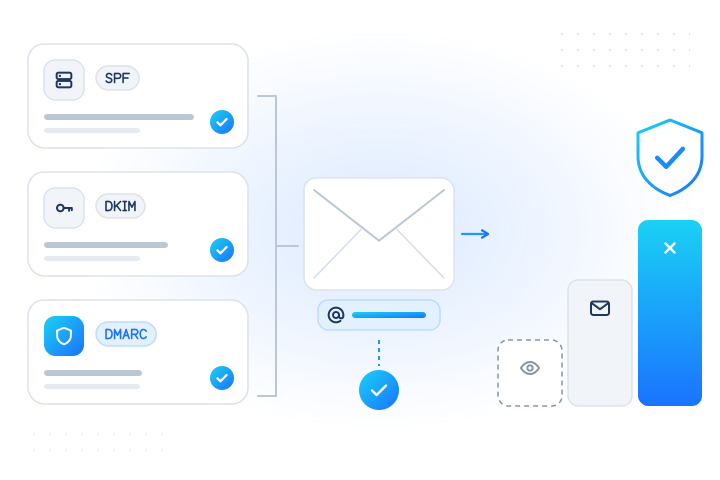
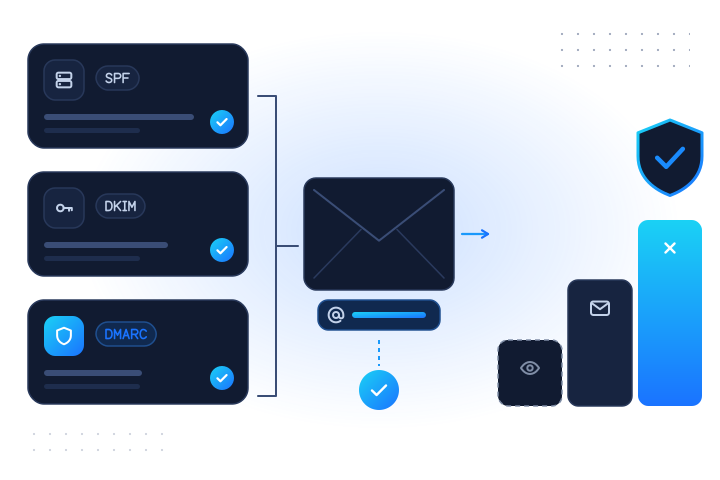
SPF, DKIM and DMARC are three DNS records that let a receiving mail server check that a message really comes from the domain it claims. SPF lists the servers allowed to send for your domain. DKIM signs each message with a key published in your DNS. DMARC ties both to the From address people see, and tells receivers what to do with mail that fails: nothing (p=none), the spam folder (p=quarantine) or bounce it (p=reject).
Since February 2024, Gmail and Yahoo require all three from bulk senders, and Outlook.com has required them from senders of more than 5,000 messages a day since 5 May 2025. Below, we read the real records of gmail.com, outlook.com and yahoo.com, explain each tag, and give a rollout plan. Every dig command was run on 2026-11-07 and the output is pasted as returned. Long keys are cut short, marked ….
What do SPF, DKIM and DMARC each check?
| SPF | DKIM | DMARC | |
|---|---|---|---|
| Question it answers | Is this server allowed to send for the domain? | Did this domain sign the message, unchanged? | Does an authenticated domain match the visible From? What should I do if not? |
| Where the record lives | TXT at the domain (example.com) | TXT at selector._domainkey.example.com | TXT at _dmarc.example.com |
| Which domain it checks | Envelope sender (MAIL FROM, the bounce address) | The d= domain in the DKIM-Signature header | The From: header the reader sees |
| Survives forwarding? | Usually not: the forwarder's IP isn't in your list | Usually yes, if the message isn't modified | Yes, as long as DKIM survives |
| Standard | RFC 7208 | RFC 6376 | RFC 7489, now RFC 9989 |
The gap that DMARC closes: SPF and DKIM can both pass for a domain that has nothing to do with the From address. A spammer can send from their own domain with perfect SPF and DKIM and still put your brand in the From line. DMARC only passes when the authenticated domain aligns with the From domain.
What does a real SPF record look like?
An SPF record is a TXT record that starts with v=spf1. Here are the three big webmail domains:
$ dig TXT gmail.com +noall +answer | grep spf
gmail.com.		267	IN	TXT	"v=spf1 redirect=_spf.google.com"

$ dig TXT outlook.com +noall +answer | grep spf
outlook.com.		300	IN	TXT	"v=spf1 include:spf2.outlook.com -all"

$ dig TXT yahoo.com +noall +answer | grep spf
yahoo.com.		1348	IN	TXT	"v=spf1 redirect=_spf.mail.yahoo.com"
Two of the three hand the whole policy to another name with redirect=. Following those names:
$ dig TXT _spf.google.com +noall +answer
_spf.google.com.	227	IN	TXT	"v=spf1 ip4:74.125.0.0/16 ip4:209.85.128.0/17 ip6:2001:4860:4864::/56 ip6:2404:6800:4864::/56 ip6:2607:f8b0:4864::/56 ip6:2800:3f0:4864::/56 ip6:2a00:1450:4864::/56 ip6:2c0f:fb50:4864::/56 ~all"

$ dig TXT spf2.outlook.com +noall +answer
spf2.outlook.com.	240	IN	TXT	"v=spf1 ip4:40.92.0.0/16 ip4:52.103.0.0/17 ip6:2a01:111:f403:2800::/53 ip6:2a01:111:f403:d000::/53 -all"

$ dig TXT _spf.mail.yahoo.com +noall +answer
_spf.mail.yahoo.com.	1609	IN	TXT	"v=spf1 ip4:34.2.64.0/19 ptr:yahoo.com ptr:yahoo.net ?all"
How to read them:
- Mechanisms say which senders match:
ip4:andip6:give address ranges,include:pulls in another domain's SPF,aandmxmatch the domain's own address and mail servers, andptr:matches by reverse DNS. - The qualifier on
allsays what happens to everything else. RFC 7208 (section 4.6.2) defines+pass (the default),-fail,~softfail and?neutral. So outlook.com ends with a hard-all, Google's list ends with~all(softfail), and Yahoo's ends with?all(no opinion). - Yahoo still uses
ptr. RFC 7208 section 5.5 is titled "ptr (do not use)" and says "This mechanism SHOULD NOT be published", because it is slow and puts load on reverse DNS. A big domain can get away with it; copy the IP-range style instead. - One record only. RFC 7208 section 3.2 says a domain "MUST NOT have multiple records" that would make a check select more than one. Two
v=spf1strings on the same name is a common mistake that turns every check intopermerror. Merge them into one.
What is the SPF 10-DNS-lookup limit?
RFC 7208 section 4.6.4 says: "SPF implementations MUST limit the total number of those terms to 10 during SPF evaluation". The terms that count are the ones that need a DNS query: include, a, mx, ptr, exists and the redirect modifier, including every one inside nested includes. ip4, ip6 and all are free. The same section says checks "SHOULD limit 'void lookups' to two", that is, lookups that return no answer. "Exceeding the limit produces a 'permerror' result."
Counting the three records above:
| Domain | Terms that query DNS | Lookups |
|---|---|---|
gmail.com | redirect=_spf.google.com (which contains only IP ranges) | 1 |
outlook.com | include:spf2.outlook.com (only IP ranges) | 1 |
yahoo.com | redirect=_spf.mail.yahoo.com, then ptr:yahoo.com, ptr:yahoo.net | 3 |
The big providers stay far below 10. Small businesses are the ones that hit the limit, because each tool they send through asks for its own include:. Picture a company whose record is v=spf1 include:_spf.google.com include:spf.protection.outlook.com mx a -all. That is 4 lookups: two includes, mx and a (we resolved both includes on 2026-11-07; they hold only IP ranges, so nothing nested). Add a newsletter tool, a help desk, a CRM and an invoicing service, each with an include that itself includes two more, and you are past 10 without noticing. Receivers then return permerror and DMARC treats SPF as failed.
How to stay under the limit:
- Drop what you don't use. Old includes from tools you cancelled years ago are the most common waste.
- Remove
aandmxif those servers don't send mail. On many domains, the web server and inbound mail servers never send outbound mail. - Send bulk mail from a subdomain (
news.example.com) with its own SPF record. Each name gets its own 10-lookup budget. - Flatten carefully. Replacing an include with the IP ranges it currently returns saves lookups, but the provider can change its ranges at any time. Only flatten if something re-checks the ranges for you.
How does DKIM work, and where is the key?
The sending server signs selected headers and the body with a private key and adds a DKIM-Signature header. Two tags in it matter most: d= is the signing domain ("The SDID claiming responsibility for an introduction of a message into the mail stream", RFC 6376 section 3.5) and s= is the selector. The receiver looks up the public key at <selector>._domainkey.<domain>. For d=example.com and s=foo.bar, the RFC's own example query is "foo.bar._domainkey.example.com" (section 3.6.2.1).
You can't list a domain's selectors from DNS; you read them from the s= tag of a message it sent. Some known selectors, looked up on 2026-11-07:
$ dig TXT s2048._domainkey.yahoo.com +noall +answer
s2048._domainkey.yahoo.com. 6768 IN	TXT	"k=rsa; p=MIIBIjANBgkqhkiG9w0BAQEFAAOCAQ8AMIIBCgKCAQEAuoWufgbWw58MczUGbMv176RaxdZGOMkQmn8OOJ/HGoQ6da…"

$ dig TXT selector1._domainkey.outlook.com +noall +answer
selector1._domainkey.outlook.com. 242 IN CNAME	selector1._domainkey.outbound.protection.outlook.com.
selector1._domainkey.outbound.protection.outlook.com. 542 IN TXT "v=DKIM1;k=rsa;p=MIIBIjANBgkqhkiG9w0BAQEFAAOCAQ8AMIIBCgKCAQEAvWyktrIL8DO/+U…"

$ dig TXT 20230601._domainkey.gmail.com +noall +answer
20230601._domainkey.gmail.com. 3168 IN	TXT	"v=DKIM1; k=rsa; p="
Three patterns worth copying:
- A selector named after the key size (
s2048). Yahoo also publishess1024. The selector is just a label, so name it in a way that helps you rotate. - A CNAME to the provider. outlook.com points its selector at the mail platform's own name, so the platform can rotate the key without anyone editing outlook.com's DNS. Most hosted mail services give you CNAMEs like this to publish.
- An empty
p=is how you retire a key. RFC 6376 section 3.6.1 says "An empty value means that this public key has been revoked." The gmail.com selector above, named after a date, has been emptied that way. Signatures that still point at it fail. That is how you retire an old key safely after rotation.
Key size: RFC 8301 says "Signers MUST use RSA keys of at least 1024 bits for all keys" and "SHOULD use RSA keys of at least 2048 bits", and "rsa-sha1 MUST NOT be used". Google requires "a DKIM key of 1024 bits or longer" for mail to personal Gmail accounts, and Yahoo asks for "a minimum 1024-bit key length". Use 2048 bits if your DNS host accepts long TXT records. The record is split into several quoted strings, as in Yahoo's.
What does a DMARC record contain?
The record sits at _dmarc. plus the From domain. Here are the three providers' records, as published on 2026-11-07:
$ dig TXT _dmarc.gmail.com +noall +answer
_dmarc.gmail.com.	600	IN	TXT	"v=DMARC1; p=none; sp=quarantine; rua=mailto:mailauth-reports@google.com"

$ dig TXT _dmarc.outlook.com +noall +answer
_dmarc.outlook.com.	52	IN	TXT	"v=DMARC1; p=none; sp=quarantine; pct=100; rua=mailto:rua@dmarc.microsoft; ruf=mailto:ruf@dmarc.microsoft; fo=1"

$ dig TXT _dmarc.yahoo.com +noall +answer
_dmarc.yahoo.com.	384	IN	TXT	"v=DMARC1; p=reject; pct=100; rua=mailto:d@rua.agari.com; ruf=mailto:d@ruf.agari.com;"
Yahoo asks receivers to reject failing mail outright. gmail.com and outlook.com publish p=none for the main domain and quarantine for subdomains. Big consumer domains have to weigh years of forwarding and mailing-list traffic, and this is their choice, not a recommendation for you. The tags, as RFC 7489 section 6.3 defines them:
| Tag | Meaning | Default |
|---|---|---|
p | Policy for the domain: none ("no specific action"), quarantine (treat as suspicious) or reject (refuse it, ideally during the SMTP session) | Required |
sp | Policy for subdomains | Same as p |
pct | Percentage of failing mail the policy applies to | 100 |
adkim / aspf | Alignment mode for DKIM / SPF: r relaxed or s strict | r |
rua | Where to send daily aggregate reports (XML summaries per sending IP) | none |
ruf | Where to send per-message failure reports | none |
fo | Which failures trigger a failure report (0 both fail, 1 either fails) | 0 |
What changed in 2026. In May 2026 the IETF published DMARC as a Standards Track document, RFC 9989, which "obsoletes RFCs 7489 and 9091". The version tag stays v=DMARC1, so existing records still work. The changes that matter in practice: pct is removed and replaced by t=y, "shorthand for 'testing'", which equals the old pct=0. The rf and ri tags are removed. A new np tag sets the policy for subdomains that don't exist. The organisational domain is now found by a "DNS Tree Walk" instead of only a public suffix list. Receivers will take time to adopt RFC 9989, so for now a record without pct and t reads the same under both versions.
What is DMARC alignment?
DMARC passes when at least one of these is true (RFC 7489 section 6.6.2):
- SPF passes and the envelope-sender domain aligns with the From domain, or
- DKIM passes and the signature's
d=domain aligns with the From domain.
"Aligns" depends on the mode. In relaxed mode (the default), both domains must share the same organisational domain, that is the one registered at a registrar, so mail.example.com aligns with example.com. In strict mode, "only an exact match" counts.
| From | Envelope sender (SPF) | DKIM d= | Relaxed result |
|---|---|---|---|
news@example.com | bounce.example.com ✓ SPF pass | example.com ✓ DKIM pass | Pass (both align) |
news@example.com | mailer-tool.net ✓ SPF pass | example.com ✓ DKIM pass | Pass (DKIM aligns) |
news@example.com | mailer-tool.net ✓ SPF pass | mailer-tool.net ✓ DKIM pass | Fail: both pass, neither aligns |
news@example.com | bounce.example.com ✗ SPF fail (forwarded) | example.com ✓ DKIM pass | Pass (DKIM survives forwarding) |
The third row is the classic surprise. A sending tool that signs with its own domain gives you green SPF and DKIM checks in its dashboard, and still fails DMARC for your From address. Set up "custom DKIM" or a "branded sending domain" in every tool that sends as you. Mail that is forwarded (the fourth row) is why DKIM alignment matters more than SPF alignment.
What do Google, Yahoo and Microsoft require from senders?
As of 7 November 2026, from each provider's own page:
| Requirement | Gmail (from 1 Feb 2024) | Yahoo (from Feb 2024) | Outlook.com (from 5 May 2025) |
|---|---|---|---|
| Who counts as a bulk sender | More than 5,000 messages a day to Gmail accounts | "Bulk senders" (no number given) | More than 5,000 emails a day to Outlook.com, Hotmail.com and Live.com |
| All senders | "SPF or DKIM", valid forward and reverse DNS, TLS | "SPF or DKIM at a minimum", valid forward and reverse DNS | (rules target high-volume senders) |
| Bulk senders: authentication | "SPF, DKIM, and DMARC" | "Implement both SPF & DKIM" and "DMARC must pass" | SPF "Must Pass", DKIM "Must Pass" |
| Minimum DMARC policy | "can be set to none" | "at least p=none" | "At least p=none" |
| Alignment | From aligned with SPF or DKIM domain | From aligned with SPF or DKIM domain | Align with SPF or DKIM "(preferably both)" |
| Spam rate | Below 0.3%; aim below 0.10% | "below 0.3%" | (asks for list hygiene and visible unsubscribe) |
| Unsubscribe | One-click for marketing and subscribed mail | One-click, honoured "within 2 days" | Clearly visible unsubscribe link |
| If you don't comply | Marked as spam or rejected (error 5.7.26 for unauthenticated mail) | Delivery affected | Sent to Junk; later rejection with "550; 5.7.515 Access denied" |
Sources: Google, Yahoo, Microsoft. Microsoft's April 2025 post routes non-compliant mail to Junk first and says rejection will follow at a date to be announced. Check the page again before you rely on the current step.
How do I roll out DMARC without breaking real mail?
Go slowly. A reject policy published before every legitimate sender is aligned blocks your own invoices and password resets.
- Make a list of everything that sends as your domain. Your mailbox provider, marketing tool, help desk, CRM, billing system, website forms and any server that sends alerts. People always forget one; step 3 finds it.
- Fix SPF and DKIM for each sender. One SPF record, under 10 lookups. Each tool signs DKIM with your domain (a CNAME or a key it gives you), not its own.
- Publish monitoring only:Read the aggregate reports for two to four weeks. Each row is a sending IP, a message count and its SPF/DKIM/alignment result. Unknown IPs that pass nothing are either spoofers or a sender you forgot.Text
_dmarc.example.com. TXT "v=DMARC1; p=none; rua=mailto:dmarc-reports@example.com" - Move to quarantine once every real source passes DMARC:Under the old standard you could stage this withText
_dmarc.example.com. TXT "v=DMARC1; p=quarantine; rua=mailto:dmarc-reports@example.com"pct=10,pct=50and so on. RFC 9989 removespctbecause receivers applied it inconsistently. Use a short quarantine period with close report monitoring instead. - Move to reject once quarantine runs clean:Text
_dmarc.example.com. TXT "v=DMARC1; p=reject; rua=mailto:dmarc-reports@example.com" - Cover the domains that don't send. A parked domain is easy to spoof. Publish
v=spf1 -all,v=DMARC1; p=reject;and, if it receives no mail, a null MX. - Keep reading reports. A new tool added by marketing next year will show up as failing mail before anyone tells you about it.
If the aggregate reports are hard to read raw, a report-processing service turns the XML into charts. Keep the rua address on a mailbox you control.
How does list quality tie in with authentication?
Authentication proves who sent a message. It says nothing about whether the recipient exists or asked for it. A fully aligned p=reject domain still gets filtered if it mails dead addresses and spam traps. All three providers say so:
- Yahoo: "Monitor hard and soft bounces as well as inactive recipients" and "Remove invalid recipients from your list promptly."
- Microsoft: remove invalid addresses regularly, to cut bounces and complaints.
- Google: keep the spam rate below 0.3%, ideally below 0.10%, and confirm each recipient's address before subscribing them.
Spam traps are the hard version of the same problem. Spamhaus describes three kinds: typo traps, "email addresses with a misspelled domain name" close to real mailbox domains; recycled traps, addresses that "were once valid but are now no longer used"; and pristine traps, created to catch specific abuse. It links trap hits to "a list acquisition and or hygiene issue" with "no sunset policy, poor bounce management". Nobody can reliably detect a trap address by looking at it; that is the point of a trap. What works is the process around it:
| Problem | Where it comes from | What prevents it |
|---|---|---|
| Typo traps and typos | gmial.com-style mistakes at sign-up | Syntax and domain check plus a "did you mean" hint on the form; confirmation e-mail |
| Recycled traps and hard bounces | Old addresses that were closed, then reused | Remove hard bounces at once; stop mailing inactive addresses; re-verify old lists before a send |
| Pristine traps | Bought, rented or scraped lists | Don't use them; only mail people who opted in |
| Duplicate and malformed rows | Imports and merges | Dedupe and normalise before upload |
Our tools cover the list side:
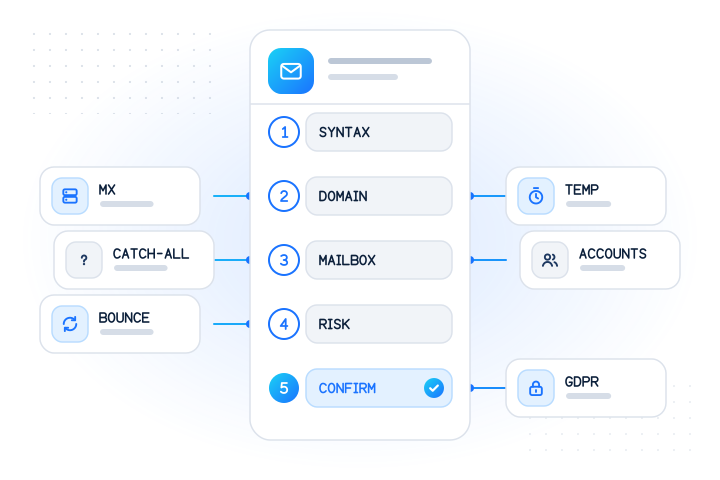
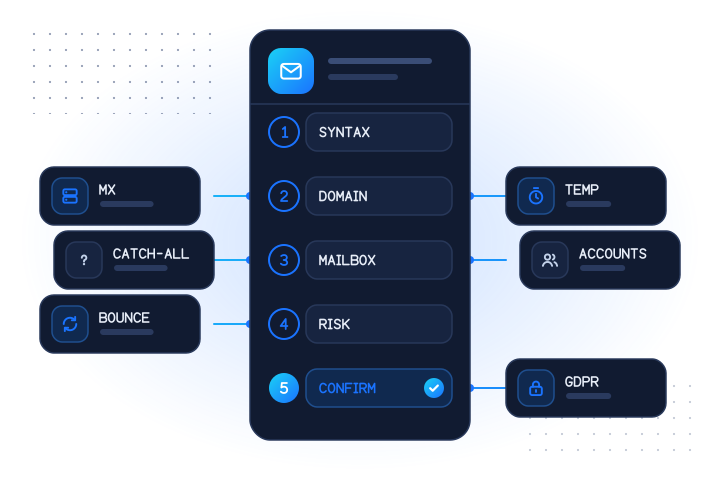
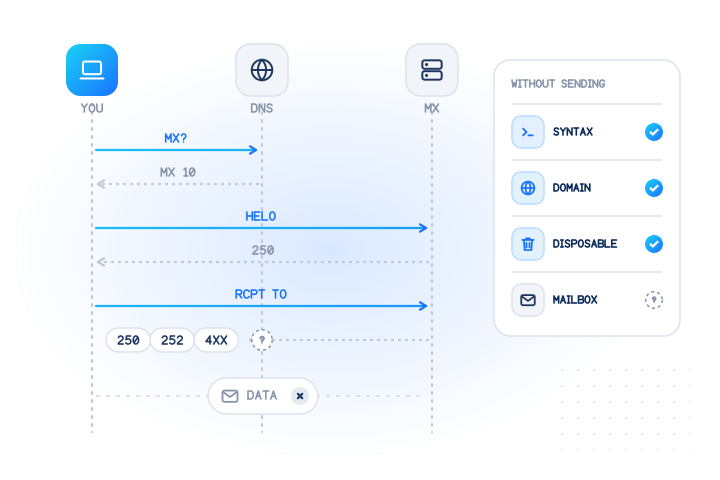
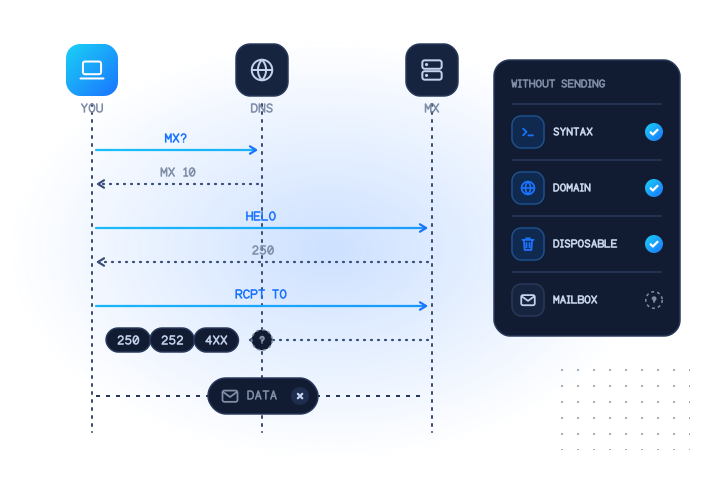
- Free e-mail checker: one address at a time. It checks syntax, domain and MX (including null MX), flags disposable and role addresses, and suggests a fix for typos in common domains. No sign-up, 20 domain checks per network per day.
- Free e-mail list cleaner: paste or upload up to 50,000 addresses. It fixes case and spacing, checks syntax, removes duplicates and flags role and free-mail addresses, all in your browser.
- Mailbox check (
email.valid, paid): whether the mailbox exists at major webmail providers, without sending anything to it. It answersregistered: true,falseornullwithchecked_at. Company and custom domains come backunknown(UNSUPPORTED_PROVIDER) and are free. Prices from our live catalog on 2026-11-07: US$0.006 per address in real time, US$0.004 in bulk, charged only for conclusive answers. Unknown, invalid and duplicate rows are free. Top-ups of US$100 or more get a 5% bonus, US$500 or more 8%, and US$2,000 or more 10%.
To try the mailbox check without paying: every live account can verify 20 e-mail addresses (and 100 phone numbers) for real, free, on the dashboard's Try it page. Live access is approved automatically through request access. A free test key answers fixed test values for building your integration. For a list, upload it as a bulk job (up to 50,000 rows) and read the free estimate before anything runs. The e-mail verification guide explains each step of the check, and how to check an address for free shows the dig MX side.
Check only addresses that people gave you: customers, sign-ups, people who opted in. Verification is for cleaning your own list before a send. It is not a way to build one, and our acceptable use policy forbids guessing or generating addresses.
What are the key takeaways?
- SPF says which servers may send for the domain, DKIM signs messages, and DMARC checks that one of them aligns with the visible From and says what to do if neither does.
- Read real records with
dig:dig TXT example.comfor SPF,dig TXT _dmarc.example.comfor DMARC,dig TXT selector._domainkey.example.comfor DKIM. - Keep SPF to one record and at most 10 DNS-querying terms, nested includes included. Don't publish
ptr. - Use 2048-bit DKIM keys (1024 is the minimum), sign with your own domain in every tool, and retire old keys with an empty
p=. - Bulk senders to Gmail, Yahoo and Outlook.com need SPF, DKIM and DMARC with at least
p=noneand alignment, plus one-click unsubscribe and a spam rate below 0.3%. - Roll out none → quarantine → reject, guided by aggregate reports. RFC 9989 (May 2026) replaces RFC 7489, drops
pctand addst=yfor testing. - Authentication doesn't clean a list. Remove bounces, confirm sign-ups, never buy lists, and verify old lists before you send them.
Sources
- RFC 7208: Sender Policy Framework (SPF) for Authorizing Use of Domains in Email, Version 1 — IETF, 2014
- RFC 6376: DomainKeys Identified Mail (DKIM) Signatures — IETF, 2011
- RFC 8301: Cryptographic Algorithm and Key Usage Update to DKIM — IETF, 2018
- RFC 7489: Domain-based Message Authentication, Reporting, and Conformance (DMARC) — IETF, 2015
- RFC 9989: Domain-Based Message Authentication, Reporting, and Conformance (DMARC) — IETF, 2026
- Email sender guidelines — Google (Gmail Help), 2026
- Sender Best Practices — Yahoo Sender Hub, 2026
- Strengthening Email Ecosystem: Outlook's New Requirements for High-Volume Senders — Microsoft Tech Community, 2025
- Unravelling the myths of spamtraps — Spamhaus, 2023
- MobileValidate service catalog (GET /v1/services), read 2026-11-07 — MobileValidate, 2026
Frequently asked questions
What is the difference between SPF, DKIM and DMARC?
SPF lists the servers allowed to send mail for a domain. DKIM adds a cryptographic signature that proves a domain took responsibility for a message and that it wasn't changed in transit. DMARC ties both to the From address people see: a message passes DMARC only when SPF or DKIM passes for a domain that aligns with the From domain, and DMARC tells receivers what to do when neither does.
Do I need all three: SPF, DKIM and DMARC?
If you send more than 5,000 messages a day to Gmail or Outlook.com addresses, or send bulk mail to Yahoo, yes: their sender rules require SPF, DKIM and a DMARC record. Below that volume Gmail asks for SPF or DKIM, but setting up all three costs little and protects your domain from spoofing.
What is the SPF 10-lookup limit?
RFC 7208 caps an SPF check at 10 DNS-querying terms: include, a, mx, ptr and exists mechanisms plus the redirect modifier, counted across every nested include. Going over makes the result permerror, which DMARC treats as an SPF failure. ip4 and ip6 entries don't count, so flattening busy includes into IP ranges is the usual fix.
Is p=none enough for DMARC?
It meets the Google, Yahoo and Microsoft bulk-sender minimum, and it is the right place to start because it only collects reports. But p=none asks receivers to take no action, so it doesn't stop anyone spoofing your domain. Move to quarantine and then reject once your reports show that all your real mail passes.
What does DMARC alignment mean?
The domain that passed SPF (the envelope sender) or DKIM (the d= tag in the signature) must match the domain in the From header. In relaxed mode, the default, a subdomain of the same registered domain counts as a match; in strict mode, the names must be identical.
How do I see a domain's SPF and DMARC records?
Run dig TXT example.com +short for SPF (look for the string that starts v=spf1) and dig TXT _dmarc.example.com +short for DMARC. On Windows use nslookup -type=txt with the same names. DKIM keys sit at selector._domainkey.example.com, and you find the selector in the s= tag of a received message's DKIM-Signature header.
Can SPF, DKIM and DMARC fix a high bounce rate?
No. Authentication proves who sent a message; it says nothing about whether the recipient's mailbox exists. Bounces and spam-trap hits come from list quality, so you also need to remove invalid addresses, confirm new sign-ups and verify lists before you send. Google, Yahoo and Microsoft all name list hygiene in their sender guidance.
Does MobileValidate set up SPF, DKIM or DMARC for me?
No. Those are DNS records you publish for your own domain. We help with the list side: free tools that check an address's syntax and domain, a free list cleaner, and a paid mailbox check (US$0.006 real time, US$0.004 bulk per conclusive answer, catalog read 2026-11-07) that finds mailboxes that don't exist at major webmail providers before you send.
Related services and guides
More from the blog
All articlesGuides
E-mail verification: the complete 2026 guide
E-mail verification explained step by step: syntax, MX, mailbox, catch-all, disposable and bounce checks, account signals, privacy rules, and which check fits which job.
10 min read
Deliverability
How to check if an e-mail address is valid for free
Free ways to check an e-mail address: syntax, MX lookup with dig or nslookup, disposable and role flags, why SMTP probing backfires, and when to pay.
10 min read
Developers
How to check if an e-mail address exists without sending an e-mail
What syntax, MX, disposable-domain and mailbox checks can tell you without sending mail, why SMTP probing gives false answers, and tested code in Node, Python and PHP.
11 min read