

On this page
SMS fails for six broad reasons: the number is invalid, it isn't assigned any more, the phone is unreachable, the line can't take texts, a carrier filtered the message, or the handset hid it. Your API's "success" usually means only that the message was accepted. Work down the cause tree, and check the number before you send.
Why does "success" not mean "delivered"?
An SMS passes through several hands: your application, your messaging provider, one or more intermediaries, the recipient's operator and finally the handset. The response to your API call comes from the first hop. It confirms that the provider accepted the request, not that a phone received anything.
Amazon's documentation for SNS shows the difference clearly. A successful delivery log carries a provider response such as "Message has been accepted by phone carrier", and the docs note that "it can take up to 72 hours for delivery logs to appear" for some carriers (AWS). The same page lists failure reasons that no API response could have told you at send time, including "Blocked as spam by phone carrier", "Phone is currently unreachable/unavailable" and "Invalid phone number".
So the first fix for "the API said success but nothing arrived" is visibility: turn on delivery receipts or delivery status logs. The second is to stop sending messages that were never going to arrive.
What is the cause tree?
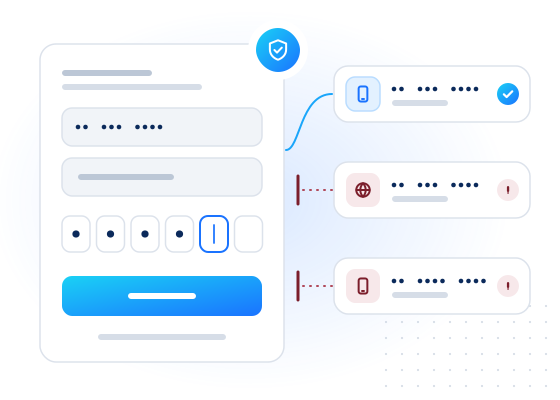
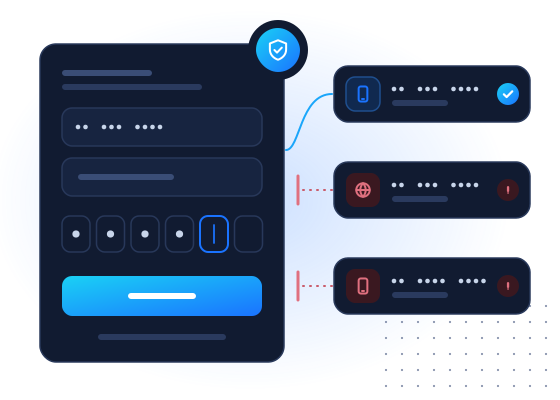
Work through the causes in order. Each level assumes the one above it is fine.
| # | Cause | Typical sign | Check before sending | Fix |
|---|---|---|---|---|
| 1 | Invalid or badly formatted number | Rejected at once, or "invalid number" | E.164 normalization and numbering-plan validation | Ask the user to correct it |
| 2 | Number not assigned, or disconnected | Unknown-subscriber errors | Live network status; list recency | Remove it; re-confirm the contact |
| 3 | Phone unreachable (off, no coverage, full memory) | "Absent subscriber", expired | Live network status | Retry later, or use another channel |
| 4 | Line can't take SMS (landline, some VoIP) | Failures to one number type | Line type | Offer a voice call or another channel |
| 5 | Carrier filtering | Delivered to carrier, never received; spam errors | Sender registration status; content review | Register the sender, fix content, get consent |
| 6 | Handset side | Delivery receipt says delivered | None from your side | Ask the user to check blocked senders and spam folders |
Levels 1 to 4 are about the number. Level 5 is about you as a sender. Level 6 is about the device. Most wasted spend sits in levels 1 to 4, and that is where a pre-send check helps.
How do invalid and unassigned numbers fail?
A number can be wrong in two ways. It can be impossible (too short, wrong prefix, a typo), or it can be possible but not assigned to anyone right now.
Impossible numbers are free to catch. Normalize to E.164 with the right default country and validate against the numbering plan. Our E.164 guide for developers covers the common traps, such as national formats without a country and leading zeros.
Unassigned numbers are harder. The digits are valid, but the operator has no subscriber on them. They come from old lists, typos that happen to form a valid number, and fake sign-ups. At network level, delivery to such a number ends with an error such as MAP's unknownSubscriber, defined in 3GPP TS 29.002 (3GPP). You only learn it after paying, unless you check first. See how to check if a phone number is active for what each check can confirm.
What does "absent subscriber" mean?
It means the number exists but the phone couldn't be reached when delivery was attempted. The phone may be switched off, out of coverage, or unable to accept messages at that moment. In MAP the error for text messages is absentSubscriberSM. SMS works as store and forward: the message centre can keep the message and retry until its validity period runs out, as described in 3GPP TS 23.040 (3GPP). If the phone never comes back in time, the message expires.
What to do depends on the message:
- One-time passcodes go stale in minutes. Don't wait for retries. Offer another channel straight away.
- Transactional notices can wait. Let the network retry.
- A number that is absent for weeks is probably abandoned. Stop sending and re-confirm the contact.
For the full list of network errors and what a delivery receipt can and can't tell you, see SMS delivery receipts vs HLR lookup.
Why does line type matter?
Text messages need a line that can receive them. Most fixed lines can't, some VoIP numbers don't, and premium-rate or shared-cost ranges shouldn't receive your codes at all. A number's line type comes from carrier data, not from the digits alone, because numbers move between services when they are ported.
A test-mode request that normalizes a national-format number and checks its line type:
curl https://api.mobilevalidate.com/v1/lookup \
  -H "Authorization: Bearer $MOBILEVALIDATE_API_KEY" \
  -H "Content-Type: application/json" \
  -d '{"numbers": ["07700 900001", "07700 900002", "12345"], "checks": ["carrier"], "default_country": "GB", "wait": 5}'
Response (excerpt of results, test mode):
[
  {"input": "07700 900001", "e164": "+447700900001", "number_status": "valid",
   "checks": {"network.carrier": {"status": "completed",
     "attributes": {"line_type": "mobile", "carrier": "Test Carrier", "country": "GB"}, "billed": false}}},
  {"input": "07700 900002", "e164": "+447700900002", "number_status": "valid",
   "checks": {"network.carrier": {"status": "unknown", "registered": null, "reason": "NO_DATA", "billed": false}}},
  {"input": "12345", "e164": null, "number_status": "invalid_number"}
]
The first number is a mobile line: send. The second has no carrier data: send under your normal rules, since unknown means "no evidence", and it isn't charged. The third is impossible: ask for a correction and send nothing. For line types like fixed_line or toll_free, offer a voice call or another channel instead of a text.
Why do carriers filter messages?
Operators protect their subscribers from unwanted messages. The US wireless industry's guidelines say it plainly: "Service Providers deploy filters and other tools that limit messaging traffic bearing the characteristics of Unwanted Messages" (CTIA, 2023). Filtering is a common reason for "accepted by the carrier, never received".
Things that raise the chance of filtering:
- Unregistered senders. In the US, application-to-person texts from ordinary long numbers go through 10DLC registration. Other countries have their own sender-ID registration rules.
- Missing consent. The same guidelines expect business senders to get consumers' consent before messaging them and to honour opt-out requests.
- Content patterns such as URL shorteners, misleading text or wording common in spam.
- Volume spikes from a sender with little history.
- Sending to stale numbers. High failure rates make a sender look careless.
A number check can't fix sender registration or content. It does help with the last point: fewer failed sends make your traffic look like what it should be, which is messages to people who expect them.
What happens on the handset?
Sometimes the network did its job and the message still wasn't seen. Common reasons:
- The user blocked the sender or filtered unknown senders.
- The phone moved the message to a spam or junk folder.
- The user is on a messaging app setting that hides texts from unknown numbers.
- The storage was full when the message arrived. Networks often retry, but not forever.
You can't check any of this from your side. Tell users where to look in your "didn't get the code?" screen, and offer a second channel they have chosen.
How do you troubleshoot a delivery problem?
A short routine that works for most support tickets and dashboards:
- Find the record. Look up the message ID and its final status in your provider's delivery log, not the send response.
- Check the number. Is it valid E.164? What is its line type and country? Is it on your allow-list?
- Read the error. Invalid number, unknown subscriber, absent subscriber, blocked or filtered? Each points to a different level of the tree.
- Look for a pattern. One number, one carrier, one country or one message template? Patterns point to filtering or routing, not to the user.
- Compare with verification. For OTP, the ratio of codes entered to codes sent per country is the most honest delivery metric you have.
- Fix upstream. Clean the list, add the pre-send check, register the sender or change the channel.
Where does a pre-send check fit?
Between "we have a number" and "we pay to send". It removes levels 1 and 4 of the tree today, and levels 2 and 3 once a live check is available:
| Check | Removes | Status |
|---|---|---|
| Normalization and validation | Impossible numbers | Free, on every request |
Carrier lookup (carrier) | Wrong line types; tells you the current carrier and porting hints | Available |
Messenger presence (whatsapp and others) | Offers a second channel the user already has | Available |
Live network status (hlr) | Unassigned and currently unreachable numbers | Coming soon |
Invalid and duplicate numbers are never checked or charged, and neither are other inconclusive results (unknown, unsupported country, timeout). Current rates are on the pricing page.
What are the key takeaways?
- An API "success" means the message was accepted, not delivered. Turn on delivery receipts or status logs.
- Work down the tree: invalid, unassigned, unreachable, wrong line type, filtered, handset.
- The first four causes are about the number, and a pre-send check addresses them before you pay.
- Carrier filtering is about you as a sender: registration, consent and content.
- For OTP, measure codes entered against codes sent per country, and offer another channel when a text can't arrive.
The SMS cost reduction use case shows the same checks as a budget exercise. If you are weighing WhatsApp against SMS for codes, read WhatsApp OTP vs SMS OTP: cost and reach.
Sources
Frequently asked questions
My SMS API says success, but the message never arrived. Why?
A success response usually means your provider accepted the message, not that the phone received it. The message can still fail at the carrier, be filtered, or wait for a phone that is switched off. Enable delivery receipts or delivery status logs to see what happened next.
What does absent subscriber mean?
It is a network error meaning the phone couldn't be reached when delivery was attempted, for example because it was switched off or out of coverage. The network may retry for a while. Repeated absent-subscriber errors over weeks suggest an abandoned number.
Can a message show as delivered but not be received?
Yes, occasionally. Some routes report delivery before the handset confirms, and a phone can hide or block messages after delivery. Treat a delivery receipt as strong evidence, not proof, and use verification rates for OTP.
Which check should I run before sending?
Normalize the number and reject impossible ones (free), then check the line type so you don't text landlines or premium-rate numbers. A live network status check helps skip unreachable numbers; ours is coming soon.
Related services and guides
More from the blog
All articlesGuides
How to check if a phone number is active (and what "active" really means)
Valid, active, reachable and registered mean different things. The methods for checking each one, what they cost and where every method falls short.
7 min read
Deliverability
SMS delivery receipts vs HLR lookup: before or after you send
A delivery receipt reports what happened after you sent an SMS. An HLR lookup asks the network before you send. What each can see, miss and cost.
7 min read
Deliverability
RCS capability check: what it tells senders before they send
What an RCS capability check tells you before sending, iPhone support, RCS vs SMS fallback, what RBM is, and a decision table with bulk API examples.
7 min read