

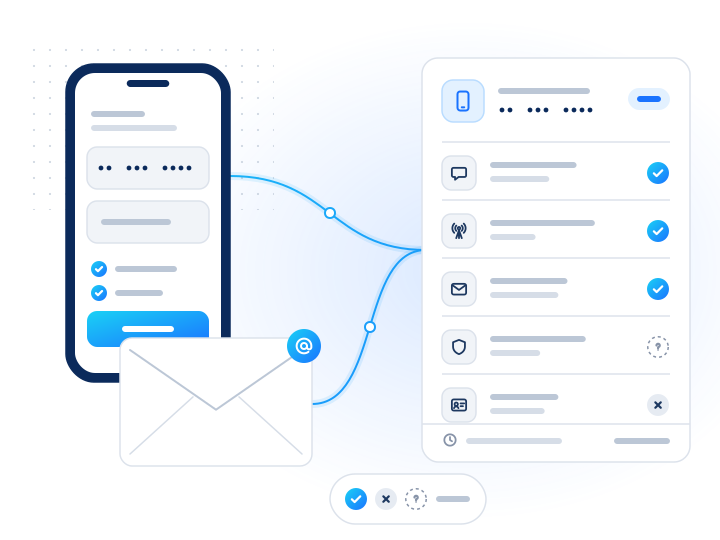
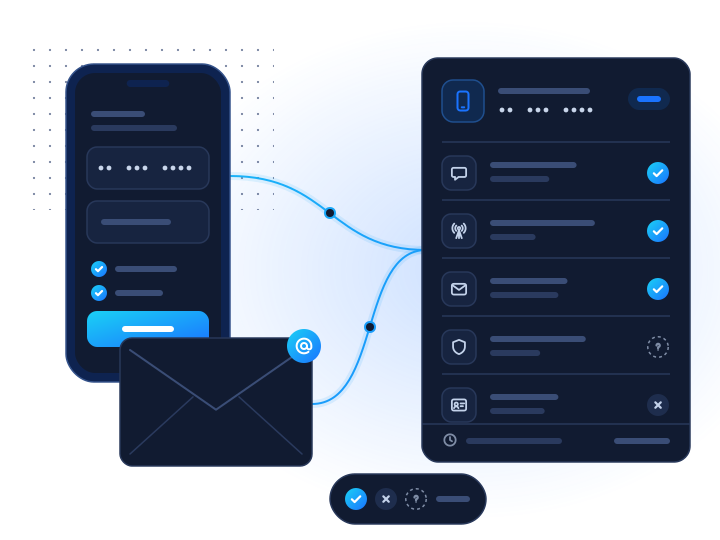
Online travel agencies, hotels and car-rental firms check the phone number and e-mail on a booking so confirmations, schedule changes and pick-up details reach the guest. A carrier lookup shows whether the number is a mobile line, an HLR lookup whether it is live now, and the mailbox check whether the address exists. A WhatsApp check shows whether itinerary messages can go there if the guest chooses. No check identifies the person.
Why check contact details on bookings?
A booking is a promise about a future date, and the contact details are how you keep it. Between booking and arrival you may need to send a confirmation, a voucher, a gate or room change, a delayed pick-up, or a "your car is ready" message. When the details are wrong, the cost lands late:
- No-shows and empty rooms. A guest who never got the confirmation or the change notice may not turn up, or turn up at the wrong time.
- Unreachable guests during disruption. When a flight is delayed or a property overbooks, you need to reach the guest within hours. A dead number or a bouncing mailbox means you can't.
- Fake and risky bookings. Bookings made with stolen cards or to hold inventory often carry made-up or throwaway contacts. A contact that fails every check is a reason for your fraud team to look closer, together with payment signals.
- Support load. "I never got my booking" contacts cost agent time and refunds.
The carrier lookup returns line_type, the HLR lookup returns reachable, unreachable or invalid, and the e-mail mailbox check says whether the mailbox exists at a major webmail provider. Messaging-app checks such as WhatsApp and Telegram say whether the number has an account.
How does the workflow look?
- At booking, normalize. Ask for the guest's country and pass it as
default_country, so a number typed in national format becomes E.164. Unparseable entries come back asinvalid_number, free, and you can ask for a correction before payment. - Run the checks. Call
POST /v1/lookupwith the number, the address andchecks: ["carrier", "whatsapp", "email"], a shortwaitand the booking reference inmetadata. - Fix typos inline. If the mailbox doesn't exist or the number is invalid, ask the guest to check it while they are still on the page.
- Offer channels that work. If the number has a WhatsApp account, offer "send my itinerary on WhatsApp" as an opt-in. Otherwise offer SMS for mobiles and e-mail for everyone.
- Flag for review, don't decide. Send bookings whose contacts fail every check to your fraud or reservations team with the payment signals.
- Before arrival or pick-up, run
hlrwithmax_age: 0for high-value or time-critical bookings. If the phone is unreachable, send the message by e-mail as well. - Store the outcome. Keep the channel choice and
checked_atwith the booking, not the full response.
Which checks answer which question?
| Check | What it answers | When to run it | Link |
|---|---|---|---|
carrier | Mobile, fixed line or VoIP? | At booking, before SMS confirmations | Carrier lookup |
hlr | Is the mobile number assigned and reachable now? | High-value bookings; before arrival or pick-up | HLR lookup |
email | Does the mailbox exist at a major webmail provider? | At booking, so the confirmation arrives | E-mail mailbox check |
whatsapp, telegram | Does the number have an account on the app? | Offering app itinerary updates | WhatsApp, Telegram |
viber (bulk only) | Viber account? | Periodic refresh of repeat guests in Viber markets | Viber |
What should you do with each result?
| Result | Suggested action |
|---|---|
line_type: mobile, mailbox exists | Confirm as normal; offer SMS updates |
line_type: fixed_line | Don't send SMS; use e-mail, and a consented app if any |
HLR status: invalid or invalid_number | Ask the guest to correct the number before you confirm |
HLR status: unreachable | Keep the booking; send by e-mail too and retry later |
Mailbox registered: false | Ask for a corrected address; send the voucher by SMS meanwhile |
WhatsApp registered: true | Offer WhatsApp itinerary updates as an opt-in |
| Every contact check fails | Review with your payment and fraud signals; don't cancel on contacts alone |
Any check unknown | Continue; unknown is free and neutral |
What about international guests?
Travel is international by default, and so are the numbers. A few things help:
- Ask for the country, not just the digits. Many guests type their number the way they dial it at home. With
default_country,06 12 34 56 78from a French guest becomes a valid E.164 number. Without it, the API can't tell which country is meant. - Know the local formats. Our phone numbers by country hub links guides for 41 countries, such as Japan, Spain, Italy, France and Thailand, with mobile prefixes and lengths.
- Free tools for agents. The phone number country lookup shows which country a pasted number belongs to, and the country calling code lookup gives calling codes and exit prefixes. The WhatsApp link generator builds a wa.me link for a guest who asked to chat.
- Pick the app by market. WhatsApp is the default messenger in many countries, while other markets lean on other apps. See choosing a messaging channel by country.
- Roaming is normal. A reachable phone that is roaming is just a traveller. The HLR lookup returns roaming as true or false, never where the guest is.
What does a request look like?
This request uses the public sandbox key from the test values page, so you can run it as is. +447700900001 is a mobile with a WhatsApp account, and registered@test.mobilevalidate.com has a mailbox.
curl https://api.mobilevalidate.com/v1/lookup \
  -H "Authorization: Bearer mv_test_publicSandboxn9ZgneuhR1B9CRfKG3fulym" \
  -H "Content-Type: application/json" \
  -d '{"numbers":["+447700900001"],"emails":["registered@test.mobilevalidate.com"],"checks":["carrier","whatsapp","email"],"metadata":{"booking_ref":"BK-58Q2"}}'
// npm install mobilevalidate · Node.js 20+ · save as check.mjs and run: node check.mjs
import { MobileValidate } from "mobilevalidate";
// Omit apiKey to read MOBILEVALIDATE_API_KEY from the environment.
const mv = new MobileValidate({ apiKey: "mv_test_publicSandboxn9ZgneuhR1B9CRfKG3fulym" });
const { data, error } = await mv.lookup({
numbers: ["+447700900001"],
emails: ["registered@test.mobilevalidate.com"],
checks: ["carrier", "whatsapp", "email"],
metadata: { booking_ref: "BK-58Q2" },
});
if (error) console.error(error.code, error.message);
else console.dir(data.results, { depth: null });// Node.js 18+, Deno, Bun or the browser console (ES module: save as .mjs or use "type": "module").
const res = await fetch("https://api.mobilevalidate.com/v1/lookup", {
method: "POST",
headers: {
Authorization: "Bearer mv_test_publicSandboxn9ZgneuhR1B9CRfKG3fulym",
"Content-Type": "application/json",
},
body: JSON.stringify({
numbers: ["+447700900001"],
emails: ["registered@test.mobilevalidate.com"],
checks: ["carrier", "whatsapp", "email"],
metadata: { booking_ref: "BK-58Q2" },
}),
});
console.log(res.status, res.headers.get("x-request-id"));
console.dir(await res.json(), { depth: null });# pip install mobilevalidate-sdk
from mobilevalidate import MobileValidate
# Omit api_key to read MOBILEVALIDATE_API_KEY from the environment.
mv = MobileValidate(api_key="mv_test_publicSandboxn9ZgneuhR1B9CRfKG3fulym")
result = mv.lookup(
numbers=["+447700900001"],
emails=["registered@test.mobilevalidate.com"],
checks=["carrier", "whatsapp", "email"],
metadata={ "booking_ref": "BK-58Q2" },
)
print(result)<?php
$ch = curl_init('https://api.mobilevalidate.com/v1/lookup');
curl_setopt_array($ch, [
CURLOPT_POST => true,
CURLOPT_RETURNTRANSFER => true,
CURLOPT_HTTPHEADER => [
'Authorization: Bearer mv_test_publicSandboxn9ZgneuhR1B9CRfKG3fulym',
'Content-Type: application/json',
],
CURLOPT_POSTFIELDS => json_encode([
'numbers' => ['+447700900001'],
'emails' => ['registered@test.mobilevalidate.com'],
'checks' => ['carrier', 'whatsapp', 'email'],
'metadata' => [ 'booking_ref' => 'BK-58Q2' ],
]),
]);
$response = curl_exec($ch);
echo curl_getinfo($ch, CURLINFO_RESPONSE_CODE), PHP_EOL, $response, PHP_EOL;package main
import (
"fmt"
"io"
"net/http"
"strings"
)
func main() {
body := strings.NewReader(`{"numbers":["+447700900001"],"emails":["registered@test.mobilevalidate.com"],"checks":["carrier","whatsapp","email"],"metadata":{"booking_ref":"BK-58Q2"}}`)
req, err := http.NewRequest("POST", "https://api.mobilevalidate.com/v1/lookup", body)
if err != nil {
panic(err)
}
req.Header.Set("Authorization", "Bearer mv_test_publicSandboxn9ZgneuhR1B9CRfKG3fulym")
req.Header.Set("Content-Type", "application/json")
res, err := http.DefaultClient.Do(req)
if err != nil {
panic(err)
}
defer res.Body.Close()
out, _ := io.ReadAll(res.Body)
fmt.Println(res.Status, string(out))
}require "net/http"
require "json"
uri = URI("https://api.mobilevalidate.com/v1/lookup")
req = Net::HTTP::Post.new(uri)
req["Authorization"] = "Bearer mv_test_publicSandboxn9ZgneuhR1B9CRfKG3fulym"
req["Content-Type"] = "application/json"
req.body = JSON.generate({
"numbers" => ["+447700900001"],
"emails" => ["registered@test.mobilevalidate.com"],
"checks" => ["carrier", "whatsapp", "email"],
"metadata" => { "booking_ref" => "BK-58Q2" }
})
res = Net::HTTP.start(uri.host, uri.port, use_ssl: true) { |http| http.request(req) }
puts res.code, res.bodyRuns as pasted with the public sandbox key, which answers the test values only. In the SDKs, omit the key to use MOBILEVALIDATE_API_KEY.
Response (excerpt, test mode: the checks of the phone row, then of the e-mail row):
[
  {
    "network.carrier": {
      "service": "network.carrier", "status": "completed", "registered": true,
      "attributes": {"line_type": "mobile", "carrier": "Test Carrier", "country": "GB"},
      "confidence": "high", "confidence_score": 0.99, "checked_at": "2026-11-08T02:49:50.077Z",
      "cached": false, "age_seconds": 0, "billed": false, "reason": null, "poll_after_ms": null
    },
    "whatsapp.registered": {
      "service": "whatsapp.registered", "status": "completed", "registered": true, "attributes": null,
      "confidence": "high", "confidence_score": 0.99, "checked_at": "2026-11-08T02:49:50.077Z",
      "cached": false, "age_seconds": 0, "billed": false, "reason": null, "poll_after_ms": null
    }
  },
  {
    "email.valid": {
      "service": "email.valid", "status": "completed", "registered": true, "attributes": null,
      "confidence": "high", "confidence_score": 0.99, "checked_at": "2026-11-08T02:49:50.077Z",
      "cached": false, "age_seconds": 0, "billed": false, "reason": null, "poll_after_ms": null
    }
  }
]
The number is a mobile with a WhatsApp account and the mailbox exists. Confirm the booking by e-mail and offer WhatsApp itinerary updates as an opt-in. The response echoes metadata ("booking_ref": "BK-58Q2"), so you can match it to the booking.
How much does it cost?
As of 8 November 2026, the live catalog lists these prices per conclusive answer:
| Check | Real time | Bulk |
|---|---|---|
Carrier lookup (carrier) | $0.003 | $0.0015 |
HLR lookup (hlr) | $0.006 | $0.005 |
WhatsApp (whatsapp) | $0.004 | $0.00025 |
Telegram (telegram) | $0.001 | $0.0003 |
E-mail mailbox check (email) | $0.006 | $0.004 |
Viber (viber) | bulk only | $0.00015 |
The booking-time set in the example (carrier, WhatsApp and e-mail) costs at most $0.013 per booking. Unknown, unsupported-country, timeout, invalid-format and duplicate results are free, and a returning guest inside the freshness window is answered from your account's cache for free. Compare that with what one no-show or one unreachable guest during a disruption costs you. Current prices are on the pricing page.
To try it on real details first, every account can run 20 phone numbers and 10 e-mail addresses through the real-time checks for free on the dashboard's Try it page. Request access; approval is automatic, usually within 10–15 minutes.
What about consent and compliance?
- Closely linked purpose. Guests give you their contact details to receive the booking. Say in your privacy notice that you check them so confirmations and changes reach the guest and to prevent fraud.
- No identity claims. The checks describe contact details, not who booked. They don't replace payment authentication or ID checks at the desk, and they never return names or profiles.
- Channel consent. Itinerary updates on WhatsApp or another app need the guest's opt-in for that channel and must follow the platform's business rules. Service updates don't cover promotions.
- No tracking. Roaming is returned as true or false only. Don't use the HLR lookup to follow guests or drivers.
- No eligibility decisions. Results must not be used for credit, employment, housing or insurance decisions; see the acceptable use policy.
- Minimize. Store the outcome and
checked_at, not the response. People can object through the opt-out form.
What are the common mistakes?
- Dropping the country field. National-format numbers can't be checked without it. Ask for the guest's country or a
+number. - Cancelling on one weak signal. An unreachable phone may be on a plane. Confirm by e-mail first.
- Sending SMS to a hotel landline. Corporate bookers often give a desk phone. Check line type before texting.
- Treating a WhatsApp account as opt-in. Offer the channel; send there only after the guest says yes.
- Running HLR on every booking. Keep it for high-value or time-critical moments; line type and app registration change slowly.
- Blocking on
unknown. Missing data isn't fraud. Let the booking through.
Frequently asked questions
Why check the contact details on a booking?
The phone number and e-mail on a booking carry the confirmation, the itinerary, schedule changes and pick-up details. If either is wrong, the guest misses important messages and may not turn up, and fake bookings with made-up contacts are harder to spot. A check at booking lets the guest fix a typo while still on the page.
Does the check confirm who made the booking?
No. The checks describe a phone number or an e-mail address: whether it is valid, live, a mobile line, and whether it has a messaging-app account. They never return names, photos or profiles and don't verify identity. Combine them with your payment and fraud signals.
Can I send itinerary updates on WhatsApp if the guest's number has an account?
Only if the guest chose WhatsApp for updates. An account shows the channel can reach the number; it is not consent. The WhatsApp check helps you offer the option at booking and avoid sending to numbers without an account.
Do the checks work for international guests?
Yes. Numbers are normalized to E.164 first, so a guest can enter a number in their home format if you pass their country as default_country. HLR, carrier and WhatsApp checks run for most countries; numbers from sanctioned countries are never checked and are free.
Should I cancel a booking when a check fails?
Not automatically. Ask the guest to confirm or correct the details by the channel that works. Hold or cancel under your own terms only when the contact is conclusively wrong and the guest doesn't respond.
Is the HLR lookup a way to see if the guest is travelling?
No. It returns roaming as true or false only and never a location. Don't use it to monitor guests; it is there to tell you whether the phone can be reached.
What do the checks cost per booking?
As of 8 November 2026, a real-time carrier check is $0.003, an HLR lookup $0.006, a WhatsApp check $0.004 and the e-mail mailbox check $0.006, charged only for conclusive answers. Unknown answers are free.
Related
- ServiceHLR lookup API: live mobile network status
- ServicePhone carrier lookup by number: carrier and line type API
- ServiceCheck if a phone number is registered on WhatsApp
- ServiceCheck if an e-mail mailbox exists
- Use caseE-commerce order verification
- Use caseAppointment reminders for clinics and healthcare