On this page
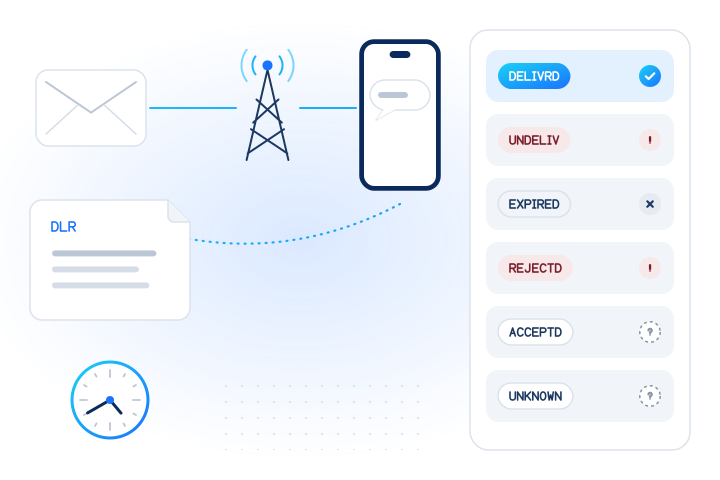
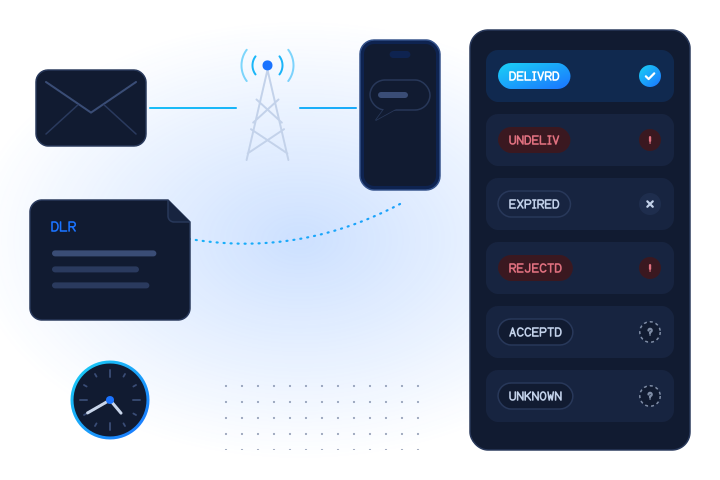
An SMS delivery report (DLR, also called a delivery receipt) is the status the SMS centre sends back after it has concluded what happened to a message: delivered to the phone, expired, rejected or undeliverable. "Delivered" means the network handed the text to the handset, or at least reported doing so. It never means the person read it. Reports are optional for operators and vary by route, so a missing or odd status is common and should be treated as "unknown", not as success or failure.
What is an SMS delivery report?
An SMS delivery report is a short status message about a text you sent, generated by the SMS centre (SMSC) that handled it. On a phone, it shows up as a "Delivered" label under a sent message. In business messaging, it arrives at your server as a callback or over an SMPP connection, linked to the message ID you got when you submitted the text. Our delivery receipt glossary entry has the short definition.
The mobile SMS standard, 3GPP TS 23.040, describes the mechanism as the SMS centre "returning a status report TPDU (SMS-STATUS-REPORT) to the originating MS when the SC has concluded the status of the short message". It also says: "The status report capabilities of the SMS are optional, i.e. the choice of whether to offer status report or not is left to the SC operator" (3GPP TS 23.040). That one sentence explains much of the confusion around DLRs.
What does "Get SMS delivery reports" mean on a phone?
Many messaging apps have a setting called "Get SMS delivery reports" or "Delivery reports". Switching it on sets a flag in each text you send asking for a status report. In TS 23.040 this flag is the TP-Status-Report-Request (TP-SRR), "indicating if the MS is requesting a status report" (3GPP TS 23.040).
When the operator supports it, your phone receives a small hidden status message and the app marks your text as delivered. When it doesn't, or when the recipient is abroad or on a route that drops reports, you see nothing or a vague status. The setting doesn't affect whether your text is delivered, only whether you hear about it.
How do business delivery reports work?
For businesses, the report travels back along the same chain the message took: from the recipient's network, through any aggregators, to your messaging provider and then to your application. There are two distinct events, and confusing them is the most common mistake:
| Event | What it means | When you get it |
|---|---|---|
Submit response (for example, an API 200 or SMPP submit_sm_resp) | Your provider accepted the message and gave it an ID | Immediately |
| Delivery report | The network concluded the message's fate | Seconds to hours later, or never |
Most providers' APIs and dashboards show their own status words (for example queued, sent, delivered, undelivered, failed). Underneath, many routes still carry the SMPP format. SMPP v3.4 lets the sender request reports with the registered_delivery parameter, including an option for a receipt only "where the final delivery outcome is delivery failure" (SMPP v3.4). If your platform requests failure-only receipts, silence is the normal success case.
What does each DLR status mean?
SMPP v3.4 gives a "typical example" of a receipt carried in the message text, and notes that the exact format depends on the SMSC implementation (SMPP v3.4):
id:IIIIIIIIII sub:SSS dlvrd:DDD submit date:YYMMDDhhmm done date:YYMMDDhhmm stat:DDDDDDD err:E Text:...The stat field carries the final state. These are the SMPP definitions, with what each one means in practice:
stat | SMPP definition | What it usually means for you | What to do |
|---|---|---|---|
DELIVRD | "Message is delivered to destination" | The network reports handset delivery | Nothing; count as delivered |
UNDELIV | "Message is undeliverable" | Permanent failure: unassigned number, barred line, landline, blocked content | Check err; stop retrying the same number and content |
EXPIRED | "Message validity period has expired" | Phone off or out of coverage for too long | Retry later or use another channel |
REJECTD | "Message is in a rejected state" | Refused by the network or a filter, often for sender or content reasons | Check registration, sender ID and content |
DELETED | "Message has been deleted" | Cancelled in the SMS centre, by an operator or a command | Investigate with your provider |
ACCEPTD | "Message is in accepted state (i.e. has been manually read on behalf of the subscriber by customer service)" | Rare in this sense; some providers use it loosely for "accepted for delivery" | Read your provider's mapping before counting it |
UNKNOWN | "Message is in invalid state" | The route can't say | Treat as unknown |
SMPP also defines an ENROUTE state for messages still in transit, returned when you query a message's state (SMPP v3.4). It is not final.
The err field "may hold a Network specific error code or an SMSC error code", and SMPP notes these "are Network or SMSC specific" (SMPP v3.4). The same number can mean different things on different routes, so map error codes per provider. Our guide to SMS delivery receipts vs HLR lookup covers the common network error causes, such as an absent subscriber or an unknown subscriber.
What does "delivered" really mean?
It means the network says the message reached the handset. It doesn't mean:
- Read. SMS has no read receipts. Only richer channels such as RCS report reads.
- Seen by the right person. After a SIM swap or a number reassignment, the message reaches whoever holds the number now.
- Shown to the user. A phone may file a message into a spam folder or a filtered inbox after delivery.
- Always confirmed. TS 23.040 even defines a status for "Short message forwarded by the SC to the SME but the SC is unable to confirm delivery" (3GPP TS 23.040). Whether that becomes "delivered" or "unknown" in your dashboard depends on the route.
For one-time passcodes, the honest delivery metric is conversion: the share of codes that are entered. Track it per country and per route next to your delivery reports: when the two diverge, the reports are wrong or the messages are being filtered on the phone.
Why are delivery reports missing or wrong?
| Cause | What you see | Why it happens |
|---|---|---|
| Operator doesn't offer reports | No report, ever, for some countries or networks | Reports are optional for the SMS centre operator |
| Failure-only receipts requested | Reports only for failures | registered_delivery set to failure-only |
| Long validity period | No report for hours, then EXPIRED | The SMS centre keeps retrying a phone that is off |
| Grey or low-quality routes | DELIVRD for messages nobody received | Some routes generate positive reports without confirmed delivery |
| Status translation | ACCEPTD or UNKNOWN treated as success | Each hop maps statuses to its own vocabulary |
| Intermediate notifications | An early, non-final status | Some SMS centres send interim states; SMPP leaves this to the implementation |
| Callback failures | Report generated but never stored | Your webhook was down or rejected the request |
Practical rules: set a timeout after which a message without a final report counts as unknown; never count unknown as delivered; alert on sudden changes in delivery or conversion per country and per route rather than on single failures; and keep the provider's message ID, the raw status and the err code for every send.
Here is a small parser for SMPP-style receipt text, useful when your provider passes the raw receipt through:
import re

FINAL = {"DELIVRD": "delivered", "UNDELIV": "failed", "REJECTD": "failed",
         "EXPIRED": "expired", "DELETED": "failed", "ACCEPTD": "unknown", "UNKNOWN": "unknown"}

def parse_dlr(text: str) -> dict:
    fields = dict(re.findall(r"(id|sub|dlvrd|stat|err):(\S+)", text))
    return {"message_id": fields.get("id"), "raw_stat": fields.get("stat"),
            "outcome": FINAL.get(fields.get("stat", ""), "unknown"), "err": fields.get("err")}

parse_dlr("id:7f3a91 sub:001 dlvrd:001 submit date:2610011200 done date:2610011201 stat:DELIVRD err:000 Text:Your code")
# {'message_id': '7f3a91', 'raw_stat': 'DELIVRD', 'outcome': 'delivered', 'err': '000'}How do pre-send checks reduce failed deliveries?
A delivery report tells you what went wrong after you paid for the message. A pre-send check catches the predictable failures before you send.
| DLR outcome | Typical cause | Pre-send check that catches it |
|---|---|---|
UNDELIV, unassigned number | Number not in service | HLR lookup: status: invalid |
UNDELIV, landline or toll-free | Line can't receive SMS | Carrier lookup: line_type |
EXPIRED | Phone off or out of coverage | HLR lookup: status: unreachable |
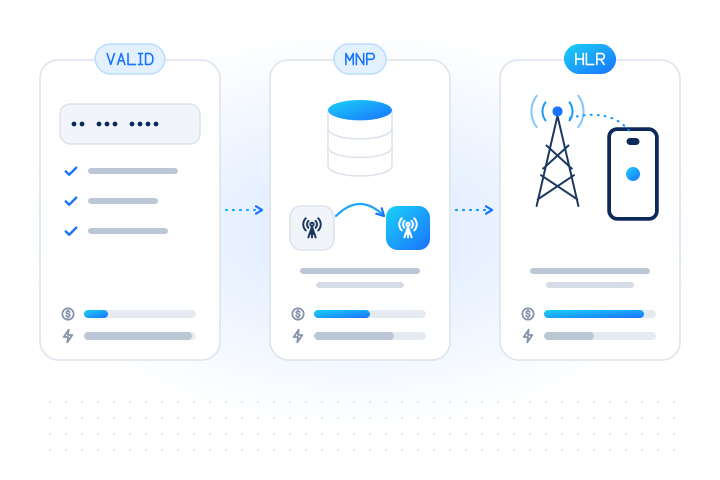
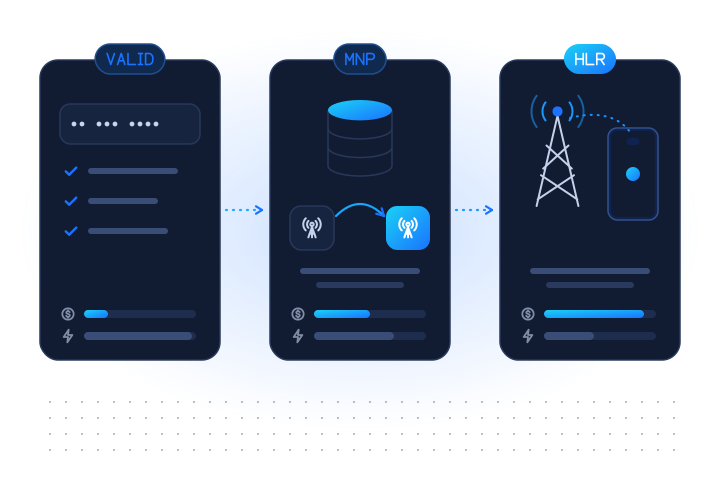
| Failures on one network after porting | Routed by prefix to the wrong network | MNP lookup: current mcc_mnc |
REJECTD | Sender or content filtering | Not a number problem: fix registration and content |
For a one-time passcode, a fresh HLR check right before sending is the most useful. With a test key, +447700900002 returns unreachable (see test mode):
curl https://api.mobilevalidate.com/v1/lookup \
  -H "Authorization: Bearer $MOBILEVALIDATE_API_KEY" \
  -H "Content-Type: application/json" \
  -d '{"numbers": ["+447700900002"], "checks": ["hlr"], "max_age": 0, "wait": 5}'
If checks["number.hlr"].attributes.status is unreachable, offer e-mail, voice or an authenticator app straight away instead of waiting for an SMS that will expire. If it's invalid, ask the user to correct the number. An HLR lookup costs $0.005 per number at the time of writing, and unknown answers, such as after a network timeout, are free (pricing). For lists, a carrier lookup in a bulk job at $0.001 per number removes landlines and other non-SMS lines before a campaign. The SMS cost reduction use case shows the full workflow, and why SMS messages aren't delivered walks through every failure cause.
Key takeaways
- An SMS delivery report is the SMS centre's status for a message you sent: delivered, undeliverable, expired, rejected, deleted or unknown.
- On phones, "Get SMS delivery reports" only asks for a status report; operators decide whether to provide one.
- In SMPP receipts,
stat:DELIVRDmeans delivered to the destination,UNDELIVa permanent failure,EXPIREDa phone that stayed unreachable, andREJECTDa refusal, often for sender or content reasons. - "Delivered" isn't "read", and some routes report delivery they can't confirm. Use OTP conversion as the real success metric.
- Missing reports are normal on some routes. Time out to
unknown, never to "delivered". - Pre-send line type, reachability and porting checks prevent the predictable failures before you pay for them. Unknown answers from MobileValidate are never charged.
Sources
Frequently asked questions
What does an SMS delivery report mean?
It is a status message the SMS centre sends back to the sender after it has concluded what happened to a text: delivered to the phone, expired, rejected or undeliverable. It reports what the network observed, not whether the person read the message.
What does 'Get SMS delivery reports' mean on my phone?
It's a setting that asks your operator's SMS centre to send your phone a status report for each text you send, so the messaging app can show it as delivered. The SMS standard leaves it to each operator whether to offer status reports, so the setting doesn't work on every network or route.
What is the difference between DELIVRD and ACCEPTD?
In the SMPP format, DELIVRD means the message was delivered to the destination. ACCEPTD is defined as accepted, meaning it was read manually on behalf of the subscriber by customer service. Some providers use 'accepted' loosely for 'accepted for delivery', so check your provider's mapping.
Why did I get no delivery report at all?
Status reports are optional for operators, some routes drop or never generate them, the sender may have requested reports only for failures, or the message is still waiting for the phone within its validity period. Treat a missing report as unknown, not as delivered or failed.
Can a delivery report say delivered when the message never arrived?
Yes, it can happen. Some routes return a positive report without confirmed handset delivery, and the SMS standard has a status for messages forwarded without confirmed delivery. Watch conversion signals, such as OTP codes entered, alongside DLRs.
What does EXPIRED mean in an SMS delivery report?
The message's validity period ran out before it could be delivered, usually because the phone stayed off or out of coverage. The number may be fine; the phone just wasn't reachable in time.
How can I reduce undelivered SMS before sending?
Remove numbers that can't receive SMS (landlines, toll-free, unassigned numbers) with a line type check, and check whether a mobile is reachable right now with an HLR lookup before time-critical messages such as one-time passcodes.
Related services and guides
More from the blog
All articlesDeliverability
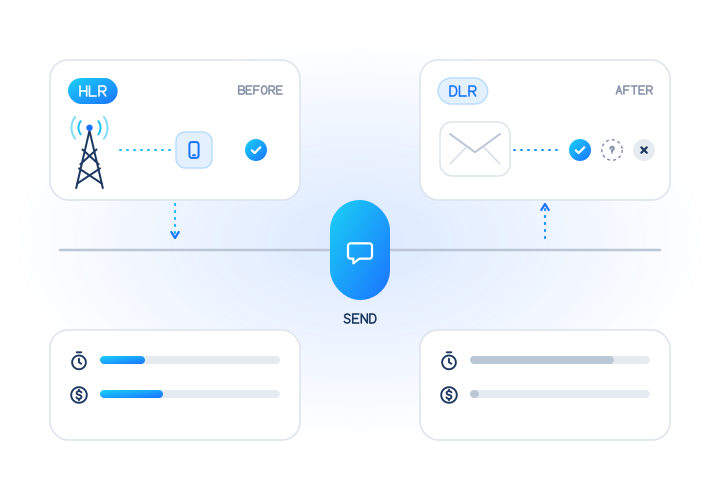
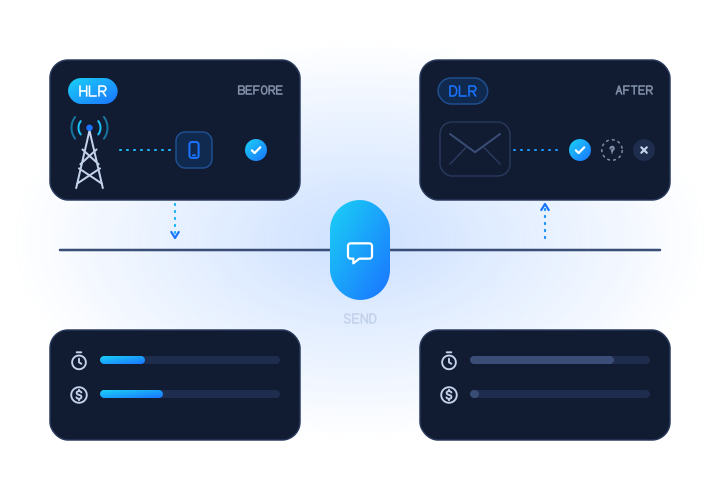
SMS delivery receipts vs HLR lookup: before or after you send
A delivery receipt reports what happened after you sent an SMS. An HLR lookup asks the network before you send. What each can see, miss and cost.
7 min read
Deliverability
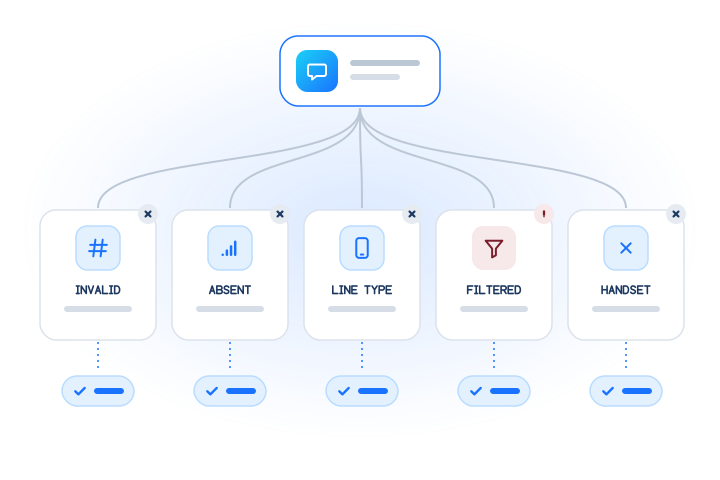
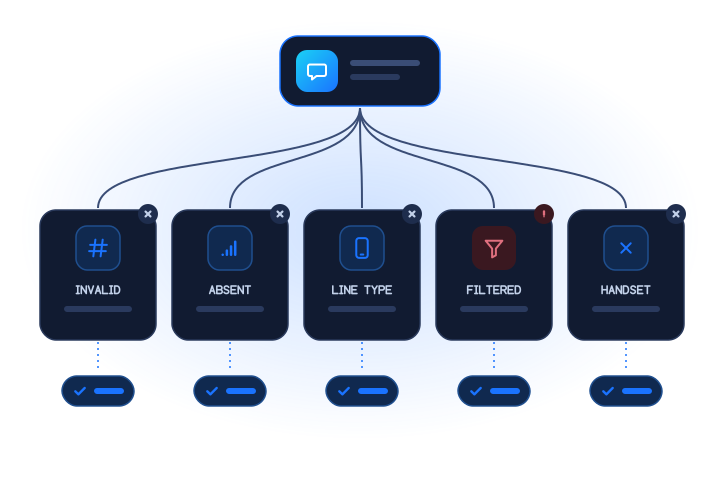
Why SMS messages aren't delivered: a cause tree with fixes
A cause tree for undelivered SMS: invalid numbers, unreachable phones, wrong line types, carrier filtering and handsets, with a fix for each.
7 min read
Guides
HLR lookup vs MNP lookup vs number validation: what each one answers
Validation checks the digits, MNP finds the current network, HLR asks the network if the number is live. What each answers, costs and misses.
7 min read