On this page
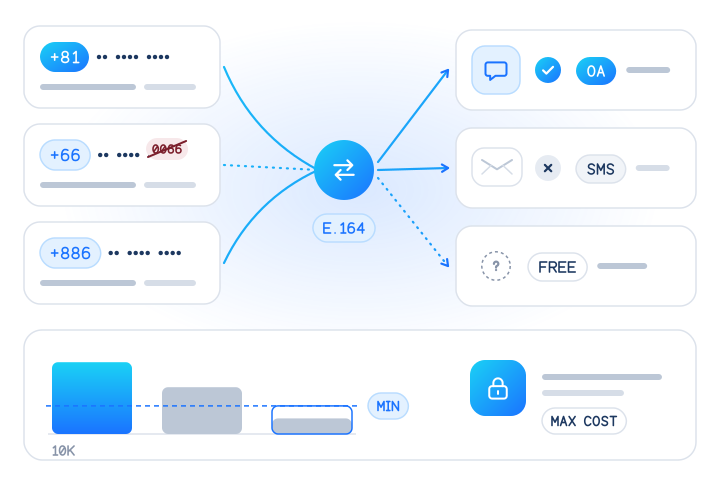
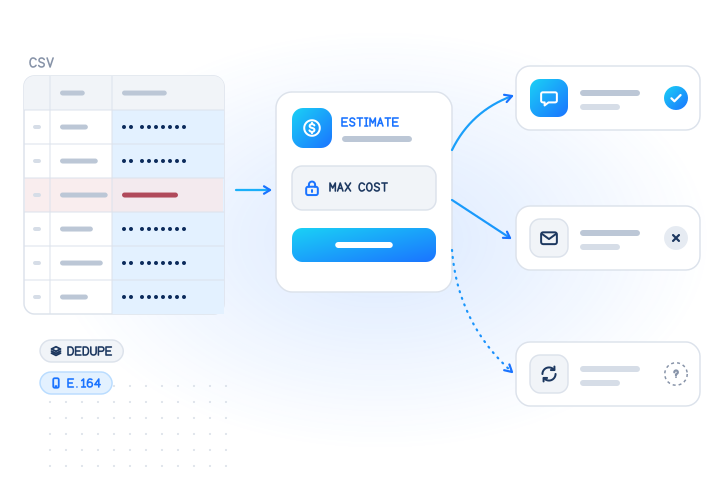
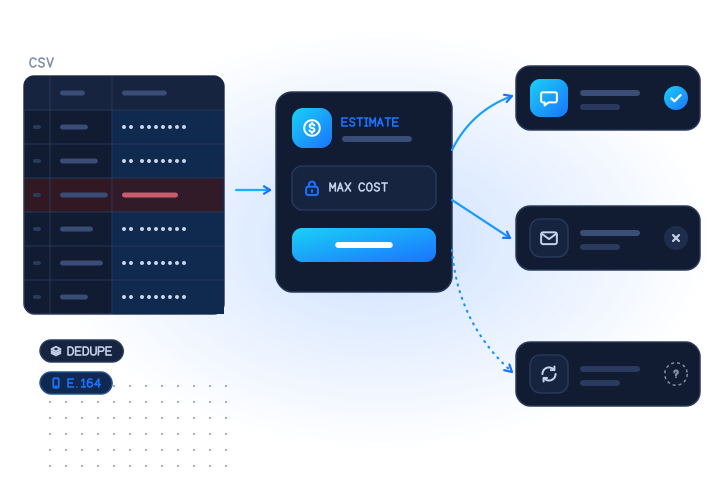
To check a list of Thai numbers for WhatsApp, convert every row to E.164 (+66 plus nine digits starting 6, 8 or 9), remove duplicates, upload the file as a bulk job with the whatsapp check, read the free estimate, and download one answer per number: registered, not registered or unknown. In Thailand, run the LINE check in the same job: LINE is the main messenger there, and the two answers side by side tell you which channel reaches each customer, with SMS as the fallback. At our catalog price on 2026-11-20, 10,000 Thai numbers cost at most US$2.50 for WhatsApp, or US$17.50 with LINE. Check only numbers your customers gave you, with a lawful basis under Thailand's Personal Data Protection Act (PDPA) B.E. 2562.
This guide covers what is specific to a Thai list. Numbering, operators, porting and SIM registration are in our Thailand phone number guide; how a LINE check works, and LINE's own business channels, are in how to check if a number is on LINE. Facts are as of 20 November 2026, and every price carries its date. This is general guidance, not legal advice.
Should you use WhatsApp, LINE or SMS for Thai customers?
Use each where it fits, decided per customer, not per country. LINE is the default messenger for most Thai consumers; LY Corporation, which runs it, reports about 54 million users in Thailand (our LINE guide has the figures and sources). We know of no independent figure for WhatsApp use in Thailand, and we don't quote one. What we see in practice is that a Thai list is rarely all-Thai in behaviour:
| Customer group in a Thai list | Likely channel | Why a WhatsApp check helps |
|---|---|---|
| Thai consumers, domestic brand | LINE Official Account, SMS | Mostly to confirm the few who prefer WhatsApp; LINE answers matter more |
| Expats, long-stay visitors, international schools and clinics | WhatsApp, SMS | Many brought the habit from home; the check shows who actually has it |
| Hotel, resort and tour guests with Thai SIMs | WhatsApp, SMS | Short-lived numbers; check close to the stay, not months later |
| Cross-border B2B (suppliers, distributors, logistics) | WhatsApp, e-mail | Business contacts in the region often use WhatsApp with foreign partners |
| Everyone, for one-time passcodes | SMS first | SMS reaches every active mobile; WhatsApp is an option for those who have it |
The channels also differ in how you are allowed to reach people. A LINE Official Account reaches people who added it as a friend. WhatsApp and SMS reach a phone number, so the permission has to come from your own opt-in records. That is why the check is a routing input and not a contact list: it tells you which apps exist on a number you already hold, and your consent record tells you which of them you may use.
How do you format Thai numbers for a WhatsApp check?
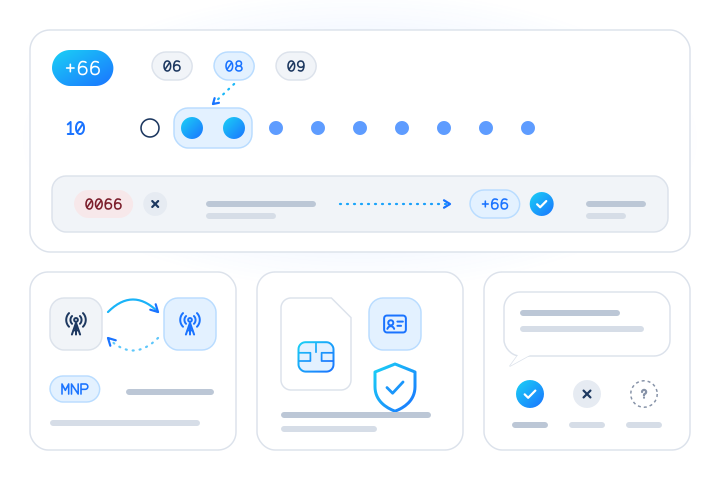
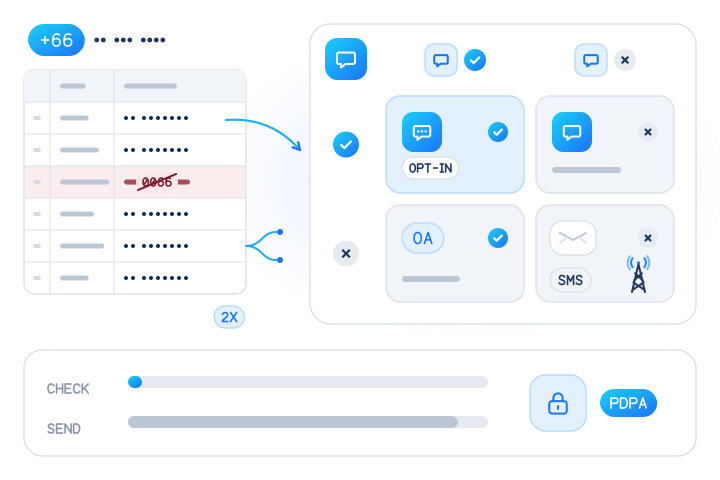
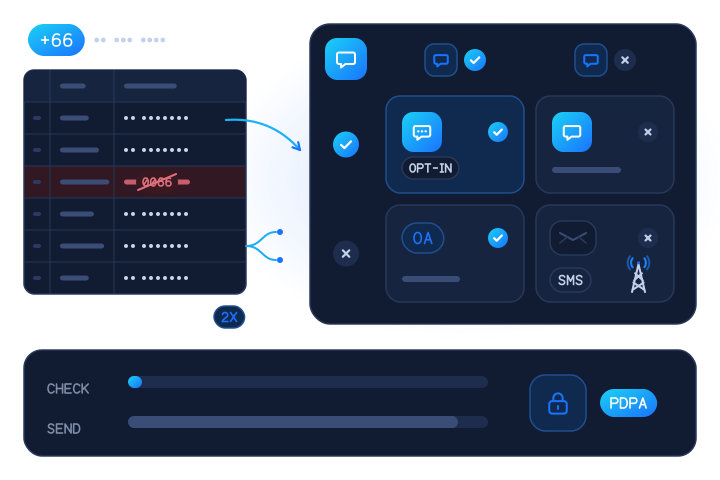
Use +66 followed by the national number without its leading 0: 08X-XXX-XXXX becomes +668XXXXXXXX. Most spellings in a Thai export are harmless, because libphonenumber with the default region TH already handles them. Four are not, and each silently loses a real customer:
| Cell in your file | What libphonenumber-js does with region TH | Fix |
|---|---|---|
081-XXX-XXXX, +66 81 XXX XXXX, 66 81 XXX XXXX, 81XXXXXXX | Parsed correctly | None needed |
+66 081 XXX XXXX (stray 0 after the code) | Parsed correctly | None needed, but store the E.164 form |
0066 81 XXX XXXX | Read as exit code 006 and country 68: invalid | Rewrite 0066 to +66 first |
๐๘๑-XXX-XXXX (Thai digits) | Not parsed at all | Map ๐–๙ to 0–9 |
081-XXX-XXXX, 089-XXX-XXXX | Not parsed at all | Split the cell, keep both numbers |
081 XXX XXXX หรือ 089 XXX XXXX ("or" in Thai) | Not parsed at all | Split on หรือ too |
Thai digits turn up when forms or spreadsheets were filled in on a Thai keyboard layout, and two numbers per cell are common in B2B and loyalty exports, where a customer gave a personal and a work mobile. The 0066 case has its own section in the Thailand guide; it matters here because a 0066 row in a bulk file comes back as invalid and is never checked.
This converter fixes the four cases and returns only Thai mobile numbers:
import { parsePhoneNumberFromString } from "libphonenumber-js/max";

/** One cell of a Thai customer list → the Thai mobile numbers in it, as E.164 (+66…). */
export function thaiMobiles(cell) {
  const ascii = String(cell).replace(/[๐-๙]/g, (d) => String(d.charCodeAt(0) - 0x0e50)); // Thai digits ๐–๙
  const found = [];
  for (const part of ascii.split(/[,;/]|\s(?:or|หรือ)\s/)) {          // "081…, 089…" or "081… หรือ 089…"
    const s = part.replace(/[^\d+]/g, "").replace(/^0066/, "+66");    // 0066 → +66 (Thai exit codes are 001–009)
    const p = parsePhoneNumberFromString(s, "TH");
    if (p?.isValid() && p.country === "TH" && p.getType() === "MOBILE" && /^\+66[689]/.test(p.number)) found.push(p.number);
  }
  return [...new Set(found)];
}
We ran it on 2026-11-20 with Node.js 24 and libphonenumber-js 1.13.15 (metadata 9.0.41), on libphonenumber's own example numbers for Thailand. Digits are masked with X here:
| Input | Output |
|---|---|
081-XXX-XXXX | ["+6681XXXXXXX"] |
0066 81 XXX XXXX | ["+6681XXXXXXX"] |
๐๘๑-XXX-XXXX | ["+6681XXXXXXX"] |
081-XXX-XXXX, 089-XXX-XXXX | ["+6681XXXXXXX", "+6689XXXXXXX"] |
081 XXX XXXX หรือ 089 XXX XXXX | ["+6681XXXXXXX", "+6689XXXXXXX"] |
02-XXX-XXXX (Bangkok landline) | [] |
060 XXX XXXX (VoIP range) | [] |
+84 91 XXX XXXX (a Vietnamese mobile) | [] (left out of a Thai-only list) |
A cell that yields two numbers becomes two rows with the same customer ID. The job's result file keeps a row_no, so write your own row-to-customer map before you upload and join back by row number. If your list also holds foreign customers, keep their numbers in their own + form and don't run them through a Thai-only converter. The free phone list cleaner handles one country per run.
Which Thai numbers should you set aside before the check?
- Landlines (
02,03X–07X). Rarely on WhatsApp, and never the right target for a consumer campaign. Keep them for calls. - VoIP ranges (
060,068). Valid numbers, but typedVOIP, notMOBILE. The converter drops them; decide by hand whether a customer really gave you one. - Short-lived visitor numbers. Under the NBTC measures published in the Royal Gazette on 29 August 2025, tourist SIM cards are valid for at most 60 days, and continued use needs a new registration, as The Nation reported (The Nation, 2025). The NBTC's second notification, in force since 16 May 2026, also requires every user to activate a registered SIM within 60 days and limits people without Thai nationality to three SIMs per operator (Tilleke & Gibbins, 2026). For a hotel or tour list, a WhatsApp answer from last season tells you little; check close to the contact.
- Anything starting
+697or+698. These are warning prefixes added to incoming international and internet calls, not country codes (The Nation, 2025). If one is in a phone field, it came from a caller ID, not from the customer.
Don't read the operator from the prefix either. Porting has run in Thailand since December 2010, so 08X blocks say who holds the range, not today's network; the Thailand guide has the details.
How do you check a list of Thai numbers on WhatsApp?
- Export only customers who gave you their number, with your own ID and their channel opt-ins (for example
member_id,phone,optin). Leave out bought lists, scraped numbers and number ranges. - Convert and dedupe with a converter like the one above. Keep the rows that return nothing aside for a manual fix.
- Estimate for free. Upload the file in the dashboard (Bulk jobs › Upload a list) or send it to
POST /v1/jobs/estimate. The estimate checks nothing and stores nothing. - Run with a cost cap. Choose
whatsappandline(addwhatsapp.businessif you need to know which accounts are business accounts) and pass the estimate'smax_cost. - Download and join back by
row_no. Store each answer with itschecked_atdate.
A job holds up to 50,000 numbers; bigger exports go into several jobs. The bulk jobs docs cover CSV and JSON input, webhooks and downloads.
Worked example: CSV in, columns out
A real test-mode job, run on 2026-11-20 with the public sandbox key from test mode. The sandbox accepts only our test values from the +44 7700 900xxx drama range, so in a real job these rows would be the +66… output of the converter. The last row repeats the first number under a second member record:
phone,member_id,optin
+447700900001,TH-1001,whatsapp+sms
+447700900002,TH-1002,sms
+447700900006,TH-1003,whatsapp+line
+447700900003,TH-1004,line+sms
+447700900005,TH-1005,sms
+447700900001,TH-1006,whatsappcurl https://api.mobilevalidate.com/v1/jobs \
-H "Authorization: Bearer mv_test_publicSandboxn9ZgneuhR1B9CRfKG3fulym" \
-H "Idempotency-Key: th-wa-2026-11-20-a" \
-F file=@crm.csv -F checks=whatsapp,line
# then GET /v1/jobs/{id}/download?format=csvThe job reported "progress": {"total": 6, "checks_total": 12, "done": 12, "conclusive": 6, "non_billable": 12} (test keys never bill). Selected columns of the downloaded CSV:
| row_no | e164 | number_status | whatsapp.registered.status | whatsapp.registered.registered | line.registered.status | line.registered.registered |
|---|---|---|---|---|---|---|
| 1 | +447700900001 | valid | completed | true | completed | true |
| 2 | +447700900002 | valid | completed | false | completed | false |
| 3 | +447700900006 | valid | completed | true | completed | true |
| 4 | +447700900003 | valid | unknown | unknown | ||
| 5 | +447700900005 | valid | unsupported_country | unsupported_country | ||
| 6 | +447700900001 | duplicate |
Test values return the same fixed answer for every app; real answers differ by app. Read it against the opt-in column: TH-1001 and TH-1003 are on WhatsApp and opted in to it, so they can get WhatsApp messages. TH-1003 is also on LINE and opted in there, so the LINE Official Account invite fits too. TH-1002 opted in only to SMS, and the answers don't change that. TH-1004 has no answer, which costs nothing; check again in the next run. Row 6 is the same number as row 1 under a second record: merge the two records, and note that the duplicate was neither checked nor charged.
The job's cost breakdown also listed the two pricing rules that matter for a Thai list: WhatsApp gets the bulk price only for at least 132 numbers from the same country in one job (a smaller group is priced as real-time checks, reason small_batch), and LINE, a bulk-only check, bills each country at least the price of 2,000 checks when it returns at least one answer (reason country_minimum).
What does it cost to check 10,000 Thai numbers?
From our public catalog (GET /v1/services), fetched on 2026-11-20, bulk prices per conclusive answer:
| Check | Bulk price per answer | 10,000 numbers, at most |
|---|---|---|
WhatsApp registration (whatsapp) | US$0.00025 | US$2.50 |
WhatsApp Business account (whatsapp.business) | US$0.0003 | US$3.00 |
LINE registration (line, bulk only) | US$0.0015 | US$15.00 |
Live network status, HLR (number.hlr) | US$0.005 | US$50.00 |
Only conclusive answers are billed. Unknown, invalid, duplicate and unsupported rows are free. Real-time checks are priced on the pricing page; for a list, a bulk job is the cheaper route.
A worked example with made-up answer rates: a loyalty export of 11,200 rows converts to 10,000 unique Thai mobiles. A WhatsApp and LINE job costs at most 10,000 × (US$0.00025 + US$0.0015) = US$17.50. Say 800 numbers come back not registered on either app. An HLR job on those 800 to see which are still reachable before you send SMS costs at most 800 × US$0.005 = US$4.00. The whole pre-check stays under US$22 for a list you will message many times.
How much do WhatsApp messages to Thailand cost?
Thailand has no country row on Meta's WhatsApp rate card; it is priced in the Rest of Asia Pacific region, together with markets such as Japan, Taiwan, Vietnam, the Philippines and Australia (Meta). From our rate-card dataset, list rates per delivered message in USD:
| Category | Card effective 1 July 2026 | Card effective 1 October 2026 |
|---|---|---|
| Marketing | 0.0732 | 0.0842 |
| Utility | 0.0113 | 0.0113 |
| Authentication | 0.0113 | 0.0113 |
| Authentication-international | none | none |
| Service | not charged | 0.0113 |
Three things follow for a Thai campaign:
- Marketing went up 15% between the two cards, from US$0.0732 to US$0.0842. Utility and authentication stayed the same. Thailand has no authentication-international rate, so a business abroad sending one-time passcodes to
+66numbers pays the same list rate as a Thai one. - Service messages are charged again from 1 October 2026, after 1,000 free ones per business phone number per month. Only delivered messages are charged (Meta).
- The pre-check is small against the send. If 5,800 of the 10,000 customers above are on WhatsApp and opted in, one marketing template to each lists at 5,800 × US$0.0842 = US$488.36, or 5,800 × US$0.0113 = US$65.54 for a utility message. The WhatsApp check on all 10,000 was US$2.50.
Because undelivered messages cost nothing, the check doesn't save on Meta's bill directly. It saves on what you do next: the customers without WhatsApp go to LINE or SMS on purpose, instead of waiting for a template that never arrives. Try other volumes in the WhatsApp cost calculator; our WhatsApp pricing guide explains the categories.
What does Thailand's PDPA require before you check or message?
The Personal Data Protection Act B.E. 2562 (2019) was published in the Government Gazette on 27 May 2019; after two postponements by royal decree it has applied in full since 1 June 2022 (DLA Piper, 2021). We read the unofficial English translation hosted by the Ministry of Digital Economy and Society on 2026-11-20 (MDES); only the Thai text has legal force. Our LINE guide summarises sections 19, 21, 23, 24, 28 and 32. These are the points it doesn't cover, and the ones that decide most bulk WhatsApp projects:
| Section | What it says | What it means for a WhatsApp check |
|---|---|---|
| s. 5 | The Act applies to controllers outside Thailand that offer goods or services to people in Thailand, or monitor their behaviour there | A company in Singapore, Europe or the US checking Thai customers is covered |
| s. 37(5) | Such a foreign controller must appoint a written representative in Thailand (s. 38 lists exceptions) | Settle this before a Thai campaign, not after |
| s. 25 | No collection from any source other than the person, unless you inform them within 30 days and get consent, or an exception applies | Bought or rented Thai lists are a problem before any check runs |
| s. 19 | Consent must be requested explicitly, separately from other matters, and withdrawing it must be as easy as giving it | If your basis is consent, "WhatsApp" and "LINE" should be named channels in the request |
| s. 40 | A processor acts only on the controller's instructions and keeps records of processing | A check provider is your processor; that is what a data processing agreement records |
| s. 83 | Administrative fines of up to THB 3 million for breaches of sections 21, 22, 24, 25, 27, 28, 32 and 37, among others (up to THB 5 million under s. 84 for sensitive data) | Collecting without a basis, ignoring an objection and weak security are all on the list |
Enforcement is real. In August 2024 the Personal Data Protection Committee announced its first administrative fine, THB 7 million, against a major private company that processed data on more than 100,000 people without a data protection officer, lacked adequate security and reported its breach late; the leaked data reached a call-centre scam gang (Tilleke & Gibbins, 2024). That is the same kind of data a Thai customer list holds.
Access requests have a deadline now. A PDPC notification published on 16 July 2026, in force since 14 September 2026, requires a controller to answer an access request within 30 days, extendable by 30, and to disclose the sources of data obtained without consent (Baker McKenzie, 2026). A stored check answer about a customer's number is part of what you may have to show them, so keep it with its date and purpose.
What changed for the SMS fallback?
SMS stays the fallback for numbers on neither app, and the NBTC has tightened it. Senders of SMS that contain web links must register with their operator and give the full message so the operator can verify the link (ASEAN anti-scam guide, 2026). Under the August 2025 measures, application-to-person messages may only be sent from registered sender names, and operators must verify links before delivery (The Nation, 2025). Use a registered sender name, keep links to domains you have registered, and remember that subscribers can stop marketing SMS with *137 (see the Thailand guide).
WhatsApp's own opt-in rule
WhatsApp's Business Messaging Policy (last updated 23 September 2026) allows contact only when the person gave you their number and you have "received opt-in permission from the recipient confirming that they wish to receive" further messages from you (WhatsApp, 2026). A registered: true answer is a fact about a number, not permission to message it. Our consent and law guide covers the approach in more detail.
On our side, requests with long runs of consecutive numbers are refused as suspected enumeration, each account has a daily cap, and our acceptable use policy forbids bought or scraped lists, unsolicited bulk messaging and checking numbers to find or identify people. By submitting numbers you confirm you have the authority to check them. Anyone can object through the opt-out form; suppressed numbers are skipped and never charged.
What do you do with the answers?
Combine the two app answers with the customer's opt-in:
| LINE | What to do | |
|---|---|---|
true, opted in | any | Send on WhatsApp; keep SMS as the fallback |
true, no WhatsApp opt-in | true | Invite them to your LINE Official Account at the next contact they expect; ask for WhatsApp opt-in only if it fits |
false | true | LINE Official Account and SMS; don't offer WhatsApp to this number |
false | false | SMS from a registered sender, or e-mail; consider an HLR check first |
| unknown | unknown | Keep the current channel and check again later; free |
| no number from the converter | Fix the record by hand or ask the customer |
A false on LINE is weaker evidence than a false on WhatsApp, because people also connect on LINE by ID and QR code; the LINE guide explains why. Treat unknown as missing data, never as a dead number, and don't overwrite a stored conclusive answer with a later unknown.
For the group on neither app, a live network status (HLR) check answers the next question: is the number reachable on its network at all? Thai numbers churn under the SIM rules above, so an unreachable answer on an old number is a reason to confirm it with the customer before you pay for SMS. Re-check opted-in customers before each campaign, oldest answers first.
How do you start with MobileValidate?
The checks for this guide are the WhatsApp number check, the LINE number check (bulk only) and live network status (HLR). All take Thai numbers. You don't need a WhatsApp or LINE account, a phone or a QR pairing.
- Free, today. Get a free test key to build against fixed test answers, and use the free estimate on any file before you pay.
- Real checks free. Every live account can check 100 phone numbers and 20 e-mail addresses for real, free, on the dashboard's Try it page. Request access to open one.
- Then prepay. Top-ups of US$100 or more get a 5% bonus, US$500 or more 8%, and US$2,000 or more 10%.
Results are kept for your account's retention setting, 30 days by default, and you can delete a job's results at any time. WhatsApp and LINE are named descriptively; MobileValidate is not affiliated with WhatsApp, Meta, LINE or LY Corporation.
What are the key takeaways?
- In Thailand, check WhatsApp and LINE together and route per customer: LINE for most Thai consumers, WhatsApp for expats, visitors and cross-border contacts, SMS for everyone else.
- Fix four things libphonenumber won't:
0066…(rewrite to+66), Thai digits๐–๙, and cells with two numbers separated by a comma orหรือ. - A bulk WhatsApp check costs US$0.00025 per answer (catalog, 2026-11-20): US$2.50 for 10,000 numbers, US$17.50 with LINE. The bulk price needs 132 numbers per country in a job; unknowns and duplicates are free.
- WhatsApp marketing to Thailand lists at US$0.0842 per delivered message on the October 2026 card, up from US$0.0732; utility and authentication at US$0.0113.
- The PDPA reaches foreign senders (s. 5), rules out bought lists without notice and consent (s. 25), and has been enforced since 2024. Check only your own customers' numbers, and treat registration as a fact, not consent.
Sources
- Personal Data Protection Act B.E. 2562 (2019), Government Gazette 27 May 2019 (unofficial English translation) — Ministry of Digital Economy and Society of Thailand (MDES), 2019
- Thailand postponed the implementation of the data protection act until 1 June 2022 (9 May 2021) — DLA Piper, 2021
- Landmark Fine Imposed under Thailand's Personal Data Protection Act (22 August 2024) — Tilleke & Gibbins, 2024
- Thailand: Notification on Data Subject Access Requests (10 August 2026) — Baker McKenzie, 2026
- ASEAN Guide on Anti-Scam Policies and Best Practices (January 2026) — ASEAN, 2026
- New NBTC law tightens rules on SIMs, SMS and foreign calls effective immediately (31 August 2025) — The Nation, 2025
- Thailand Tightens Telecom Registration, Data, and IP Address Rules to Combat Tech Crime (19 May 2026) — Tilleke & Gibbins, 2026
- Pricing on the WhatsApp Business Platform — Meta for Developers, 2026
- WhatsApp Business Messaging Policy (last updated 23 September 2026) — WhatsApp, 2026
Frequently asked questions
Should I use WhatsApp or LINE to reach customers in Thailand?
Usually both, chosen per customer. LINE is the main messenger in Thailand, but a LINE Official Account only reaches people who added it as a friend. WhatsApp reaches a phone number directly, with your own opt-in, and fits expats, visitors and cross-border customers. SMS reaches every active mobile. Check your consented list for WhatsApp and LINE in one bulk job, then route each customer.
How do I convert Thai numbers to +66 for a WhatsApp check?
Drop the leading 0 and add +66: 08X-XXX-XXXX becomes +668XXXXXXXX. Rewrite a leading 0066 to +66 yourself, because Thailand has several exit codes (001 to 009) and a parser set to Thailand misreads 0066. Convert Thai digits (๐ to ๙) to 0 to 9, and split cells that hold two numbers before you parse.
Why does my parser drop Thai numbers that look correct?
Three common reasons. libphonenumber-js 1.13.15 does not read Thai digits, so a cell typed as ๐๘๑… is not parsed at all. A cell holding two numbers, such as '081…, 089…' or '081… หรือ 089…', is rejected as a whole. And 0066… is read as exit code 006 followed by country code 68.
How much does a bulk WhatsApp check of Thai numbers cost?
On 2026-11-20 our public catalog listed the WhatsApp registration check at US$0.00025 per conclusive answer in bulk jobs, so 10,000 numbers cost at most US$2.50. The bulk price needs at least 132 numbers from the same country in one job. Unknown, invalid and duplicate rows are free. Real-time prices are on the pricing page.
How much does a WhatsApp marketing message to Thailand cost?
Thailand has no country row on Meta's rate card; it is priced in the Rest of Asia Pacific region. On the card effective 1 October 2026 that region lists US$0.0842 per delivered marketing message, up from US$0.0732 in July, and US$0.0113 for utility, authentication and service messages. Only delivered messages are charged.
Does Thailand's PDPA apply if my company is outside Thailand?
It can. Section 5 applies the PDPA to controllers outside Thailand that offer goods or services to people in Thailand or monitor their behaviour there. Such a controller must also appoint a representative in Thailand under section 37(5), with limited exceptions. Ask Thai counsel how this applies to you.
Can I check a Thai number list I bought or rented?
We don't accept that use. Section 25 of the PDPA bars collecting personal data from a source other than the person unless you tell them within 30 days and get their consent, or an exception applies. Our acceptable use policy forbids bought and scraped lists. Check only numbers your customers gave you.
What should I do with Thai numbers that are not on WhatsApp?
Look at the LINE answer next to it. If the customer is on LINE, invite them to follow your Official Account at the next contact they expect. If neither app answers yes, keep SMS, from a registered sender name, and check whether the number is still reachable before you spend on it. Unknown answers are free and are not proof of anything.
Related services and guides
- ServiceCheck if a phone number is registered on WhatsApp
- ServiceCheck if a phone number is registered on LINE
- ServiceHLR lookup API: live mobile network status
- DatasetWhatsApp Business Platform rate cards (USD), 2026-07 and 2026-10
- Free toolWhatsApp Business message cost calculator
- Free toolPhone list cleaner: dedupe and normalize to E.164
More from the blog
All articlesGuides
Thailand phone numbers: format, mobile prefixes, validation and messaging rules
Thailand phone number format: +66 and 10-digit mobiles (06, 08, 09), the 0066 parsing trap, tested code, porting, SIM identity rules and LINE checks.
17 min read
Guides
How to check if a number is on LINE
Check in bulk whether numbers you hold are on LINE: yes, no or unknown, never a LINE ID. Japan, Thailand and Taiwan, $0.0015 per answer, limits and law.
16 min read
Guides
Bulk WhatsApp number check: how to verify a customer list (CSV upload or API)
Check WhatsApp numbers in bulk: prepare a CSV, get a free estimate, cap the cost, run the job in the dashboard or API, and act on each answer.
8 min read